
Tasmor JYX-5050x18N
TASMOR 10M USB RGB LED Strip Light User Manual
Model: JYX-5050x18N
Marque : Tasmor
Introduction
Thank you for choosing the TASMOR 10M USB RGB LED Strip Light. This product is designed to provide versatile and vibrant lighting for various indoor settings, including bedrooms, living rooms, kitchens, and for special occasions like parties and holidays. This manual provides essential information for safe installation, operation, and maintenance of your LED strip light.
Consignes de sécurité
- Ce produit est conçu pour utilisation en intérieur uniquementNe pas exposer à l'eau ou à une forte humidité.
- Ensure the installation surface is clean, dry, and smooth for proper adhesion.
- Do not connect the LED strip to power while it is still rolled up, as this may cause overheating.
- Utilisez uniquement l'adaptateur secteur et les composants fournis.
- Do not attempt to repair or modify the product. Refer to qualified personnel for service.
- Tenir hors de portée des enfants.
- The LED strip can be cut at designated marks (every 4 poles, 10mm wide). Ensure power is disconnected before cutting.
Produit terminéview
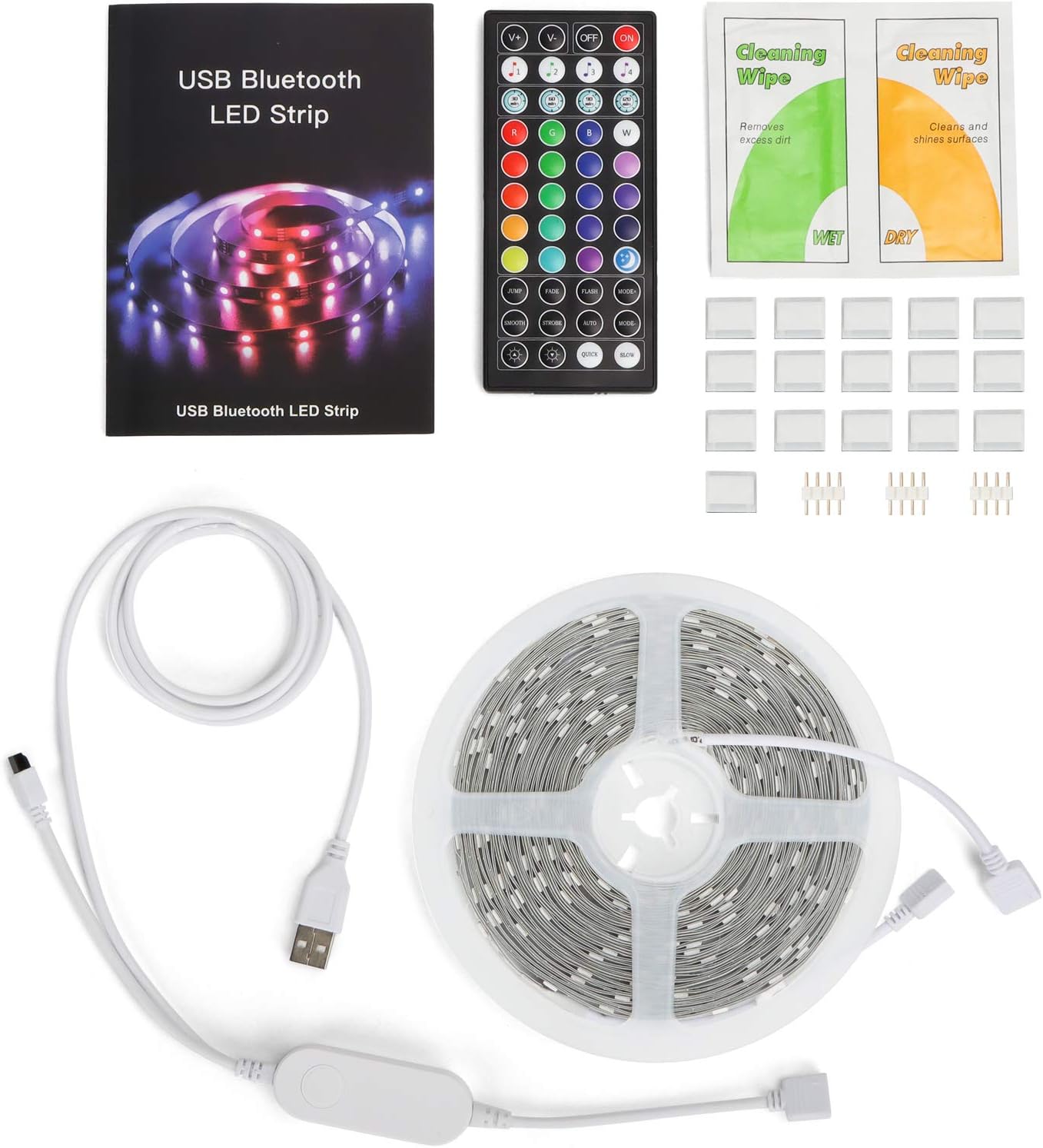
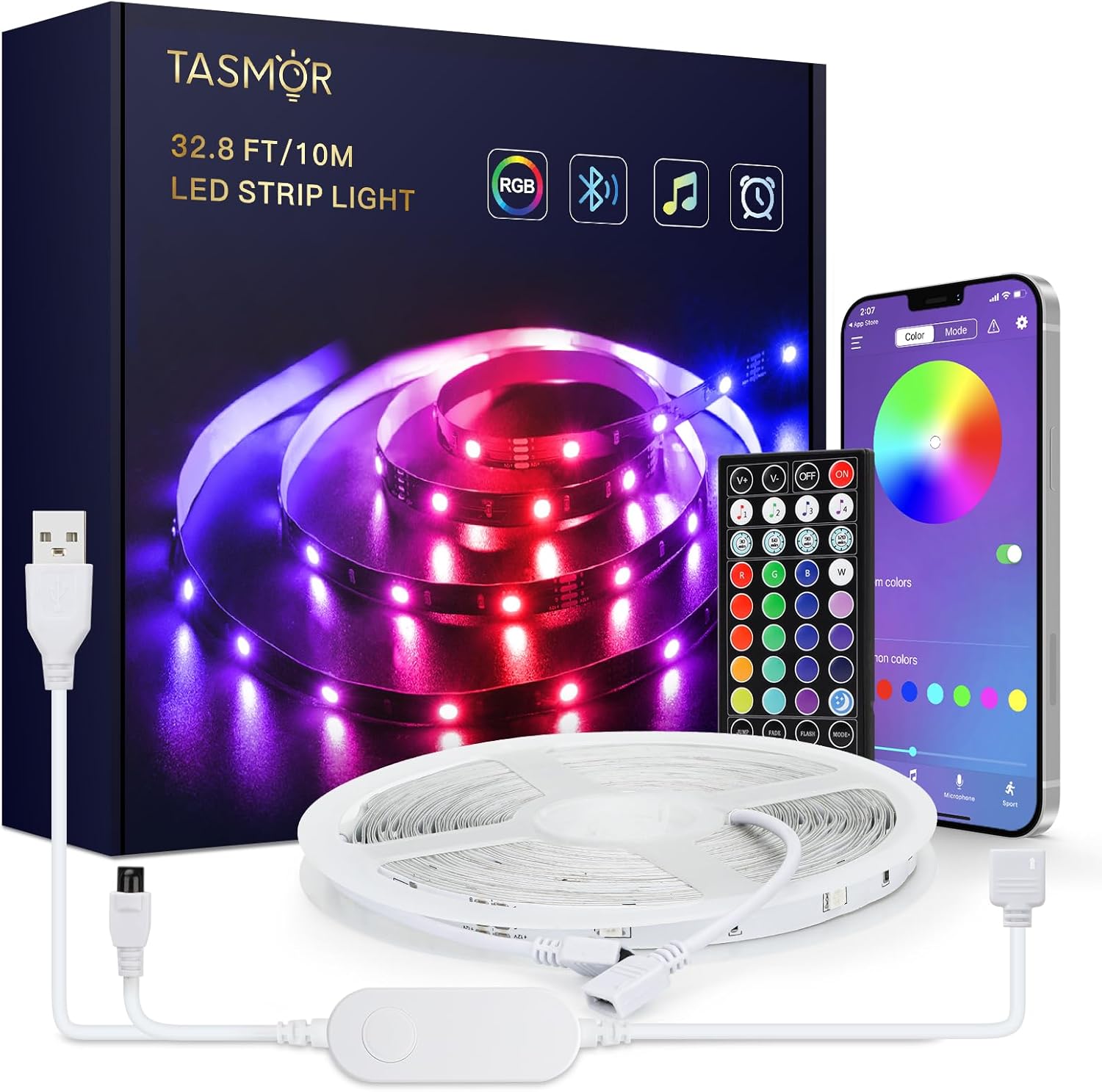
The TASMOR 10M USB RGB LED Strip Light system includes the following components:
- 10-meter RGB LED Strip Light
- 44-key IR Remote Control
- In-line Control Box with USB power cable
- Manuel d'utilisation
- Cleaning Wipes (may be included)
- Adhesive clips/mounts (may be included)
Configuration et installation
- Préparez la surface : Choose a clean, dry, and smooth surface for installation. Wipe the surface with the provided cleaning wipes (if applicable) and allow it to dry completely.
- Déroulez la bande LED : Fully unroll the LED strip before connecting it to power to prevent overheating.
- Connecter les composants :
- Connect the LED strip to the in-line control box. Ensure the arrows on the connectors align.
- Connect the USB plug from the in-line control box to a 5V USB power source (e.g., USB wall adapter, power bank, computer USB port).

Figure 3: Connection Diagram. This diagram illustrates the correct way to connect the LED strip to its controller and power source. - Collez la bande : Peel off the self-adhesive backing from the LED strip gradually as you press it firmly onto the prepared surface.

Figure 4: Installation Features. This image demonstrates the strong 3M adhesive, the ability to cut the strip at marked intervals, and its flexibility for bending around corners. - Cutting the Strip (Optional): If the strip is too long, you can cut it at the designated cutting marks (indicated by copper pads and a scissor icon) every 4 poles. Ensure power is disconnected before cutting.
Mode d'emploi
Your TASMOR LED Strip Light offers three convenient control methods:

1. In-line Control Box
The small button on the in-line control box allows for basic control:
- Press once to turn ON/OFF.
- Press repeatedly to cycle through basic colors and dynamic modes.
2. 44-Key IR Remote Control
The remote control provides comprehensive access to various functions:
- Bouton d'alimentation : Allumer / éteindre.
- Réglage de la luminosité : Augmenter ou diminuer l'intensité lumineuse.
- Couleurs statiques : 20 preset static colors.
- DIY Buttons: Customize and save your own colors.
- Modes dynamiques : 6 dynamic modes (e.g., Flash, Strobe, Fade, Smooth).
- Modes de musique : 4 music modes that react to sound.
3. MagicStrip APP (Bluetooth Control)
For advanced features and customization, download the "MagicStrip" app from the App Store or Google Play. Ensure Bluetooth is enabled on your smartphone.
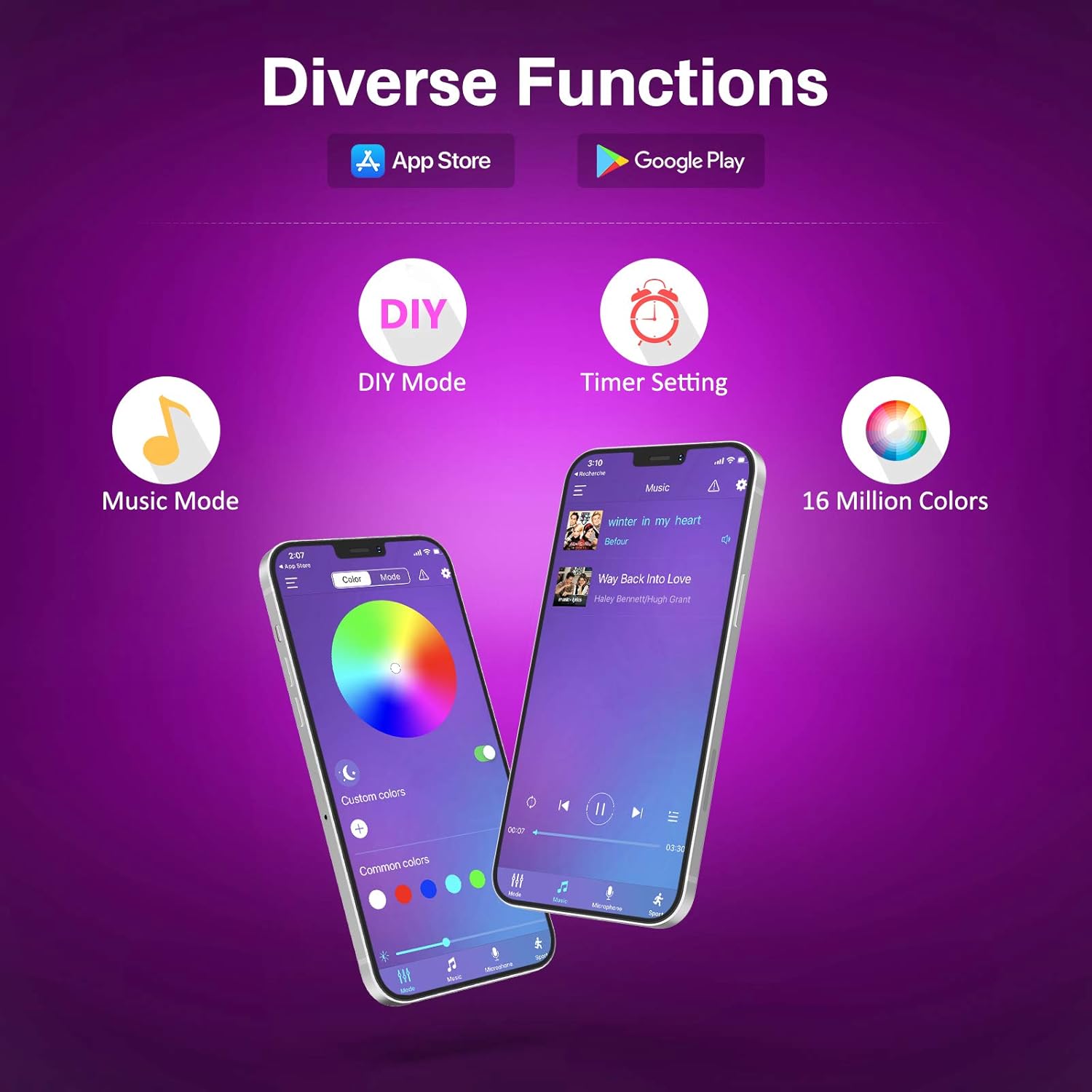
- Palette de couleurs : Access to 16 million colors for precise selection.
- Luminosité et saturation : Ajustez avec précision l'intensité lumineuse et la vivacité des couleurs.
- Modes de bricolage : Create and save custom lighting effects.
- Mode de synchronisation de la musique : The lights change color and speed in sync with music played through your phone's microphone. Adjust sensitivity and mode.
- Fonction minuterie : Schedule the lights to turn ON/OFF at specific times.
- Scènes dynamiques : Explore over 30 pre-programmed dynamic scenes and modes.


Entretien
- Nettoyage: Gently wipe the LED strip with a dry, soft cloth to remove dust. Do not use liquid cleaners or immerse the strip in water.
- Adhésion: If the strip begins to peel, reinforce it with additional adhesive clips or double-sided tape.
- Stockage: When not in use for extended periods, disconnect from power and store the strip in a cool, dry place.
Dépannage
| Problème | Cause possible | Solution |
|---|---|---|
| Les lumières ne s'allument pas. | Pas d'alimentation, connexion défectueuse, pile de la télécommande déchargée. | Check USB power source. Ensure all connections are secure. Replace remote battery (2 x A batteries required for remote, not included). |
| La télécommande ne fonctionne pas. | Remote battery dead, IR sensor blocked, remote too far. | Replace remote battery. Ensure no obstructions between remote and IR receiver on the control box. Operate within 5-8 meters of the receiver. |
| APP cannot connect to the strip. | Bluetooth not enabled, app not paired, interference. | Ensure Bluetooth is enabled on your phone. Restart the app and the LED strip (unplug/replug USB). Try pairing again. |
| Les lumières sont faibles ou vacillantes. | Insufficient power, damaged strip. | Ensure USB power source provides sufficient current (e.g., 5V/2A). If a section is damaged, it may need replacement. |
| Les couleurs sont incorrectes. | Incorrect connection, app/remote setting. | Check that the arrows on the connectors are aligned. Reset the strip by unplugging and replugging. Try different color settings on the remote or app. |
Caractéristiques
| Marque | Tasmor |
| Fabricant | Tasmor |
| Numéro de modèle | JYX-5050x18N |
| Dimensions du produit (L x l x H) | 1000 x 10 x 0.1 cm (10 meters) |
| Poids de l'article | 240 grammes |
| Couleur | USB-10m (RGB) |
| Matériel | Plastique |
| Nombre d'ampoules | 180 |
| Composants inclus | 10m RGB LED Strip Light, 44-key Remote Control, 1-button Control Box and App for control |
| Voltage | 5 volts |
| Utilisations spécifiques | Utilisation en intérieur uniquement |
| Caractéristiques spéciales | Non-waterproof, No adapter included (USB powered) |
| Type de prise | Electrical Cable (USB) |
| Pile(s) incluse(s) | Non |
| Pile(s) requise(s) | Yes (2 x A for remote control) |
| Type d'ampoule | DIRIGÉ |
| Flux lumineux | 150 XNUMX lm |
| Pouvoir | 60 watts |
| Indice de protection IP | IP20 |
Garantie et assistance
For warranty information and technical support, please refer to the seller's policy on the purchase platform or contact the manufacturer directly. Please retain your proof of purchase for any warranty claims.
Manufacturer: Tasmor