
Introduction
This manual provides detailed instructions for the setup, operation, maintenance, and troubleshooting of your Zeblaze Vibe 3 Smartwatch. Please read this manual thoroughly before using your device to ensure proper functionality and longevity.
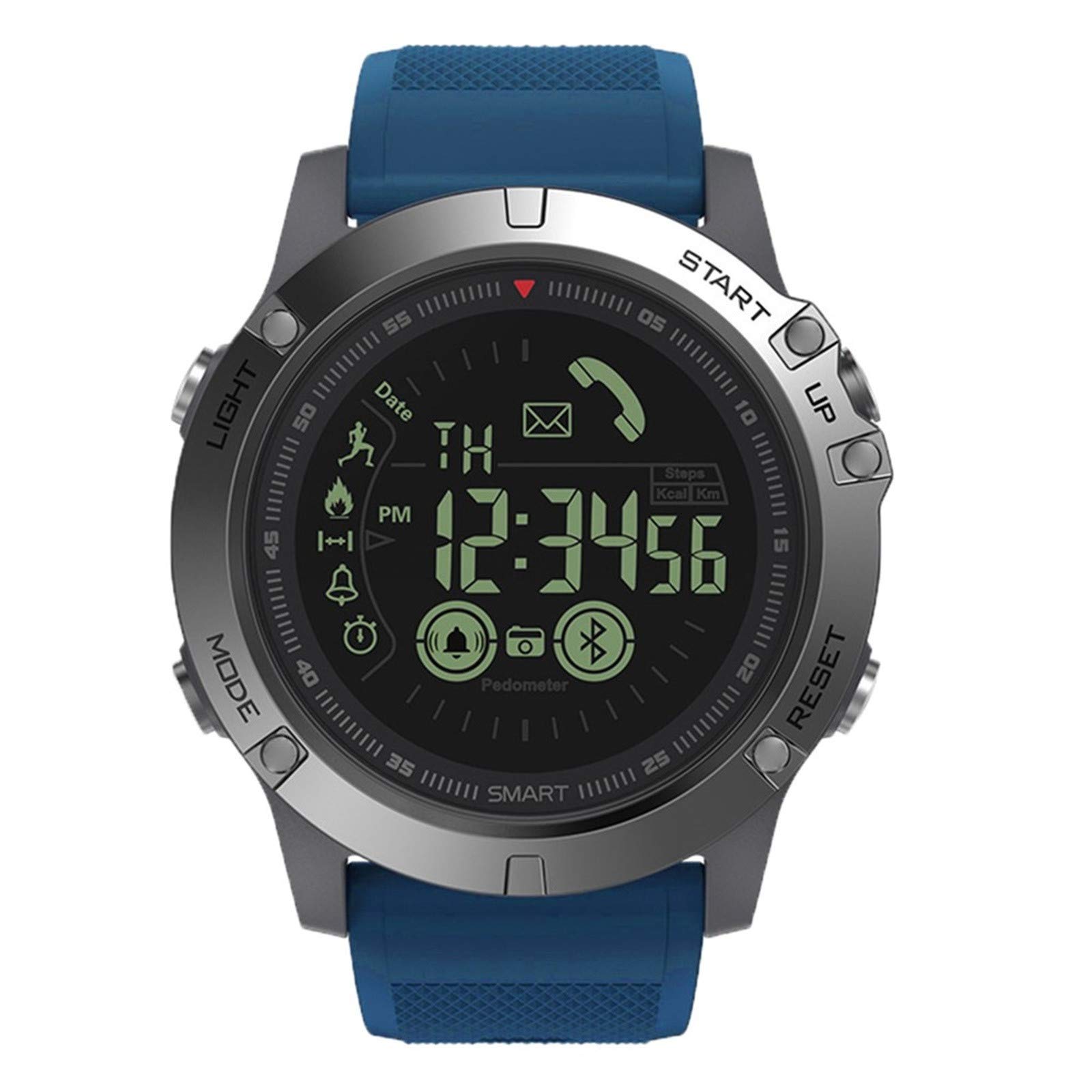
Image: Zeblaze Vibe 3 Smartwatch, front view. The watch features a round face with a digital display, surrounded by a metallic bezel and a blue silicone strap. The display shows the time, date, and icons for steps, calories, and Bluetooth connectivity.
Contenu du colis
Vérifiez que tous les éléments sont présents dans l'emballage de votre produit :
- 1 x Zeblaze VIBE 3 Smartwatch
- 1 x Manuel d'utilisation (anglais)
- 1 x vis de montage
Installation
1. Mise sous tension initiale
Press and hold the 'START' button (S3) for approximately 3 seconds to power on the device. The display will illuminate.
2. Installation de l'application
To unlock the full functionality of your Zeblaze Vibe 3, download and install the companion application. Rechercher "Sports+ APP" or "VerfitPro" in your smartphone's app store (Google Play Store for Android, Apple App Store for iOS).
3. Couplage de l'appareil
- Assurez-vous que Bluetooth est activé sur votre smartphone.
- Ouvrez l'application compagnon installée.
- Follow the in-app instructions to search for and connect to your Zeblaze Vibe 3. The watch uses Bluetooth 4.0 for connectivity.
- Confirmez la demande de jumelage sur votre montre et votre smartphone.
The watch is compatible with Android 4.4 or later and iOS 7.0 or later. It is not designed for PC or tablet use.
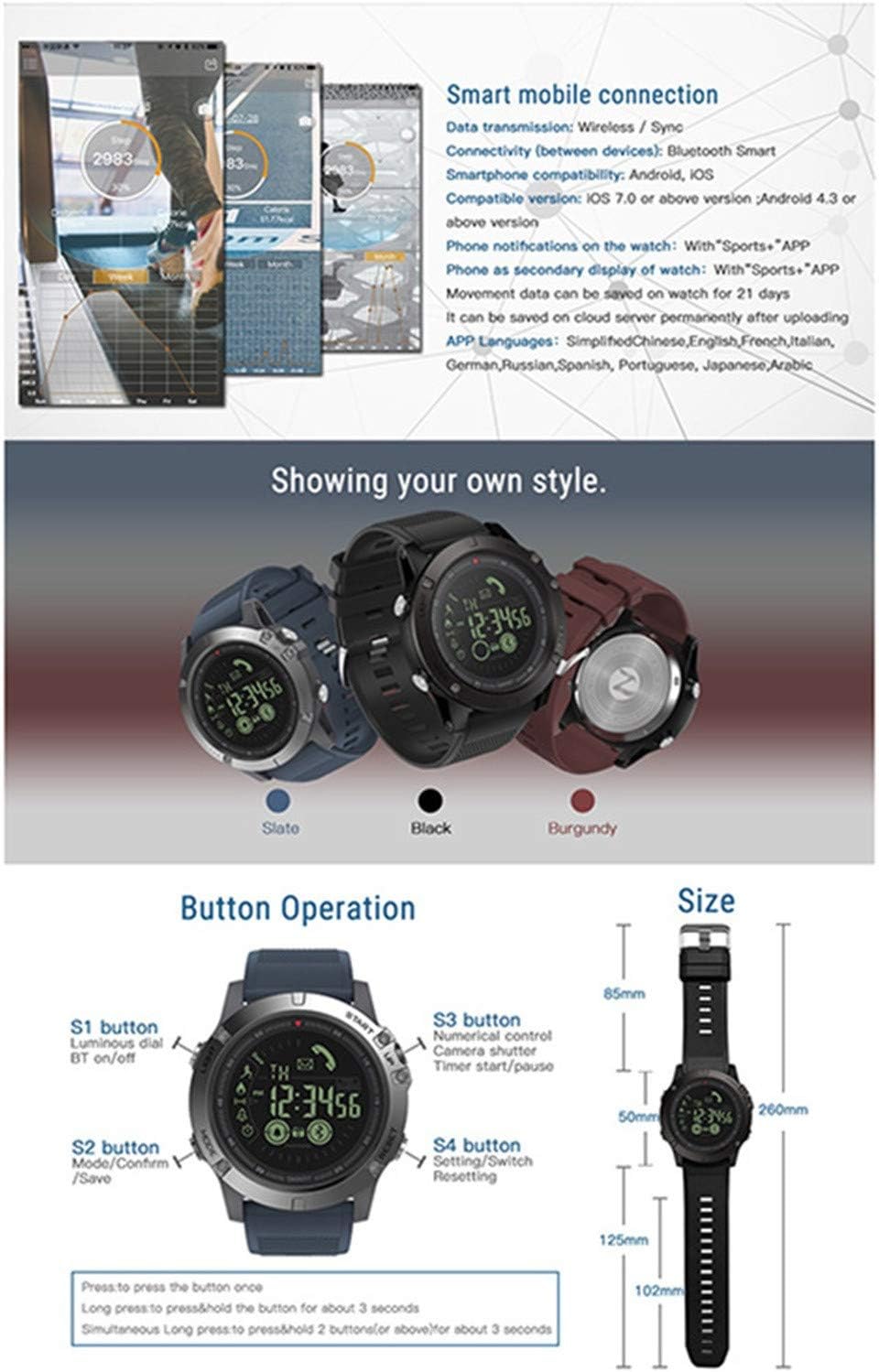
Image: This diagram illustrates the smart mobile connection process, detailing Bluetooth compatibility and data saving. It also provides a clear overview of the watch's button functions and overall dimensions.
Mode d'emploi
Fonctions des boutons
- S1 Button (LIGHT): Press once for luminous dial. Press and hold for Bluetooth on/off.
- S2 Button (MODE): Press once to cycle through modes/screens. Press and hold to save data.
- S3 Button (START/UP): Press once for numerical control. Press and hold to start/pause timer.
- S4 Button (RESET/DOWN): Press once for settings/stopwatch. Press and hold for resetting.
Caractéristiques principales
- Suivi des activités : The watch accurately tracks daily steps, calorie consumption, and distance traveled. Data can be viewed on the watch and synchronized with the app.
- Surveillance du sommeil : Automatically detects and monitors your sleep patterns and quality. Detailed sleep data is available in the companion app.
- Fonction d'alarme : Set alarms through the app. The watch will provide an audible alert at the scheduled time.
- Message & Call Alerts: Once connected to your smartphone, the watch will notify you of incoming calls, SMS, and messages from various applications (Facebook, Twitter, Skype, WhatsApp, WeChat).
- Télécommande de la caméra : Use the watch to remotely trigger your smartphone's camera. Launch the camera app on your phone, then press the S3 button on the watch to take a photo.
- Chronomètre et minuteur : Utilize the built-in stopwatch and timer functions for various activities.
- Sports Data Tracking: Supports multiple sport modes to help track exercise patterns. Can connect to smartphone GPS for route mapping.
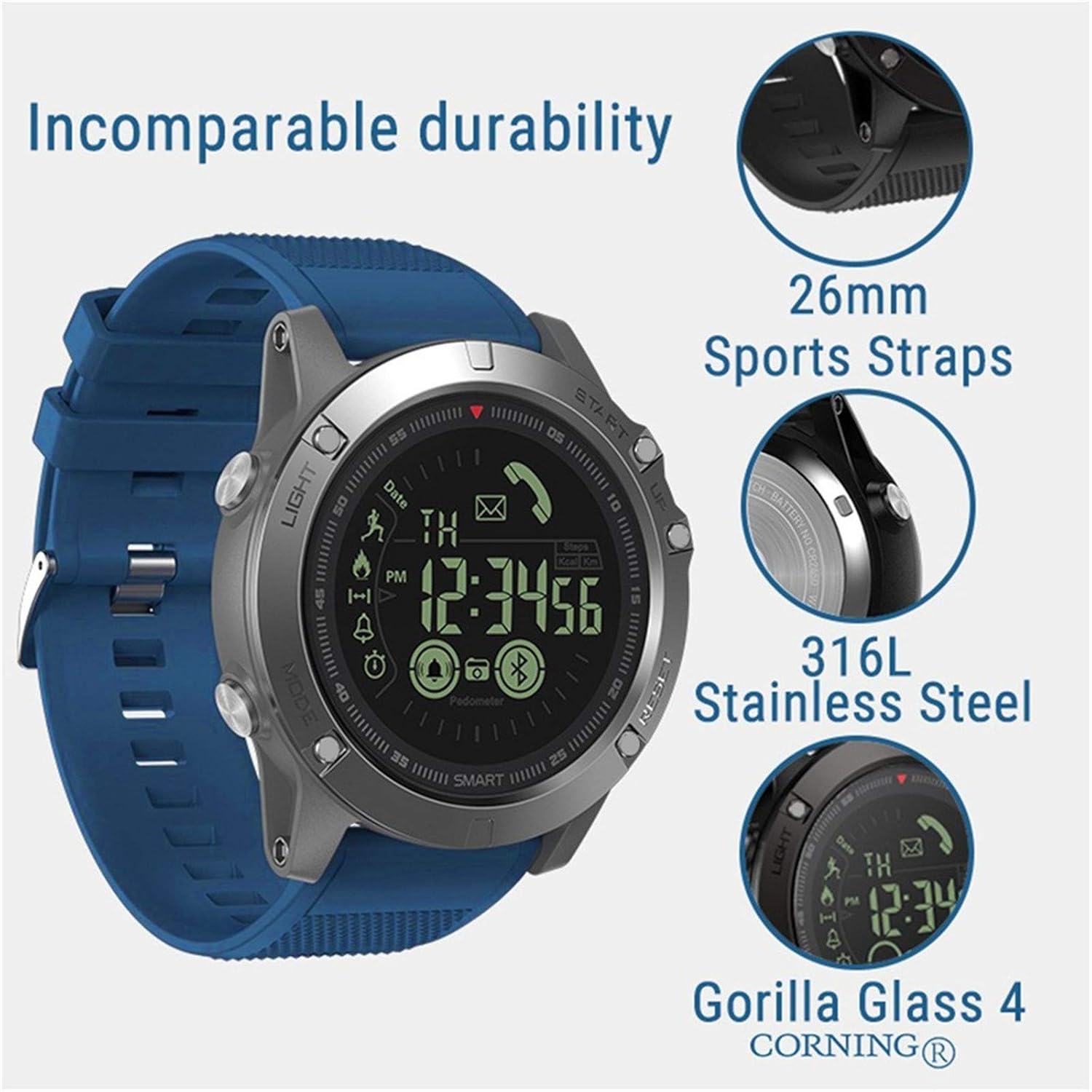
Image: This infographic highlights the comprehensive tracking capabilities of the Zeblaze Vibe 3, including all-day activity records, calorie burn tracking, walking distance measurement, information reminders, alarm alerts, and remote camera control.
Entretien
Résistance à l'eau
The Zeblaze Vibe 3 is rated IP67 waterproof and resistant up to 50 meters. This means it is protected against dust ingress and can withstand immersion in water up to 1 meter for 30 minutes. It is suitable for swimming and daily use, but avoid exposure to hot water, steam, or high-pressure water jets, as this can compromise the seals.
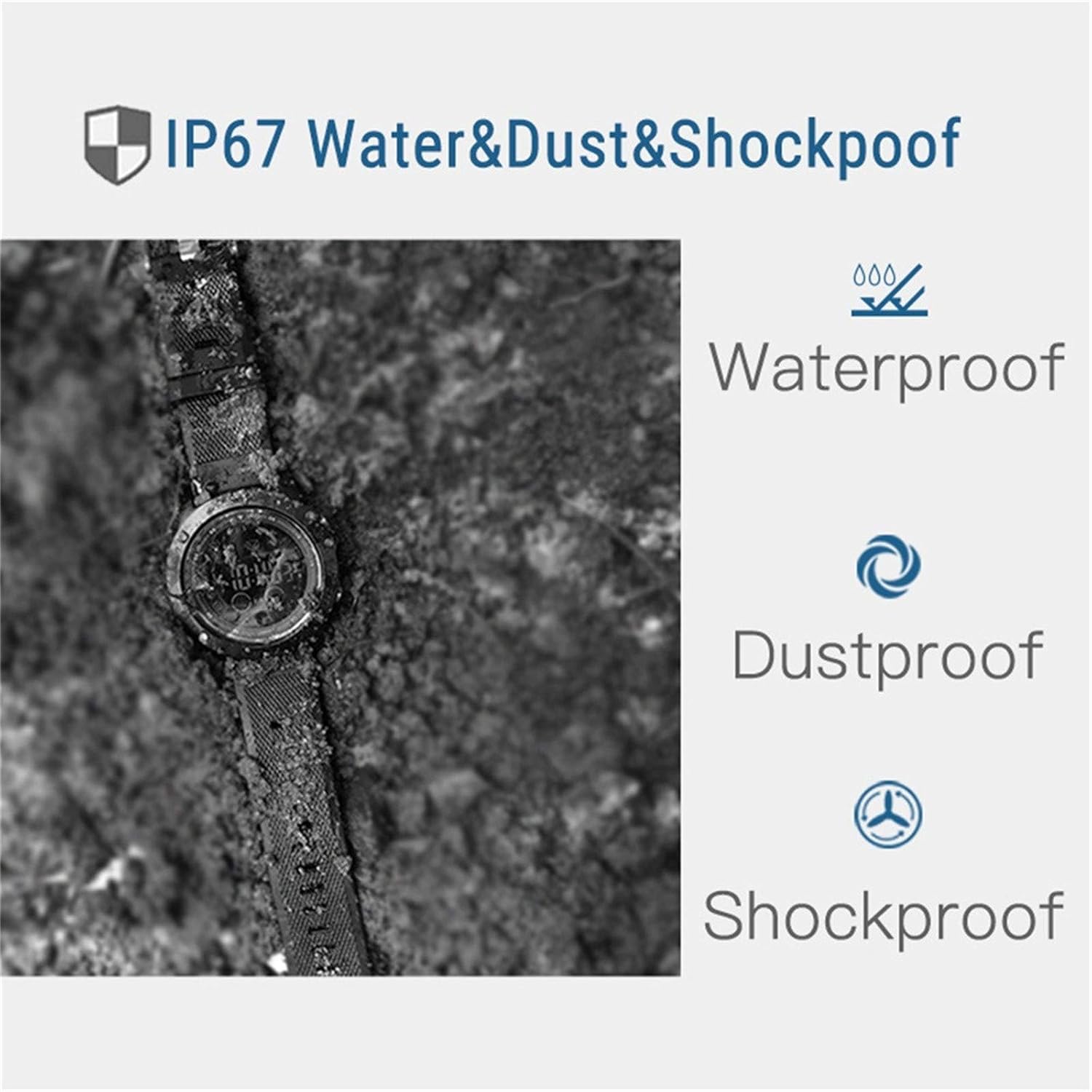
Image: This image demonstrates the IP67 rating, highlighting the watch's resistance to water, dust, and shock. The watch is shown in a rugged environment, emphasizing its durability.
Nettoyage
Pour nettoyer votre montre connectée, essuyez-la avec un chiffon doux et sec.amp cloth. Do not use harsh chemicals or abrasive cleaners. Ensure the watch is dry before wearing it again, especially after exposure to water.
Entretien de la batterie
The watch uses a CR2450 battery with a capacity of 610mAh. Battery life varies depending on usage:
- Frequent Use: Approximately 18 months
- Normal Use: Approximately 24 months
- Power-Saving Mode: Approximately 33 months
When the battery is low, replace it with a new CR2450 battery. Refer to the product packaging or manufacturer's guidelines for battery replacement instructions.

Image: This image reiterates the IP67 dust and waterproof capabilities, suitable for depths up to 50 meters. It also highlights the 1.24-inch FSTN/Full View display, designed for optimal visibility even in direct sunlight.
Dépannage
L'appareil ne s'allume pas
- Assurez-vous que la batterie est correctement installée et qu'elle est suffisamment chargée.
- Press and hold the 'START' button (S3) for at least 3 seconds.
Problèmes de connectivité (Bluetooth)
- Verify Bluetooth is enabled on both your watch (S1 button) and smartphone.
- Ensure the watch is within the Bluetooth range of your smartphone.
- Restart both your watch and smartphone, then attempt to re-pair through the app.
- Vérifiez si l'application compagnon est mise à jour vers la dernière version.
Lectures de données inexactes
- Assurez-vous que la montre soit bien ajustée à votre poignet.
- Calibrez la montre via l'application associée, si elle est disponible.
- For GPS-related data, ensure your smartphone's GPS is active and the watch is connected to the app.
Réinitialisation de l'appareil
If you experience persistent issues, you may perform a reset. Press and hold the 'RESET' button (S4) for several seconds. Refer to the app or product support for specific reset procedures if a soft reset does not resolve the issue.
Caractéristiques
| Nom du modèle | Zeblaze Vibe 3 |
| Version Bluetooth | Bluetooth 4.0 |
| Résistance à l'eau | IP67, 50 mètres |
| Type d'affichage | 1.24-inch FSTN/Full View (Sunlight Visible) |
| Verre d'affichage | Verre Corning Gorilla Glass 4 |
| Compatibilité du système d'exploitation | Android 4.4+ / iOS 7.0+ |
| Type de batterie | CR2450 (610 mAh) |
| Autonomie de la batterie | 18-33 months (depending on usage) |
| Matériau du boîtier | DLC (Diamond-Like Carbon) bezel, 316L Stainless Steel buttons/case back |
| Matériau de la sangle | 26mm TPU Sport Strap |
| Dimensions du cadran | 50 x 50 x 14.8 mm |
| Poids du produit | 78 g |
| Langues prises en charge | Simplified Chinese, English, French, Italian, German, Russian, Spanish, Portuguese, Japanese, Arabic |

Image: This visual emphasizes the robust construction of the Zeblaze Vibe 3, showcasing its 26mm sports straps, 316L stainless steel components, and the protective Corning Gorilla Glass 4 display.
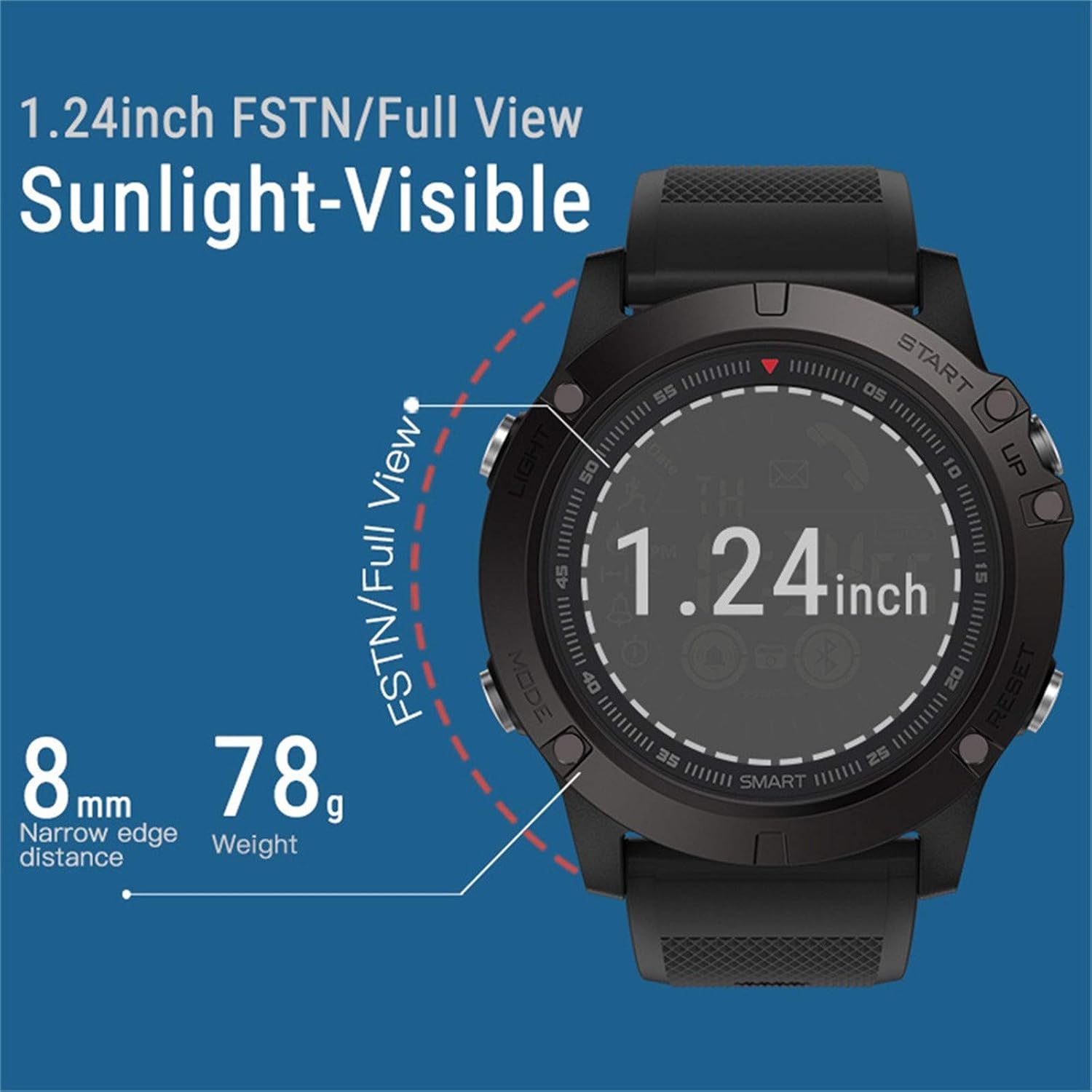
Image : Un gros plan view of the watch's display, highlighting its 1.24-inch FSTN/Full View technology for excellent visibility in sunlight. It also indicates the slim 8mm narrow edge distance and the lightweight 78g design.
Garantie et assistance
Informations sur la garantie
The Zeblaze Vibe 3 Smartwatch comes with a limited warranty. Please refer to the warranty card included in your product packaging or contact the seller for specific terms and conditions regarding warranty coverage and duration.
Assistance clientèle
For further assistance, technical support, or inquiries not covered in this manual, please refer to the contact information provided on your product packaging or the official Zeblaze website. Ensure you have your model number (Zeblaze Vibe 3) and purchase details ready when contacting support.