
1. Introduction
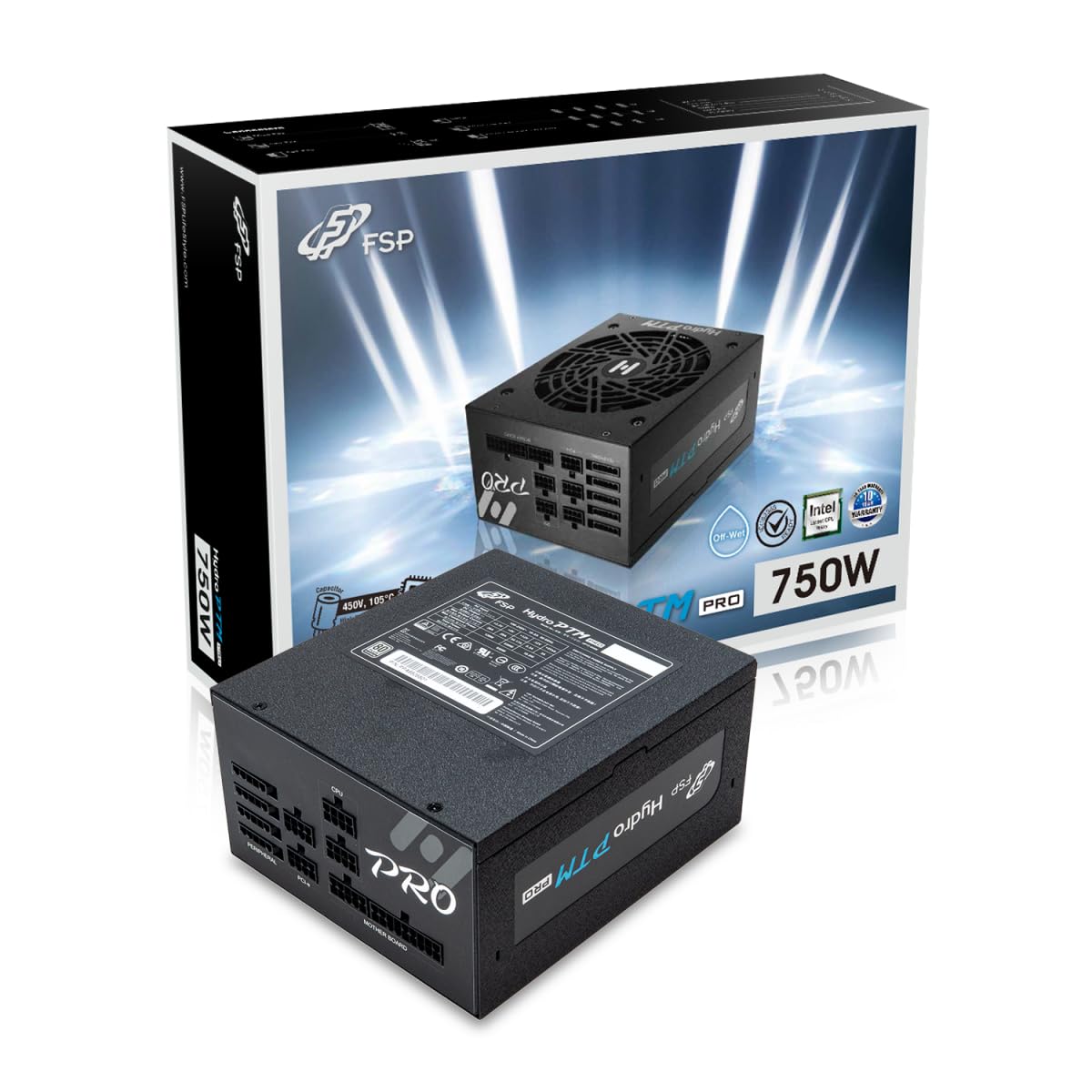
This manual provides detailed instructions for the installation, operation, and maintenance of your FSP Hydro PTM Pro 750W 80 Plus Platinum Full Modular ATX 12V Power Supply (Model: HPT2-750M). Please read this manual thoroughly before using the product to ensure proper function and safety.
The FSP Hydro PTM Pro series is designed for high efficiency and durability, featuring a conformal coating for protection against dust, humidity, and stains. It includes a semi-fanless Eco Mode for quiet operation under low loads and fully modular black ribbon cables for flexible system builds.
2. Consignes de sécurité
AVERTISSEMENT: Improper installation or use can result in serious injury or damage to the power supply and other components. Always follow these safety guidelines:
- N'ouvrez pas le bloc d'alimentation. Haute tensiontagDes composants sont présents à l'intérieur et aucune pièce n'est réparable par l'utilisateur. L'ouverture de l'appareil annulera la garantie.
- Assurez-vous que l'alimentation électrique est débranchée de la prise secteur avant toute installation ou opération de maintenance.
- Installez le bloc d'alimentation dans un endroit bien ventilé.
- Use only the modular cables provided with this power supply. Using incompatible cables may cause damage to the power supply and connected components.
- Ce produit est conçu pour être utilisé avec des ordinateurs personnels. Ne l'utilisez à aucune autre fin.
- Keep the power supply away from water, moisture, and extreme temperatures.
- Assurez-vous que toutes les connexions sont sécurisées avant de mettre le système sous tension.

3. Contenu du colis
Vérifiez que tous les éléments sont présents dans votre colis :
- FSP Hydro PTM Pro 750W Power Supply Unit (HPT2-750M)
- Cordon d'alimentation secteur
- Modular Cable Set (refer to the "Cable Length and Connectors" section for details)
- Vis de montage
- Manuel de l'utilisateur (ce document)
4. Configuration et installation
4.1 Installation physique
- Préparez votre système : Assurez-vous que votre ordinateur est complètement éteint et débranché de la prise murale.
- Retirez l'ancien bloc d'alimentation (le cas échéant) : Disconnect all cables from your old power supply and remove it from the PC case.
- Installez le bloc d'alimentation : Insert the FSP Hydro PTM Pro 750W into the power supply bay of your PC case. Secure it with the provided mounting screws.
- Connectez les câbles de la carte mère :
- Connect the 20+4 Pin ATX cable to your motherboard's main power connector.
- Connect the 4+4 Pin CPU (EPS) cable(s) to your motherboard's CPU power connector(s).
- Connectez les câbles périphériques :
- Connect the 6+2 Pin PCI-E cables to your graphics card(s).
- Connectez les câbles d'alimentation SATA à vos SSD, HDD et lecteurs optiques.
- Connect Molex cables to any other peripherals requiring them.
- Connexions sécurisées : Ensure all modular cables are firmly seated into both the power supply and the respective components.
- Branchez l'alimentation CA : Plug the AC power cord into the power supply's AC inlet and then into a wall outlet or surge protector.
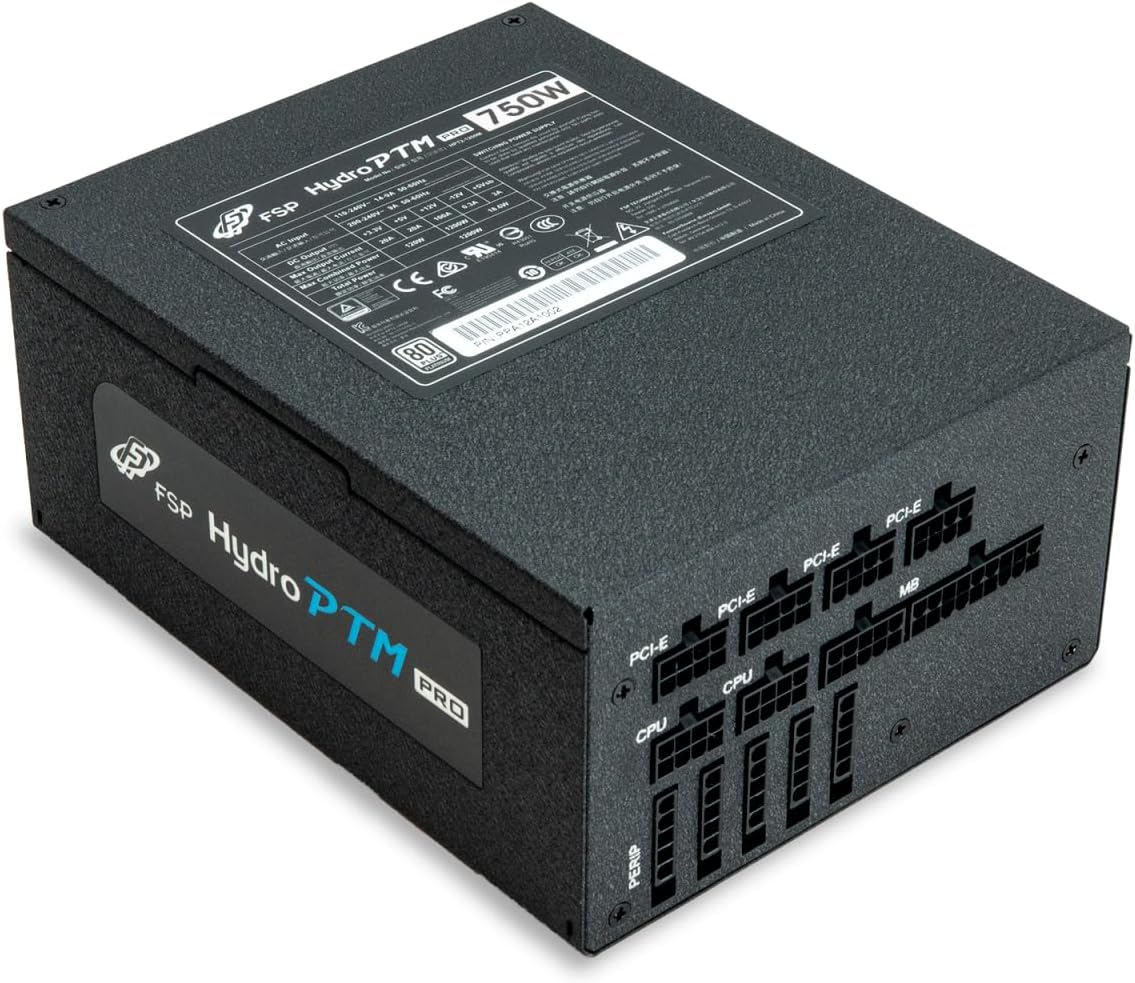
4.2 Cable Length and Connectors
The FSP Hydro PTM Pro 750W comes with a set of fully modular black ribbon cables. Refer to the diagram below for connector types and approximate lengths.

5. Fonctionnement
5.1 Mise sous/hors tension
After completing the installation, ensure the main power switch on the back of the power supply is in the "ON" (I) position. You can then power on your computer using its case power button.
5.2 Mode éco
The Hydro PTM Pro features a semi-fanless Eco Mode. When enabled, the power supply fan will remain off until the system load exceeds approximately 30%. This provides silent operation during low-power tasks.
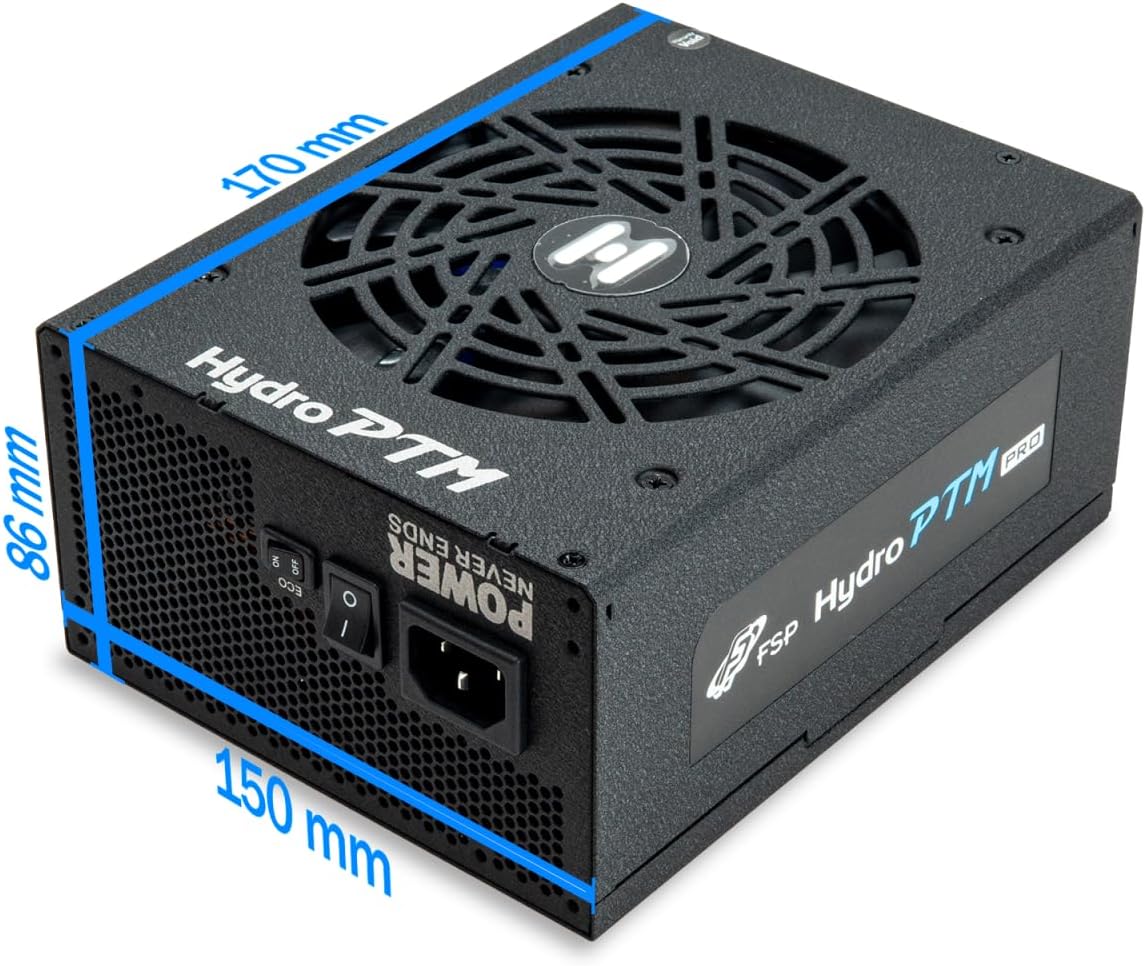
- To activate Eco Mode: Locate the "ECO" switch next to the main power switch on the rear of the power supply and set it to the "ON" position.
- To disable Eco Mode: Set the "ECO" switch to the "OFF" position. The fan will operate continuously based on temperature.
Vidéo : Un overview of the FSP Hydro PTM Pro series, highlighting features like conformal coating, Eco Mode, and modular design. This video is provided by FSP GROUP USA.
6. Entretien
6.1 Nettoyage
To maintain optimal performance and longevity, periodically clean your power supply:
- Ensure the power supply is completely powered off and unplugged from the AC outlet before cleaning.
- Use compressed air to gently remove dust from the fan grille and ventilation openings.
- Essuyez l'extérieur avec un chiffon doux et sec. N'utilisez pas de nettoyants liquides ni de solvants.
6.2 Protection de l'environnement
The FSP Hydro PTM Pro features a proprietary conformal coating that protects internal components from dust, humidity, and stains. This allows the power supply to reliably operate in environments with up to 95% relative humidity. While this coating offers enhanced protection, it is still recommended to operate the power supply in a clean, dry environment for best results.
7. Dépannage
Si vous rencontrez des problèmes avec votre alimentation électrique, consultez les problèmes et solutions courants suivants :
| Problème | Cause possible | Solution |
|---|---|---|
| Le système ne s’allume pas. |
|
|
| Le système s'allume mais s'éteint immédiatement. |
|
|
| Fan is not spinning (Eco Mode off). |
|
|
If the problem persists after attempting these solutions, please contact FSP customer support.
8. Spécifications
| Fonctionnalité | Détail |
|---|---|
| Nom du modèle | Hydro PTM Pro (HPT2-750M) |
| Marque | FSP |
| Puissance de sortietage | 750 W |
| Certification 80 Plus | Platine |
| Facteur de forme | ATX |
| Conception de l'alimentation | Entièrement modulaire |
| Méthode de refroidissement | Ventilateur (135 mm) |
| Vol d'entréetage | 115-240 Volts |
| Dimensions (L x l x H) | 170 x 150 x 86 mm (6.7 x 5.9 x 3.4 pouces) |
| Protections | OCP, OVP, SCP, OPP, UVP, OTP |
| Condensateurs | Japanese-made Electrolytic Capacitors |
| PFC | Active PFC ≥ 99% |
| Revêtement conforme | Yes (Dust, Humidity, Stain protection) |
9. Garantie et assistance
9.1 Informations sur la garantie
The FSP Hydro PTM Pro 750W power supply is covered by a Garantie de 10 ans À compter de la date d'achat. Cette garantie couvre les défauts de matériaux et de fabrication dans des conditions normales d'utilisation. Veuillez conserver votre preuve d'achat pour toute réclamation au titre de la garantie.
La garantie ne couvre pas les dommages résultant de :
- Mauvaise installation ou fonctionnement.
- Accidental damage, abuse, or misuse.
- Réparations ou modifications non autorisées.
- Natural disasters or external causes.
9.2 Assistance clientèle
For technical assistance, troubleshooting, or warranty inquiries, please contact FSP customer support. Refer to the official FSP website pour obtenir les informations de contact les plus récentes.
FSP GROUP USA
Visit the FSP Store on Amazon