
1. Introduction
This manual provides essential instructions for the safe and efficient use of your CALIMA 46038 Solar Power Bank 5000 mAh. This portable power bank is designed to charge your electronic devices, such as smartphones and tablets, using its internal 5000 mAh lithium polymer battery. It features both Micro USB input for standard charging and a solar panel for supplementary charging, along with a practical LED flashlight.

Image 1.1: The CALIMA Solar Power Bank attached to a backpack, demonstrating its portability for outdoor use.
2. Consignes de sécurité
- Do not expose the power bank to extreme temperatures (above 45°C or below 0°C), direct sunlight for prolonged periods, or high humidity.
- Évitez de faire tomber l'appareil, de le démonter ou de tenter de le réparer vous-même. Cela pourrait annuler la garantie et l'endommager.
- Keep the power bank away from water and flammable materials.
- Utilisez uniquement des câbles et adaptateurs de charge certifiés.
- Tenir hors de portée des enfants.
- Mettez au rebut la batterie externe conformément à la réglementation locale relative aux déchets électroniques.
3. Installation
3.1 Charge initiale de la batterie externe
Before first use, fully charge the power bank using the Micro USB input. Connect the provided USB charging cable to the Micro USB input port on the power bank and the other end to a USB power source (e.g., wall adapter, computer USB port).

Image 3.1 : Gros plan view of the Micro USB input port (IN) and USB Type-A output port (OUT) on the power bank, protected by rubber covers.
3.2 Comprendre les indicateurs LED
The power bank features four LED indicators to display charging status and battery capacity.
- Charging Status (Green LED): When the power bank is being charged via Micro USB or solar panel, a green LED will illuminate, indicating that charging is in progress.

Image 3.2 : Haut view of the power bank showing the green LED indicator illuminated, signifying that the device is currently charging.
- Battery Capacity (Blue LEDs): Press the power button once to check the remaining battery capacity. The blue LEDs will light up to indicate the charge level:
- 1 DEL : 0-25 %
- 2 LED : 25-50 %
- 3 LED : 50-75 %
- 4 LED : 75-100 %
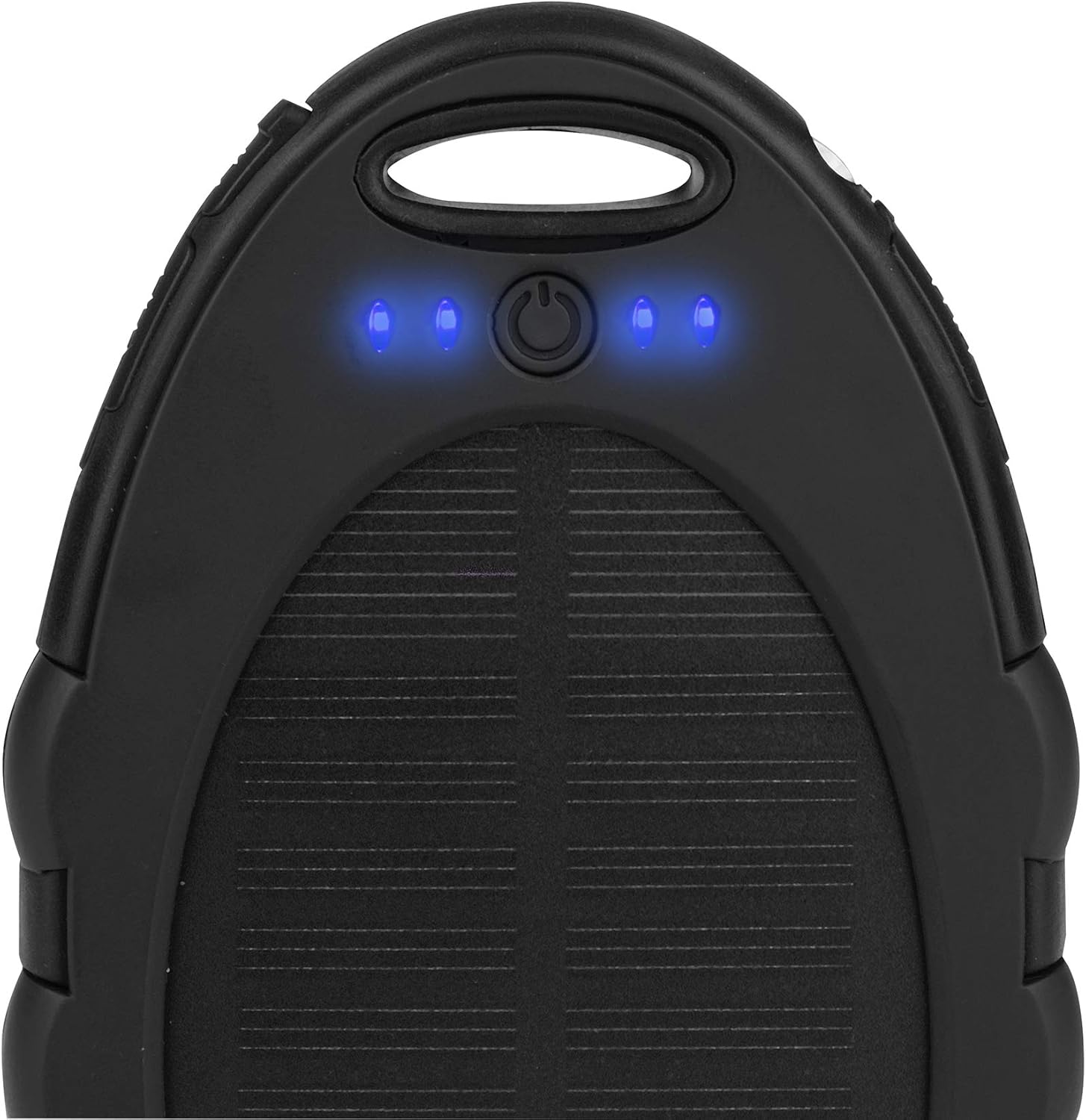
Image 3.3 : Haut view of the power bank showing four blue LED indicators illuminated, indicating a full or near-full battery capacity.
3.3 Charge solaire
The integrated solar panel provides a supplementary charging method. Place the power bank in direct sunlight to utilize solar charging. The green LED indicator will illuminate when solar charging is active. Note that solar charging is slower than USB charging and is primarily intended for emergency power or maintaining charge, not as a primary charging source.
4. Mode d'emploi
4.1 Chargement des appareils externes
- Connect your device's USB charging cable to the USB Type-A output port (labeled "OUT") on the power bank.
- Connectez l'autre extrémité du câble à votre appareil électronique.
- La batterie externe commencera automatiquement à charger votre appareil. Si ce n'est pas le cas, appuyez une fois sur le bouton d'alimentation pour lancer la charge.
- The blue LED indicators will show the remaining battery capacity of the power bank during discharge.
4.2 Utilisation de la lampe de poche à LED
La batterie externe comprend une lampe torche LED intégrée pour plus de commodité.
- To turn the flashlight on, press and hold the power button for approximately 2-3 seconds.
- To turn the flashlight off, press and hold the power button again for approximately 2-3 seconds.
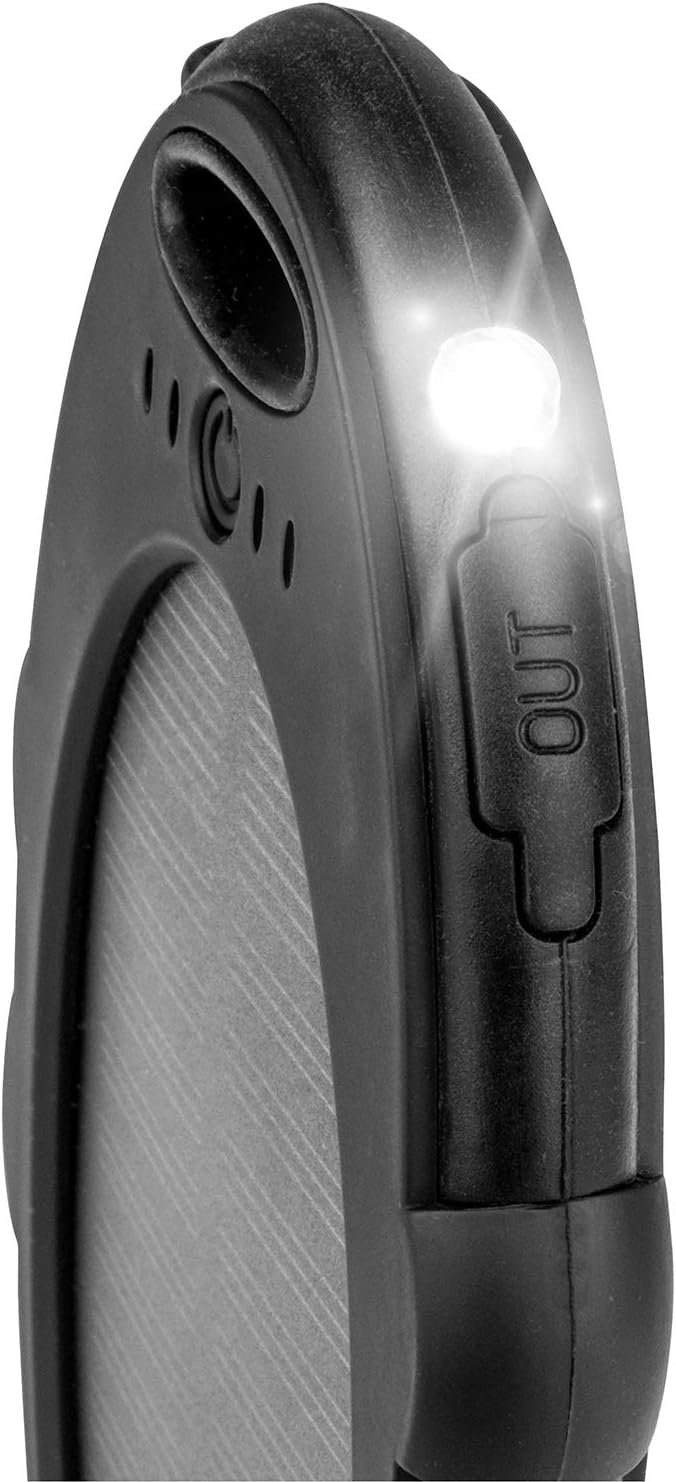
Image 4.1 : Gros plan view of the power bank with its integrated LED flashlight illuminated, providing portable light.
5. Entretien
- Nettoyage: Essuyez la batterie externe avec un chiffon doux et sec. N'utilisez pas de produits chimiques agressifs ni de nettoyants abrasifs.
- Stockage: Store the power bank in a cool, dry place away from direct sunlight and extreme temperatures. For long-term storage, it is recommended to charge the power bank to about 50-75% capacity every 3-6 months to preserve battery life.
- Entretien de la batterie: Avoid fully discharging the power bank frequently, as this can reduce the overall lifespan of the lithium polymer battery.
6. Dépannage
6.1 La batterie externe ne charge pas
- Ensure the Micro USB cable is securely connected to both the power bank's input port and the power source.
- Verify that the power source (e.g., wall adapter) is functional.
- If using solar charging, ensure the solar panel is exposed to direct, strong sunlight. Note that solar charging is supplementary and slower.
6.2 Appareil externe ne chargeant pas
- Check if the USB cable connecting the power bank to your device is securely plugged in at both ends.
- Ensure the power bank has sufficient charge by checking the blue LED indicators.
- Press the power button once to activate the power bank and initiate charging.
- Try using a different USB cable or charging a different device to rule out cable or device issues.
6.3 Lampe torche ne fonctionne pas
- Assurez-vous que la batterie externe est suffisamment chargée.
- Press and hold the power button for 2-3 seconds to activate the flashlight. Repeat to turn it off.
7. Spécifications
| Numéro de modèle | 46038 |
| Marque | CALIMA |
| Type de batterie | Lithium Polymère |
| Capacité de la batterie | 5000 mAh (18.5 Wh) |
| Saisir | Micro USB Type B, DC 5V 1A |
| Sortir | USB Type A, 5V 1A |
| Caractéristiques spéciales | Solar Charging, LED Flashlight, 4 LED Charge Indicators |
| Dimensions | Environ. 148x85x13.6mm |
| Poids | 130 g |
| Utilisation recommandée | Smartphone |
| Source d'énergie | Solar, Battery, Electric Cable |
8. Garantie et assistance
For warranty information and customer support, please refer to the documentation provided at the point of purchase or contact the retailer. The manufacturer of this product is EAL GmbH.