
1. Introduction
Thank you for choosing the EUREKA ERGONOMIC Electric Standing Desk. This desk is designed to provide a versatile and ergonomic workspace, allowing you to effortlessly switch between sitting and standing positions throughout your day. Featuring dual motors for smooth height adjustments and an intelligent memory controller, this desk enhances comfort and productivity in any home or office environment. Please read this manual thoroughly before assembly and operation to ensure safe and correct usage.
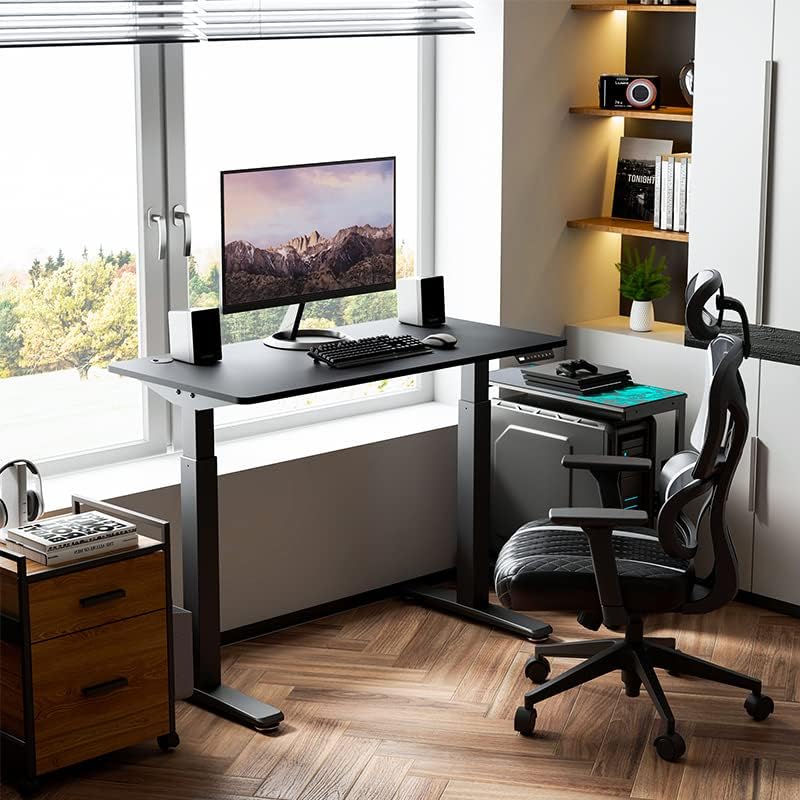
Image 1.1: The EUREKA ERGONOMIC Electric Standing Desk in a typical office setup.
2. Consignes de sécurité
Pour éviter toute blessure ou tout dommage à votre bureau, veuillez respecter les consignes de sécurité suivantes :
- Sécurité électrique : Ensure the power cord is properly connected to a grounded outlet. Do not operate the desk with a damaged power cord or plug. Keep liquids away from electrical components.
- Capacité de poids : Do not exceed the maximum weight capacity of 220 pounds (approximately 100 kg). Overloading can cause damage and instability.
- Anti-Collision Sensor: The desk is equipped with an anti-collision sensor. If the desk encounters an obstacle during height adjustment, it will stop and reverse slightly. However, always ensure the path is clear to prevent potential damage or injury.
- Enfants et animaux domestiques : Keep children and pets away from the desk during operation. Moving parts can pose a pinch hazard.
- Surface stable : Assemble and operate the desk on a flat, stable surface.
- Assemblage correct : Suivez attentivement toutes les instructions de montage. Un montage incorrect peut entraîner une instabilité et des risques potentiels.

Image 2.1: Illustration of the anti-collision sensor in action, preventing damage by reversing movement upon impact.
3. Contenu du colis
Please check the package contents against the list below. If any items are missing or damaged, contact customer support immediately.
- Desktop (Whole Piece Desk Board)
- Desk Legs (Dual-Motor Frame)
- Panneau de configuration avec paramètres de mémoire
- Adaptateur secteur et câble
- Quincaillerie d'assemblage (vis, rondelles, etc.)
- Assembly Tools (Hex Keys, Wrench)
- Accessoires de gestion des câbles
- Manuel d'utilisation

Image 3.1 : Terminéview of desk features and components, including the desktop, frame, and cable management.
4. Configuration et assemblage
Assembly requires one person and the included tools. Follow these general steps for assembly:
- Déballer les composants : Carefully remove all parts from the packaging and lay them out on a clean, soft surface to prevent scratches. Verify all parts are present according to the package contents list.
- Assembler les pieds du bureau : Fixez les pieds aux pieds du bureau à l'aide des vis fournies. Assurez-vous qu'elles sont bien serrées.
- Attach Crossbeam: Connect the crossbeam between the two desk legs. This forms the main frame structure.
- Mount Legs to Desktop: Carefully place the desktop upside down on a soft, protected surface. Position the assembled leg frame onto the desktop, aligning the pre-drilled holes. Secure the frame to the desktop using the appropriate screws. Important: Verify screw lengths before fastening to avoid damaging the desktop surface.
- Installer le panneau de configuration : Mount the intelligent hand controller to the underside of the desktop in a convenient location using the provided screws.
- Connecter les câbles : Connect the motor cables from the legs to the control box, and then connect the control panel cable to the control box. Finally, connect the power adapter to the control box.
- Gestion des câbles: Use the included cable management accessories to organize and secure all cables, preventing them from dangling or getting caught during height adjustments.
- Mise sous tension initiale : Carefully flip the desk upright. Plug the power adapter into a wall outlet. The desk should now be ready for initial calibration or operation.
5. Mode d'emploi
The EUREKA ERGONOMIC Electric Standing Desk features an intelligent hand controller for easy height adjustment and memory functions.
5.1 Réglage de la hauteur de base
- Relever le bureau : Appuyez et maintenez enfoncé le UP arrow button to raise the desk to your desired standing height.
- Bureau inférieur : Appuyez et maintenez enfoncé le VERS LE BAS arrow button to lower the desk to your desired sitting height.
- Release the button at any time to stop the desk's movement.
5.2 Configuration des préréglages de mémoire
The intelligent hand controller allows you to save up to four preferred height settings for quick adjustments.
- Adjust the desk to your desired height using the UP or DOWN arrow buttons.
- Appuyez sur le M button. The display will show 'S-' or flash.
- Dans les 3 secondes, appuyez sur l'une des touches numériques (1, 2, 3 ou 4) pour enregistrer la hauteur actuelle dans ce préréglage. L'écran affichera « S-1 », « S-2 », etc., pour confirmation.
- Repeat these steps for other desired heights.
5.3 Utilisation des préréglages de mémoire
Once presets are saved, simply press the corresponding number button (1, 2, 3 ou 4) to automatically move the desk to the saved height. Press any button during automatic movement to stop the desk.
5.4 Fonction anti-collision
The desk is equipped with an anti-collision sensor. If the desk encounters an obstacle (e.g., a cabinet, chair, or printer) during upward or downward movement, it will automatically stop and reverse slightly to prevent damage. Ensure the area around the desk is clear before and during operation for optimal safety.

Image 5.1: The intelligent hand controller for height adjustment and memory settings.
6. Entretien
Proper maintenance ensures the longevity and optimal performance of your EUREKA ERGONOMIC Electric Standing Desk.
- Nettoyage: Essuyez la surface du bureau et le cadre avec un produit nettoyant pour vitres.amp Utilisez un chiffon. Évitez d'utiliser des produits chimiques agressifs ou des nettoyants abrasifs, qui pourraient endommager la finition.
- Inspection des câbles : Vérifiez régulièrement tous les câbles afin de déceler tout signe d'usure, d'effilochage ou de dommage. Remplacez immédiatement les câbles endommagés.
- Vérification des fixations : Occasionally check all screws and fasteners to ensure they are tight. Re-tighten if necessary.
- Lubrification: The desk's lifting mechanism is designed to be maintenance-free and does not require lubrication.
7. Dépannage
Si vous rencontrez des problèmes avec votre bureau, consultez les problèmes courants et leurs solutions ci-dessous :
| Problème | Cause possible | Solution |
|---|---|---|
| Le bureau ne bouge pas. | No power, loose cable connection, motor overload. | Check power cord connection. Ensure all motor and control panel cables are securely plugged into the control box. Unplug the desk for 10 minutes, then plug back in to reset. |
| Le bureau bouge de façon irrégulière ou fait des bruits inhabituels. | Charge inégale, fixations desserrées, obstruction. | Veillez à ce que le poids soit réparti uniformément sur le bureau. Vérifiez et resserrez toutes les vis de montage. Dégagez tout obstacle autour des pieds. |
| Anti-collision sensor triggers too often. | Obstruction, high sensitivity setting. | Ensure the area around the desk is clear. Refer to the full manual for instructions on adjusting sensor sensitivity if available (may vary by model). |
| Les préréglages de mémoire ne fonctionnent pas. | Les préréglages n'ont pas été enregistrés correctement. | Re-follow the instructions in Section 5.2 to save your desired heights. |
If the problem persists after attempting these solutions, please contact EUREKA ERGONOMIC customer support.
8. Spécifications
| Fonctionnalité | Détail |
|---|---|
| Numéro de modèle | ERK-EHD-4801 |
| Marque | EUREKA ERGONOMIQUE |
| Conception de bureau | Bureau d'ordinateur, bureau debout |
| Dimensions du produit (P x L x H) | 60 cm (P) x 120 cm (L) x 75 cm (H) (23.62 cm (P) x 47.24 cm (L) x 29.53 cm (H)) |
| Hauteur minimale | 29.53 pouces |
| Hauteur maximale | 49.61 pouces |
| Poids maximum recommandé | 220 livres (environ 100 kg) |
| Matériau de base | Acier allié |
| Type de matériau supérieur | Métal |
| Couleur | Noir |
| Mécanisme de levage | Dual-Motor, Programmable Memory Controller |
| Caractéristiques spéciales | Adjustable, Anti-Collision Sensor, Cable Management |
| Assemblage requis | Yes (by one person with included tools) |
| Poids de l'article | 32.23 kg |
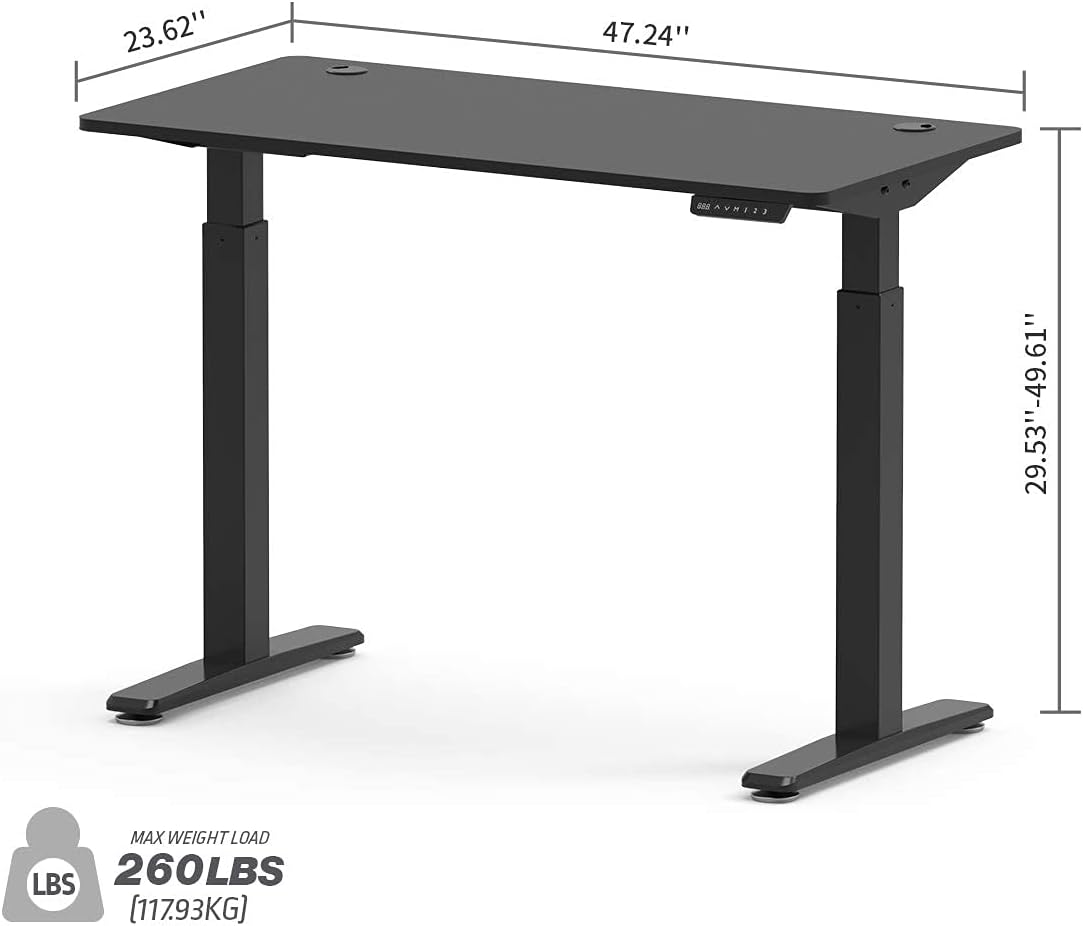
Image 8.1: Key dimensions and weight capacity of the standing desk.
9. Garantie et assistance
The EUREKA ERGONOMIC Electric Standing Desk (Model ERK-EHD-4801) comes with a Garantie limitée de 5 ansCette garantie couvre les défauts de fabrication et assure que le produit répond aux normes de qualité dans des conditions normales d'utilisation.
For warranty claims, technical support, or any questions regarding your product, please contact EUREKA ERGONOMIC customer service. Please have your model number (ERK-EHD-4801) and proof of purchase ready when contacting support.
Service client: Refer to your purchase documentation or the official EUREKA ERGONOMIC website pour les informations de contact les plus récentes.