
Introduction
The Benro S8PRO Fluid Video Head is engineered for professional video cameras and accessories, supporting equipment up to 17.6 lb (8 kg). It features a 75mm flat base with a 3/8"-16 thread, allowing versatile mounting on tripods, sliders, jibs, and monopods. This manual provides detailed instructions for the proper setup, operation, and maintenance of your S8PRO Fluid Video Head to ensure optimal performance and longevity.
Qu'y a-t-il dans la boîte
- Benro S8PRO Fluid Video Head
- Bras panoramique
- Arca-Compatible Camera Plate
Caractéristiques principales
- Capacité de soutien : Handles up to 17.6 lb (8 kg) for stable performance with various camera rigs.
- Contrepoids: 4-step counterbalance system for precise weight support and tilt control.
- Fluid Performance: Continuous pan and tilt drag settings for smooth, controlled motion.
- Versatilité: 75mm flat base with a standard 3/8" mount for compatibility with diverse support tools.
- Libération rapide: Arca-compatible long sliding quick-release plate with safety lock for fast adjustments.
- Supports d'accessoires : Two 3/8"-16 accessory mounts for attaching monitors or audio recorders.
- Plage d'inclinaison: +90° to -75°, including a forward 90° tilt for tabletop setups.
- Illuminated Bubble Level: For accurate leveling in various lighting conditions.
Installation
1. Mounting the Video Head
The S8PRO features a 75mm flat base with a 3/8"-16 threaded mounting hole. Attach the video head securely to your tripod, monopod, slider, or jib using the appropriate mounting screw. Ensure it is tightened firmly to prevent movement during operation.

Figure 1: Benro S8PRO Fluid Video Head mounted on a tripod.
2. Attaching the Pan Arm
Insert the pan arm into the designated receiver on the side of the fluid head. Tighten the locking knob on the pan arm receiver to secure it in place. The pan arm can be positioned on either the left or right side for user preference.
3. Mounting the Camera Plate
The S8PRO uses an Arca-compatible quick-release plate. Attach the camera plate to the bottom of your camera or camera rig using the provided screw. Slide the camera plate with the attached camera into the quick-release receiver on the fluid head. Ensure the safety lock is engaged and the plate is fully secured by tightening the locking knob.
4. Balancing the Camera
Achieving proper balance is crucial for smooth operation. Adjust the position of the camera on the sliding quick-release plate until the camera remains level when the tilt lock is disengaged and the counterbalance is set appropriately. Fine-tune the counterbalance as described in the Operating Instructions section.
Mode d'emploi
1. Pan & Tilt Drag Control
The S8PRO features continuous pan and tilt drag adjustments. Rotate the Fluid Drag Control knobs (one for pan, one for tilt) to increase or decrease the resistance of movement. Adjust the drag to achieve your desired level of smoothness for panning and tilting shots.

Figure 2: Fluid Drag Control dial.

Figure 3: Fluid Drag Control knob.
2. Counterbalance Adjustment
The 4-step counterbalance system (settings 0-7) helps to offset the weight of your camera setup, preventing accidental tilting and providing smoother vertical movements. Rotate the Posi-Step Counterbalance knob to select the appropriate setting for your camera's weight. Start with a lower setting and gradually increase until the camera remains stable when tilted to various angles.
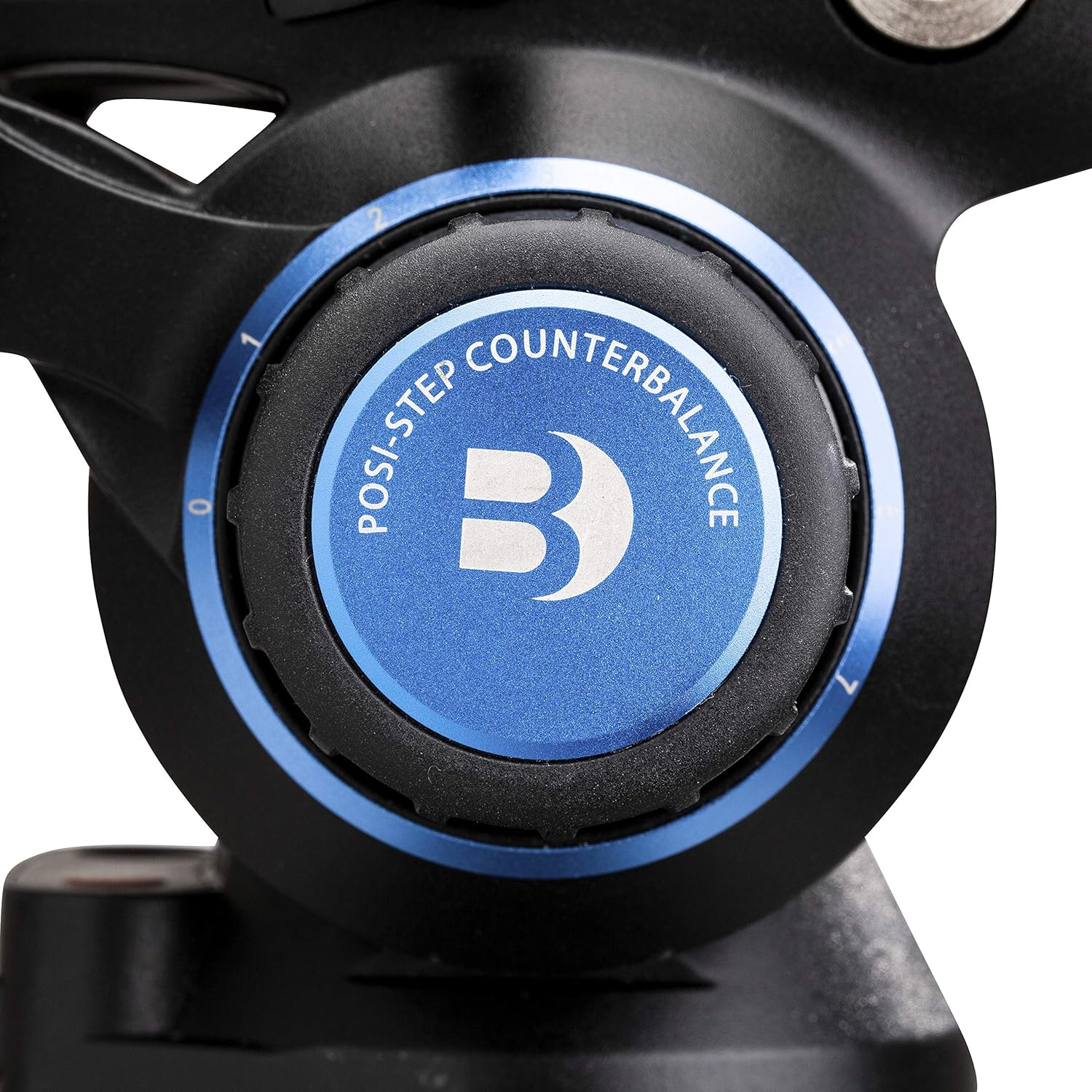
Figure 4: Posi-Step Counterbalance knob.
3. Pan & Tilt Lock
Use the dedicated pan and tilt lock levers to secure the head in a fixed position. Engage these locks when transporting the head or when a static shot is required. Always disengage the locks before attempting to pan or tilt.
4. Illuminated Bubble Level
The integrated illuminated bubble level assists in achieving a perfectly level horizon, especially in low-light conditions. Ensure the bubble is centered before beginning your shoot for accurate framing.
5. Accessory Mounts
The S8PRO includes two 3/8"-16 accessory mounts. These allow you to attach external accessories such as monitor arms, microphones, or audio recorders directly to the head, reducing the need for additional rigging.
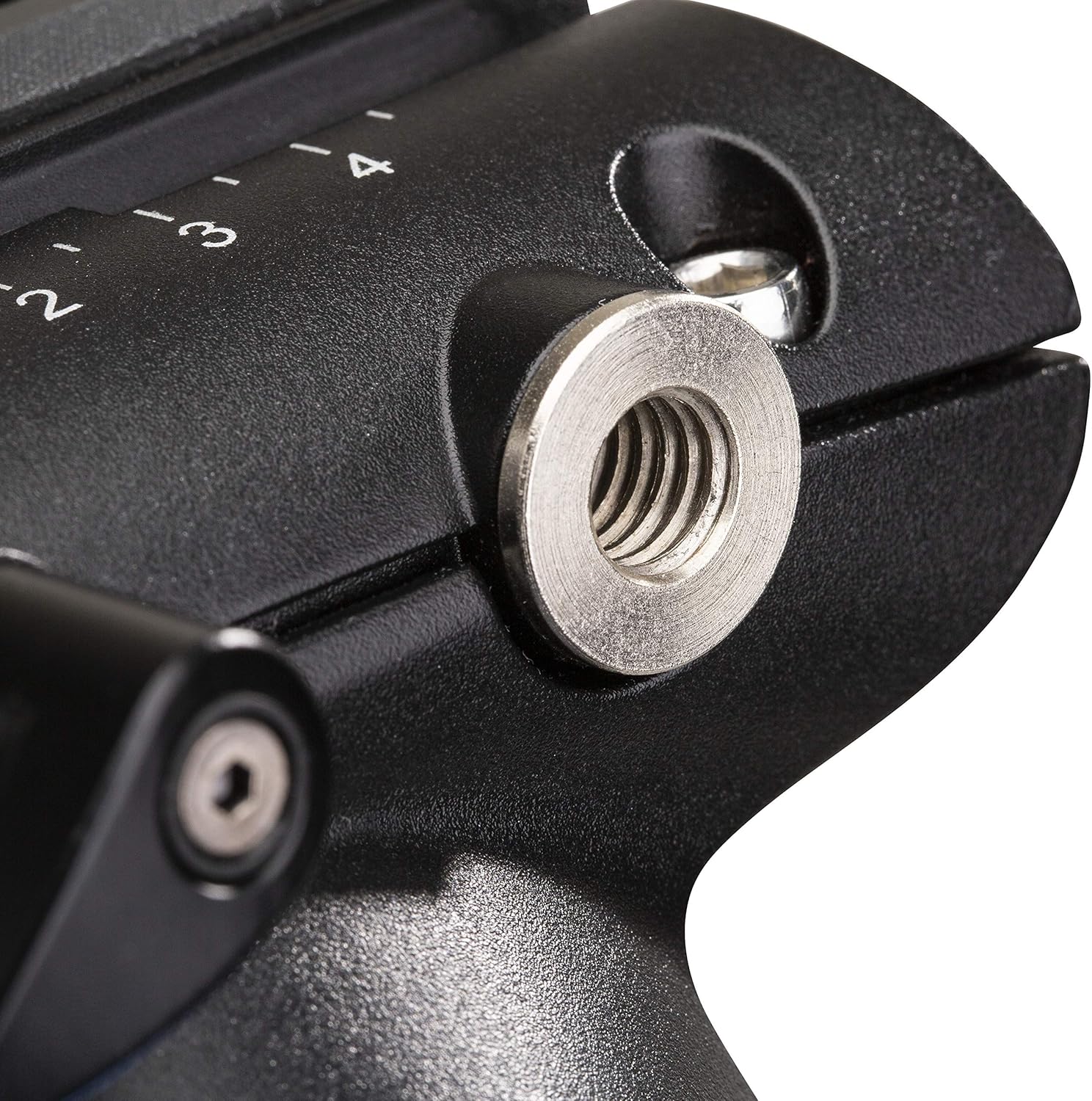
Figure 5: Accessory mount detail.
Entretien
- Nettoyage: Regularly wipe the fluid head with a soft, dry cloth to remove dust and debris. For stubborn dirt, use a slightly damp Essuyez soigneusement avec un chiffon. Évitez les produits chimiques agressifs et les matériaux abrasifs.
- Stockage: Store the fluid head in a clean, dry environment, away from extreme temperatures and humidity. When not in use, engage the pan and tilt locks to prevent accidental movement.
- Inspection: Periodically check all knobs, levers, and screws to ensure they are tight and functioning correctly. Do not attempt to disassemble the fluid head, as this may void the warranty and damage internal components.
Dépannage
- Stiff Pan/Tilt Movement: Check if the pan and tilt locks are fully disengaged. Adjust the Fluid Drag Control knobs to a lower setting if the movement is too stiff.
- Camera Not Staying Level: Ensure the camera is properly balanced on the quick-release plate. Adjust the 4-step counterbalance setting to match your camera's weight.
- Plaque à dégagement rapide ne se fixant pas correctement : Verify that the camera plate is fully inserted into the receiver and the locking knob is tightened. Check for any obstructions in the receiver.
- Oscillation ou instabilité : Ensure the fluid head is securely mounted to your support system (tripod, slider, etc.) and all connections are tight.
Caractéristiques
| Numéro de modèle | S8PRO |
| Capacité de charge | 17.6 lb (8 kg) |
| Type de base | 75mm Flat Base |
| Filetage de montage | 3/8"-16 |
| Counterbalance Steps | 4-step (0-7) |
| Plage d'inclinaison | +90° / -75° |
| Supports d'accessoires | Two 3/8"-16 threads |
| Poids de l'article | 5.43 livres (2.47 kg) |
| Dimensions du produit | 14.37 x 7.68 x 6.1 pouces |
Garantie et assistance
Informations sur la garantie
The Benro S8PRO Fluid Video Head comes with a standard limited warranty of 3 ans from the date of purchase for the original owner. If you register the product online, the warranty is extended by an additional 2 ans, totaling 5 ans in applicable regions. Please retain your proof of purchase for warranty claims.
Assistance clientèle
For technical assistance, spare parts, or warranty service, please visit the official Benro website or contact your local Benro distributor. You can also visit the Benro Store on Amazon pour plus d'informations.