
Introduction
This manual provides essential information for the proper setup, operation, and maintenance of your Midland T290VP4 GMRS Two-Way Radios. Please read this manual thoroughly before using your radios to ensure optimal performance and safety.
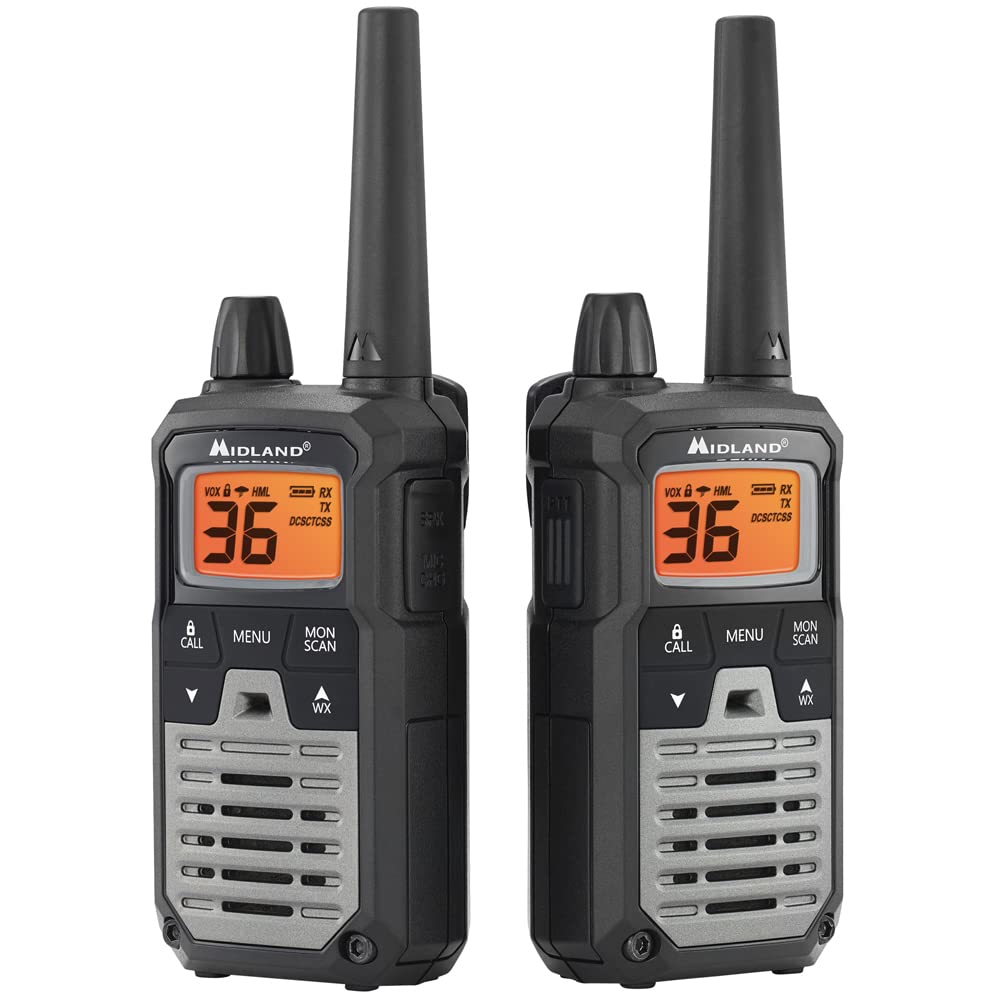
Image: A single Midland T290VP4 GMRS Two-Way Radio, showcasing its front panel with display and controls.
Installation
Composants inclus
The Midland T290VP4 package includes the following items:
- Four Midland X-TALKER T290 two-way radios with belt clips
- Four headsets with boom microphones
- Four 700 mAh NiMH rechargeable battery packs
- Two desktop chargers
- Two AC adapters
- Two micro USB charging cables
- Mode d'emploi
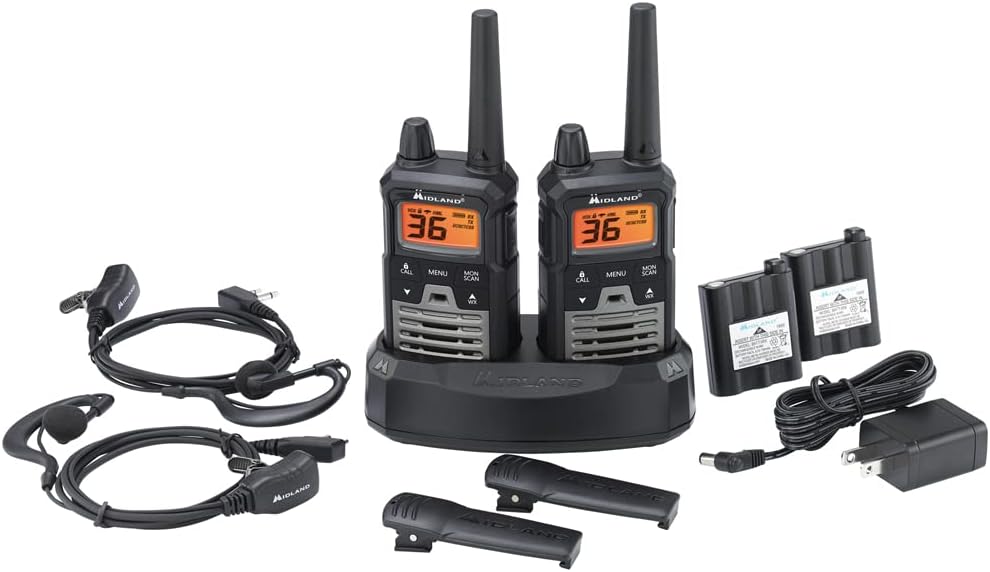
Image: All components of the Midland T290VP4 4-pack bundle, including four radios, headsets, battery packs, desktop chargers, AC adapters, and micro USB cables, laid out on a white surface.
Installation et charge de la batterie
- Ouvrez le couvercle du compartiment à piles situé à l'arrière de chaque radio.
- Insert the 700 mAh NiMH rechargeable battery pack, ensuring correct polarity.
- Fermez soigneusement le couvercle du compartiment à piles.
- Place the radios into the desktop chargers.
- Connect the AC adapters to the desktop chargers and plug them into a standard wall outlet.
- Allow the batteries to charge fully before first use. The charging indicator on the radio or charger will typically change color or turn off when charging is complete.
Fixation des clips de ceinture
Align the belt clip with the grooves on the back of the radio and slide it down until it clicks into place. To remove, lift the tab on the belt clip and slide it upwards.
Mode d'emploi
Marche/Arrêt et Volume
- Pour allumer l'appareil, tournez le bouton Marche/Arrêt/Volume dans le sens des aiguilles d'une montre jusqu'à entendre un clic et que l'écran s'illumine.
- Pour éteindre l'appareil, tournez le bouton dans le sens inverse des aiguilles d'une montre jusqu'à entendre un clic.
- Réglez le volume en tournant le bouton Marche/Arrêt/Volume.

Image: A hand holding a Midland T290VP4 GMRS Two-Way Radio, demonstrating its compact size and ergonomic design.
Sélection des chaînes
- Appuyez sur le MENU bouton pour entrer dans le menu.
- Utilisez le UP or VERS LE BAS arrow buttons to navigate to the channel selection option.
- Presse MENU à nouveau pour confirmer, puis utiliser UP or VERS LE BAS to select one of the 22 GMRS channels or 14 pre-programmed privacy code channels.
- Presse MENU pour régler le canal.
Codes de confidentialité (CTCSS/DCS)
The T290VP4 features 121 CTCSS (Continuous Tone-Coded Squelch System) privacy codes. These codes help filter out unwanted conversations on a channel. To use privacy codes, both transmitting and receiving radios must be set to the same channel and privacy code.
- Presse MENU until the privacy code setting appears.
- Utiliser UP or VERS LE BAS to select a CTCSS or DCS code.
- Presse MENU pour confirmer.
Transmission et réception
- Pour transmettre, appuyez et maintenez la touche enfoncée. PTT (appuyer pour parler) Appuyez sur le bouton situé sur le côté de la radio. Parlez clairement dans le microphone.
- Relâchez le PTT bouton pour recevoir.
- Ensure all radios are on the same channel and privacy code for communication.
Analyse météo NOAA + alerte
- Weather Scan: Appuyez sur le WX button to activate NOAA Weather Scan. The radio will automatically scan through 10 available weather (WX) band channels and lock onto the strongest weather channel to provide updates.
- Alerte météo : When Weather Alert is enabled, the radio will sound an alarm indicating a risk of severe weather in your area, even if the radio is on a GMRS channel.
Fonctionnalités supplémentaires
- e-VOX Voice Activation: Allows hands-free operation with 9 adjustable sensitivity levels.
- High/Medium/Low Power Settings: Ajustez la puissance d'émission pour économiser la batterie ou augmenter la portée.
- Balayage des chaînes : Scans all channels for activity.
- Mode moniteur : Désactive temporairement le silencieux pour écouter les signaux faibles.
- Fonctionnement silencieux : Turns off all tones for discreet use.
- Verrouillage du clavier: Empêche les modifications accidentelles des paramètres.
- Tonalités d'appel : Select from 5 different call tones.
Entretien
Soins généraux
- Nettoyez la radio avec un chiffon doux etamp chiffon. N'utilisez pas de nettoyants abrasifs ou de solvants.
- Avoid exposing the radio to extreme temperatures, direct sunlight for extended periods, or moisture. The radio is not water resistant.
- Protégez la radio de la poussière et des saletés.
Entretien de la batterie
- Always use the specified NiMH rechargeable battery packs and chargers provided by Midland.
- N'essayez pas de charger des piles non rechargeables.
- If the radio will not be used for an extended period, remove the battery pack.
- Conservez les piles dans un endroit frais et sec.
Dépannage
| Problème | Cause possible | Solution |
|---|---|---|
| Pas de courant | Batterie faible ou mal installée. | Charge battery pack or ensure it is properly installed. |
| Impossible de transmettre ou de recevoir | Radios not on the same channel/privacy code; out of range. | Verify channel and privacy code settings. Move closer to the other radio. |
| Mauvaise qualité audio | Low battery; interference; out of range. | Charge battery. Move away from sources of interference. Move closer to the other radio. |
| Portée limitée | Obstacles (bâtiments, terrain) ; facteurs environnementaux. | Radio range is highly dependent on terrain and conditions. Optimal range is achieved in open areas with clear line of sight. Reduce obstructions or move to higher ground. |
| Weather Alert not working | Weather Alert feature not enabled; no NOAA signal in area. | Ensure Weather Alert is activated in the menu. Check for NOAA signal availability. |
Caractéristiques
| Fonctionnalité | Détail |
|---|---|
| Marque | Midland |
| Numéro de modèle | FBA-4PK-T290VP4 |
| Couleur | Silver (Radios are black with green accents) |
| Nombre de canaux | 36 (22 GMRS + 14 Privacy Code Channels) |
| Gamme de fréquences | 400-470 MHz |
| Codes de confidentialité | 121 CTCSS |
| Portée de conversation maximale | Up to 40 Miles (in optimal conditions) |
| Niveau de résistance à l'eau | Non résistant à l'eau |
| Dimensions du produit (P x L x H) | 6.5" x 6.5" x 7.5" (Package dimensions, individual radio dimensions not specified) |
| Type de batterie | NiMH Rechargeable Battery Packs (700 mAh) |
| Durée de vie moyenne de la batterie | 8 heures |
| Protocole de connectivité | GMRS |
| Caractéristiques spéciales | NOAA Weather Scan + Alert, e-VOX Voice Activation (9 levels), High/Medium/Low Power Settings, Channel Scan, Monitor Mode, Silent Operation, Keypad Lock, 5 Call Tones |
Garantie et assistance
Garantie du fabricant
The Midland T290VP4 GMRS Two-Way Radios come with a Garantie constructeur de 3 ans from Midland. Please retain your proof of purchase for warranty claims.
Assistance clientèle
For technical assistance, warranty inquiries, or additional support, please contact Midland customer service. Refer to the official Midland webConsultez le site ou l'emballage pour obtenir les coordonnées les plus récentes.