
1. Introduction
This manual provides comprehensive instructions for the Microsoft Surface Laptop 3, Model VGY-00001. Designed for productivity and portability, this device features a 13.5-inch touchscreen, Intel Core i5 processor, 8GB RAM, and a 128GB Solid State Drive. Please read this manual thoroughly to ensure proper setup, operation, and maintenance of your device.
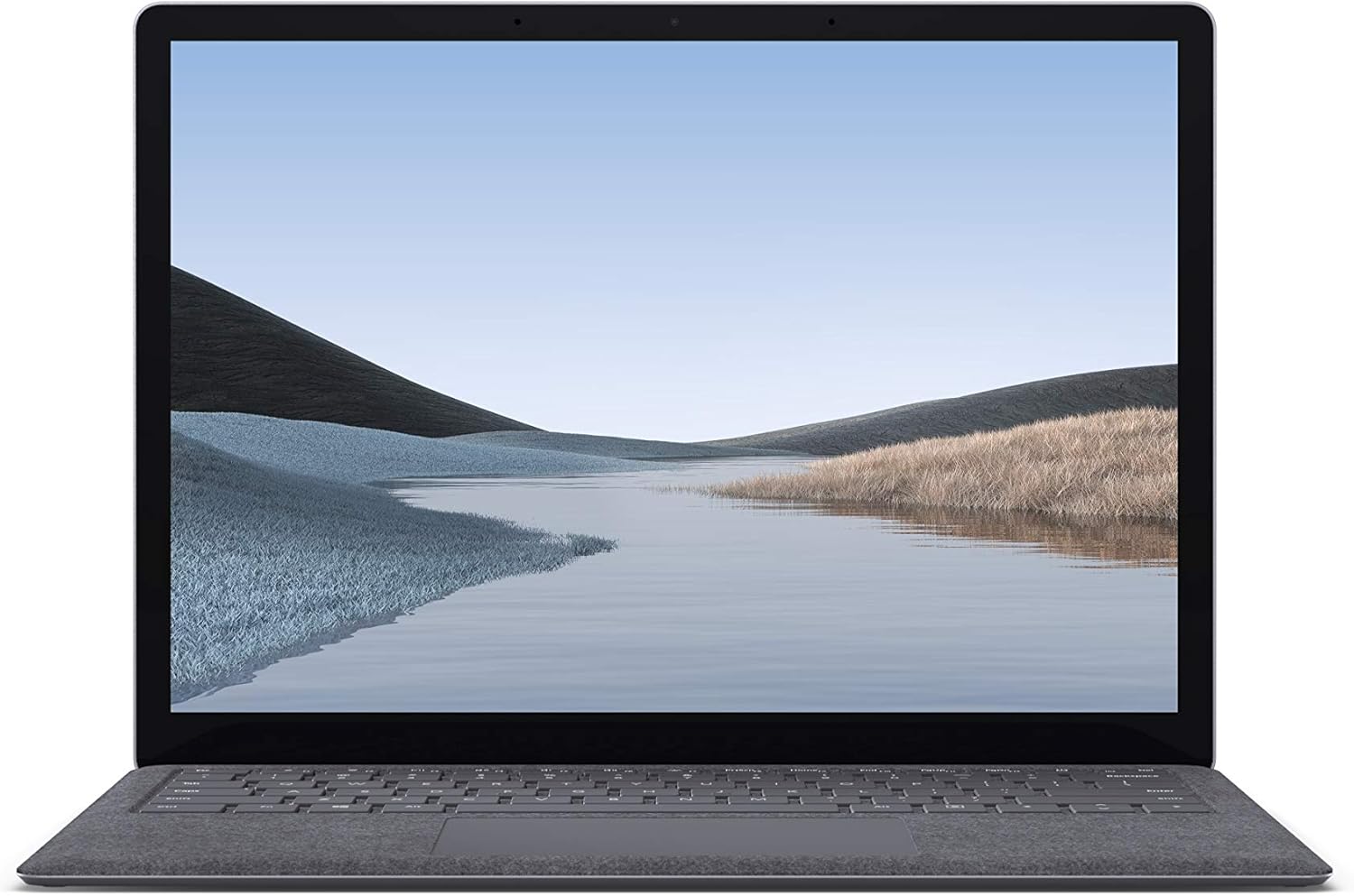
Illustration 1.1 : Avant view of the Microsoft Surface Laptop 3 with its display active.
The Surface Laptop 3 offers a clean, elegant design, weighing approximately 2.79 pounds, making it easy to carry. It features improved speed and performance with its 10th Gen Intel Core processors, offering up to two times faster performance than previous models. Connectivity options include USB-C and USB-A ports for connecting to displays, docking stations, and accessories. The device provides up to 11.5 hours of battery life and supports fast charging, reaching up to 80% in about one hour.
2. Contenu de la boîte
Upon unboxing your Microsoft Surface Laptop 3, verify that all the following items are present:
- Microsoft Surface Laptop 3 (Model VGY-00001)
- Guide de démarrage rapide (QSG)
- Alimentation (adaptateur secteur)
3. Installation
3.1 Mise sous tension initiale
- Connecter l'alimentation : Plug the power supply into a wall outlet and connect the magnetic Surface Connect port to your laptop. The LED indicator on the connector will light up when properly connected.
- Mise sous tension : Open the laptop lid or press the power button located on the keyboard.
- Installation de Windows: Follow the on-screen instructions to complete the Windows 10 Home setup. This includes selecting your region, connecting to a Wi-Fi network, and creating a user account.
- Windows Hello : Configure Windows Hello for secure and fast login using facial recognition.
3.2 Connexion de périphériques
Your Surface Laptop 3 includes various ports for connecting external devices:
- Port USB-C : Pour le transfert de données, la sortie vidéo et la charge des appareils compatibles.
- Port USB-A : For connecting traditional USB devices like mice, keyboards, and external storage.
- Prise casque 3.5 mm : Pour la sortie audio vers des écouteurs ou des haut-parleurs externes.
- Port de connexion Surface : For the power supply and compatible Surface docking stations.

Image 3.1 : Côté view illustrating the available ports on the Surface Laptop 3.
4. Utilisation de votre Surface Laptop 3
4.1 Écran tactile
The 13.5-inch PixelSense touchscreen display offers a resolution of 2256 x 1504 pixels. It supports multi-touch gestures and is compatible with the Surface Pen (sold separately) for writing and drawing directly on the screen.
4.2 Clavier et pavé tactile
The full-size ergonomic keyboard features backlighting for comfortable typing in various lighting conditions. The large precision touchpad supports multi-finger gestures for navigation and control.
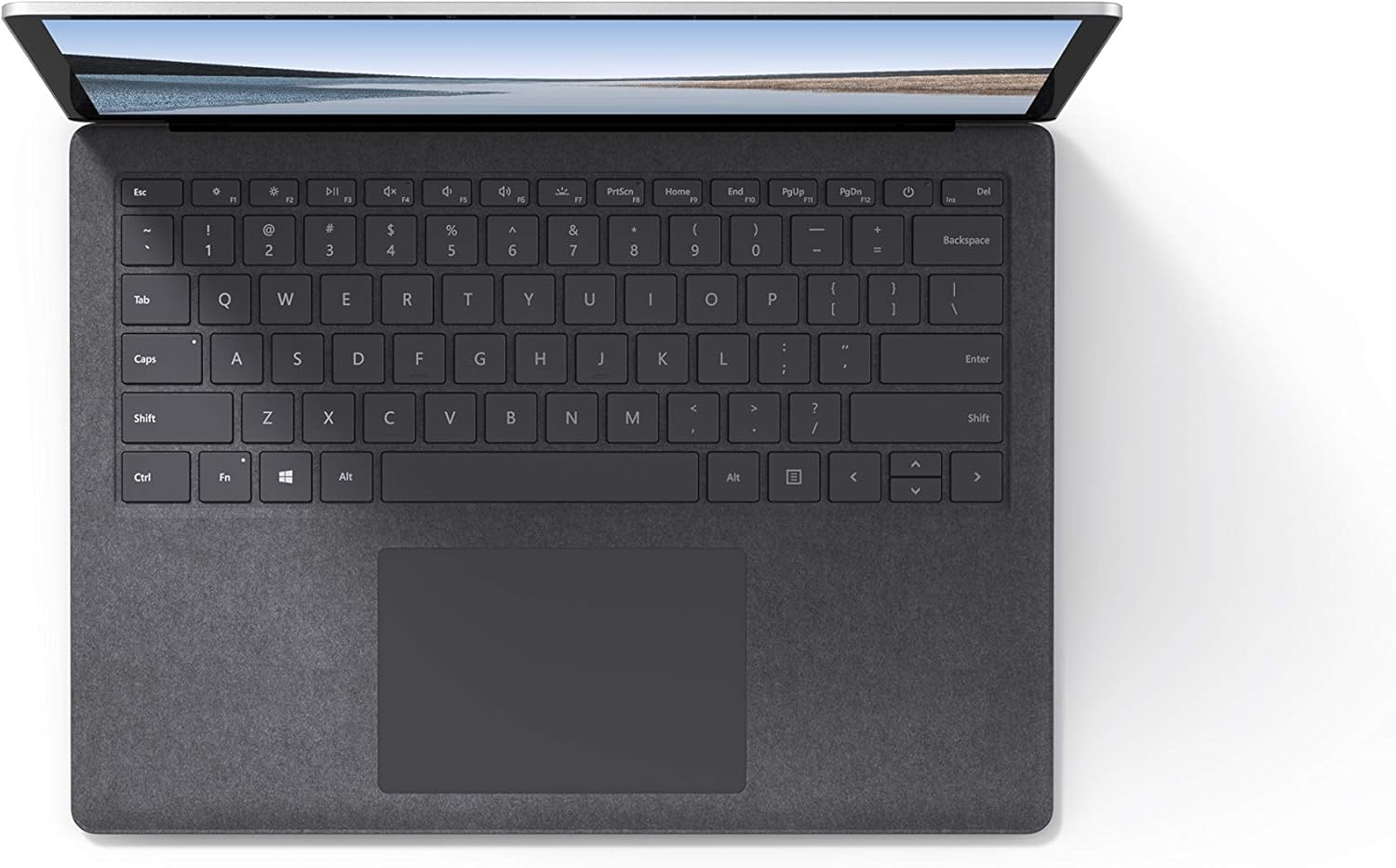
Image 4.1 : Vue de dessus view de la zone du clavier et du pavé tactile.
4.3 Audio et caméra
The laptop is equipped with Omnisonic Speakers with Dolby Audio Premium for clear sound. Dual far-field Studio Mics enhance voice clarity for calls and recordings. A front-facing 720p HD camera supports video conferencing and Windows Hello facial authentication.
4.4 Connectivité sans fil
The Surface Laptop 3 supports Wi-Fi 6 (802.11ax) for fast and reliable internet access, and Bluetooth 5.0 for connecting wireless accessories.
Vidéo 4.1 : Présentation vidéo officielle de Microsoftasing the Surface Laptop 3's features and design.
5. Entretien
5.1 Nettoyage de votre appareil
- Utilisez un chiffon doux et non pelucheux dampened with water or an approved screen cleaner to clean the display.
- Pour le clavier et le châssis, utilisez un chiffon doux et sec. Évitez les produits chimiques agressifs et les matériaux abrasifs.
- Gardez les ports exempts de poussière et de débris.
5.2 Mises à jour logicielles
Vérifiez et installez régulièrement les mises à jour Windows pour garantir des performances optimales, une sécurité renforcée et l'accès aux dernières fonctionnalités. Rendez-vous sur Paramètres > Mise à jour et sécurité > Windows Update.
5.3 Entretien de la batterie
- Évitez les températures extrêmes.
- Pour une durée de vie optimale de la batterie, évitez de la décharger systématiquement à 0 % ou de la maintenir à 100 % pendant des périodes prolongées.
- Utilisez uniquement l'alimentation fournie.
6. Dépannage
6.1 Problèmes d'alimentation électrique
- L'appareil ne s'allume pas : Ensure the power supply is securely connected and the outlet is functional. Try a forced shutdown by holding the power button for 30 seconds, then release and press again briefly to restart.
- La batterie ne se charge pas: Verify the Surface Connect cable is properly attached. Check for any damage to the cable or port.
6.2 Problèmes de performance
- Performances lentes : Close unnecessary applications. Check Task Manager for resource-intensive processes. Ensure Windows is up to date.
- Surchauffe: Ensure ventilation vents are not blocked. Avoid using the laptop on soft surfaces that can obstruct airflow.
6.3 Problèmes de connectivité
- Connexion Wi-Fi impossible : Restart your router and the laptop. Check Wi-Fi settings and ensure the correct network is selected and password entered.
- L'appareil Bluetooth ne se connecte pas : Assurez-vous que l'appareil Bluetooth est en mode de couplage et à portée. Vérifiez les paramètres Bluetooth de votre ordinateur portable.
7. Spécifications
| Fonctionnalité | Détail |
|---|---|
| Marque | Microsoft |
| Nom du modèle | Surface Laptop 3 |
| Numéro de modèle | VGY-00001 |
| Taille de l'écran | 13.5 pouces |
| Résolution | 2256 x 1504 pixels |
| Modèle de processeur | Intel Core i5 (10th Generation) |
| Vitesse du processeur | 1.2 GHz (up to 3.7 GHz with Turbo Boost) |
| Taille de la mémoire RAM installée | 8 Go LPDDR4 |
| Taille du disque dur | Disque SSD de 128 Go |
| Système opérateur | Windows 10 Famille (Mise à niveau gratuite vers Windows 11 dès sa disponibilité) |
| Coprocesseur graphique | Intel Iris Plus |
| Technologie de connectivité | 1 x USB-C, 1 x USB-A, 3.5 mm headphone jack, 1 x Surface Connect port |
| Technologie sans fil | Wi-Fi 6 (802.11ax), Bluetooth 5.0 |
| Autonomie de la batterie | Jusqu'à 11.5 heures |
| Poids de l'article | 2.79 livres |
| Dimensions (L x l x épaisseur) | 8.8 po L x 12.1 po l x 0.57 po ép. |
| Caméra | Front-facing 720p HD camera with Windows Hello face authentication |
| Audio | Omnisonic Speakers with Dolby Audio Premium, Dual far-field Studio Mics |
8. Garantie et assistance
8.1 Garantie du produit
The Microsoft Surface Laptop 3 (Model VGY-00001) comes with a Garantie limitée du fabricant d'un an. This warranty covers defects in materials and workmanship under normal use. For specific terms and conditions, please refer to the warranty documentation included with your product or visit the official Microsoft support website.
8.2 Assistance clientèle
For technical assistance, troubleshooting, or warranty claims, please contact Microsoft Support. You can find contact information and additional resources on the official Microsoft Surface support website. Keep your proof of purchase and product serial number readily available when contacting support.
Support en ligne: Visite support.microsoft.com/surface for FAQs, drivers, and software downloads.