
Introduction
Merci pour votre achatasing the MUSE M-152 RC Retro Cassette Recorder. This device combines a classic cassette player/recorder with an FM/MW radio tuner and an AUX input, offering versatile audio playback and recording options. This manual provides essential information for safe and efficient use of your new device. Please read it thoroughly before operation and retain it for future reference.

Figure 0 : The MUSE M-152 RC Retro Cassette Recorder.
Informations importantes sur la sécurité
- Source d'alimentation : Assurer l'alimentation voltage matches the requirements specified on the unit. Use only the provided AC adapter.
- Utilisation de la batterie : If using batteries, ensure they are inserted with correct polarity. Do not mix old and new batteries, or different types of batteries. Remove batteries if the unit will not be used for an extended period.
- Eau et humidité : N’exposez pas l’appareil à la pluie, à l’humidité ou aux projections de liquides. Ne placez pas d’objets remplis de liquide, tels que des vases, sur l’appareil.
- Ventilation: Ne bloquez aucune ouverture de ventilation. Assurez-vous de laisser un espace suffisant autour de l'appareil pour une bonne circulation de l'air.
- Chaleur: Tenez l'appareil éloigné des sources de chaleur telles que les radiateurs, les bouches de chauffage, les poêles ou autres appareils (y compris amp(échangeurs thermiques) qui produisent de la chaleur.
- Nettoyage: Débranchez l'appareil avant de le nettoyer. Utilisez un chiffon doux et sec. N'utilisez pas de nettoyants liquides ni d'aérosols.
- Entretien: N'essayez pas de réparer vous-même ce produit. Confiez tous les travaux d'entretien à du personnel de service qualifié.
- En usage externe seulement: This device is designed for external use.
Caractéristiques du produit
The MUSE M-152 RC offers a range of functionalities for audio enthusiasts:
- Integrated Cassette Player and Recorder
- AM/FM Radio Tuner with telescopic antenna
- AUX Input for connecting external audio devices
- Built-in Microphone for direct voice recording
- Portable design with optional battery operation
- Auto Stop function for cassette playback
- Rotary controls for Volume and Tuning
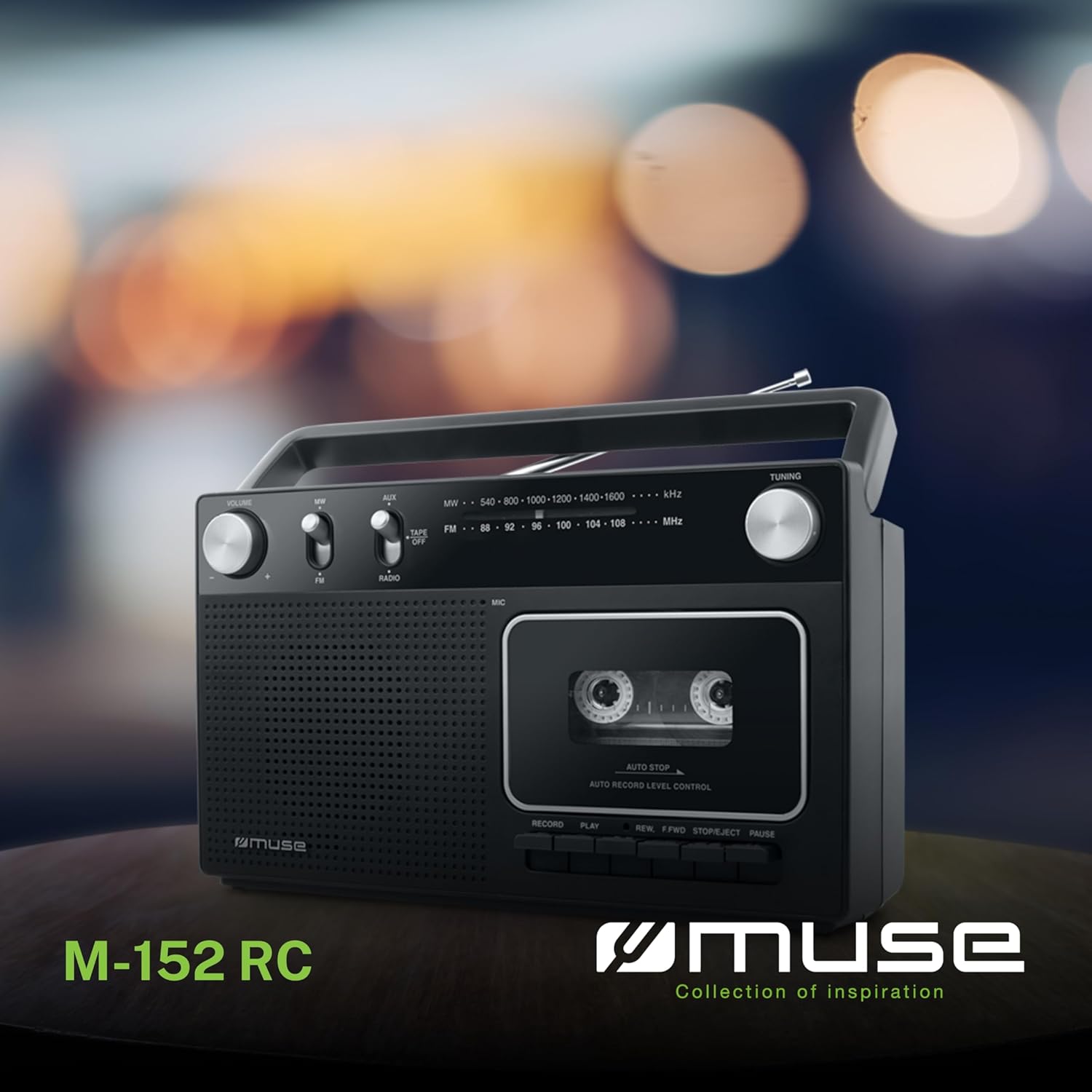
Figure 1 : Surview of the MUSE M-152 RC highlighting its main features like cassette recording, rotary controls, good sound quality, and FM/MW radio capabilities.
Installation
1. Alimentation de l'unité
The M-152 RC can be powered by either AC mains or batteries.
- Alimentation secteur : Connect the supplied AC power adapter to the DC IN jack on the unit and then plug the adapter into a standard 220V AC wall outlet.
- Puissance de la batterie : Open the battery compartment cover on the back of the unit. Insert 4 x 'C' size batteries (not included), ensuring correct polarity (+/-) as indicated inside the compartment. Close the cover securely.
2. Réglage de l'antenne
For optimal FM radio reception, fully extend the telescopic antenna. For MW (AM) reception, the unit has a built-in ferrite bar antenna, so no external adjustment is needed, but rotating the unit might improve reception.
Mode d'emploi
1. Fonctionnement radio
- Set the function switch to "RADIO".
- Select the desired band (FM or MW) using the FM/MW switch.
- Faites pivoter le RÉGLAGE knob to search for a radio station.
- Ajustez le VOLUME Réglez le bouton sur votre niveau d'écoute préféré.
- For FM, extend and adjust the telescopic antenna for best reception. For MW, rotate the unit for optimal signal.
2. Lecture de cassettes
- Set the function switch to "TAPE/OFF".
- Appuyez sur le ARRÊT/ÉJECTION bouton pour ouvrir le compartiment de la cassette.
- Insert a cassette tape with the open edge facing upwards and the tape side facing the unit. Close the compartment door firmly.
- Appuyez sur le JOUER bouton pour démarrer la lecture.
- Utilisez le REW (Rewind) or F.AVANT (Fast Forward) buttons to navigate the tape. Press ARRÊT/ÉJECTION pour arrêter l'enroulement.
- Appuyez sur le PAUSE Appuyez sur ce bouton pour interrompre temporairement la lecture. Appuyez de nouveau pour la reprendre.
- Appuyez sur le ARRÊT/ÉJECTION button to stop playback and eject the cassette.
- Ajustez le VOLUME knob as needed.

Figure 2 : Detail of the cassette compartment and the integrated microphone for recording.
3. Enregistrement sur cassette
The M-152 RC allows recording from the radio or via its built-in microphone.
Enregistrement radio :
- Insérez une cassette vierge dans le compartiment.
- Set the function switch to "RADIO" and tune to the desired station.
- Appuyez sur le ENREGISTRER bouton (bouton rouge) simultanément avec le JOUER Cliquez sur le bouton. L'enregistrement va commencer.
- Pour arrêter l'enregistrement, appuyez sur le ARRÊT/ÉJECTION bouton.
Recording with Built-in Microphone:
- Insérez une cassette vierge dans le compartiment.
- Set the function switch to "TAPE/OFF".
- Appuyez sur le ENREGISTRER bouton (bouton rouge) simultanément avec le JOUER button. The recording will begin from the built-in microphone.
- Speak clearly into the microphone located on the front of the unit.
- Pour arrêter l'enregistrement, appuyez sur le ARRÊT/ÉJECTION bouton.

Figure 3 : The built-in microphone allows for direct voice recording onto a cassette tape.
4. Entrée AUX
Connectez un appareil audio externe (par exemple, un lecteur MP3, un smartphone) à la prise AUX IN à l'aide d'un câble audio de 3.5 mm (non inclus).
- Set the function switch to "AUX".
- Démarrez la lecture sur votre appareil externe.
- Ajustez le VOLUME knob on the M-152 RC and on your external device for the desired sound level.
Entretien
- Nettoyage de l'unité : Essuyez l'extérieur de l'appareil avec un chiffon doux et sec. N'utilisez pas de nettoyants abrasifs ni de solvants.
- Nettoyage de la tête de lecture/écriture : Periodically clean the tape head, pinch roller, and capstan using a cotton swab lightly moistened with isopropyl alcohol. This helps maintain sound quality and prevents tape damage. Ensure the unit is powered off and unplugged before cleaning.
- Stockage: When not in use for extended periods, store the unit in a dry, dust-free environment. Remove batteries if using battery power.
Dépannage
| Problème | Cause possible | Solution |
|---|---|---|
| Pas de courant | Adaptateur secteur mal branché ; piles déchargées ou mal insérées. | Vérifiez la connexion de l'adaptateur secteur ; remplacez les piles ou assurez-vous de la polarité correcte. |
| Mauvaise réception radio | Antenne non déployée/réglée ; signal faible. | Fully extend and adjust the telescopic antenna (FM); Rotate the unit (MW). |
| Cassette not playing/poor sound | Tape incorrectly inserted; Tape head dirty; Tape damaged. | Re-insert tape correctly; Clean tape head; Try a different tape. |
| Aucun enregistrement | RECORD and PLAY not pressed simultaneously; Tape write-protect tab removed. | Ensure both buttons are pressed together; Cover the write-protect tab with tape. |
Caractéristiques
- Modèle: M-152 RC
- Source d'alimentation : AC 220V / 4 x 'C' size batteries (DC 6V)
- Bandes radio : FM (88-108 MHz), MW (540-1600 kHz)
- Relations: Entrée AUX (prise jack 3.5 mm)
- Caractéristiques spéciales : Portable, Built-in Microphone, Auto Stop
- Dimensions (L x l x H) : Environ 27 cm x 9.3 cm x 16 cm
- Couleur: Noir
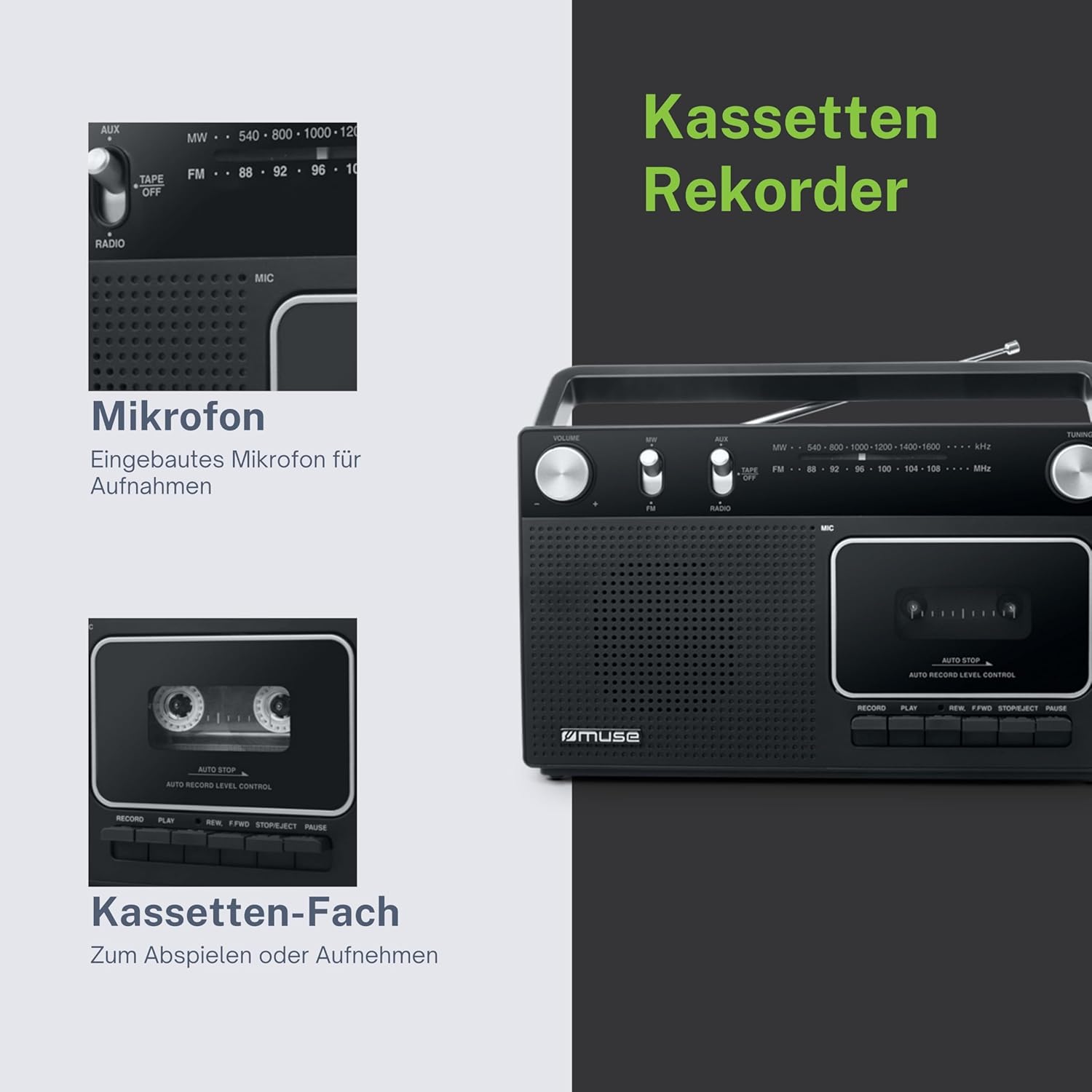
Figure 4 : Dimensional drawing of the MUSE M-152 RC.
Garantie et assistance
For warranty information and technical support, please refer to the warranty card included with your product or contact your local MUSE distributor or retailer. Keep your proof of purchase for any warranty claims.