

Introduction
The CELESTION Neo 250 Copperback is a high-performance guitar speaker designed to deliver exceptional tone and power handling. Rated at 250 W, this speaker combines the musicality of classic CELESTION speakers with a lightweight design. It provides a transparent tone with a tight low end, neutral low mids, clear upper mids, and controlled highs, enhancing the natural tonality of your amplifier. Its wide dynamic response and excellent touch sensitivity make it a versatile choice for various musical styles.
Caractéristiques principales
- Puissance nominale : 250 Watts for high-power applications.
- Conception légère : Weighs approximately 5 pounds, making it ideal for combos and cabinets where weight reduction is desired.
- Transparent Tone: Delivers a clear and articulate sound profile.
- Balanced Frequency Response: Features a tight low end, neutral low mids, clear upper mids, and controlled highs.
- Application polyvalente : Convient à divers amplifier circuits, including Marshall, Vox, and Fender types.
- Excellent Drive Pedal Compatibility: Responds well to different drive pedals, offering a wide range of tonal possibilities.
Configuration et installation
Proper installation of your CELESTION Neo 250 Copperback speaker is crucial for optimal performance and safety. Always ensure your amplifier is turned off and unplugged before beginning installation.
- Adaptation d'impédance : Verify that the impedance of the speaker (8 Ohms for this model) matches the output impedance of your amplifier. Mismatched impedances can damage your amplificateur ou orateur.
- Montage: Securely mount the speaker into your amplifier cabinet using appropriate hardware. Ensure all screws are tightened evenly to prevent vibrations and ensure a stable fit.
- Câblage : Connectez les bornes du haut-parleur à votre amplifier's speaker output using high-quality speaker cable. Pay close attention to polarity (+ to + and - to -) to ensure correct phase.
- Essai: Après l'installation, connectez votre amplifier and test at a low volume. Gradually increase the volume to ensure proper operation and sound reproduction.
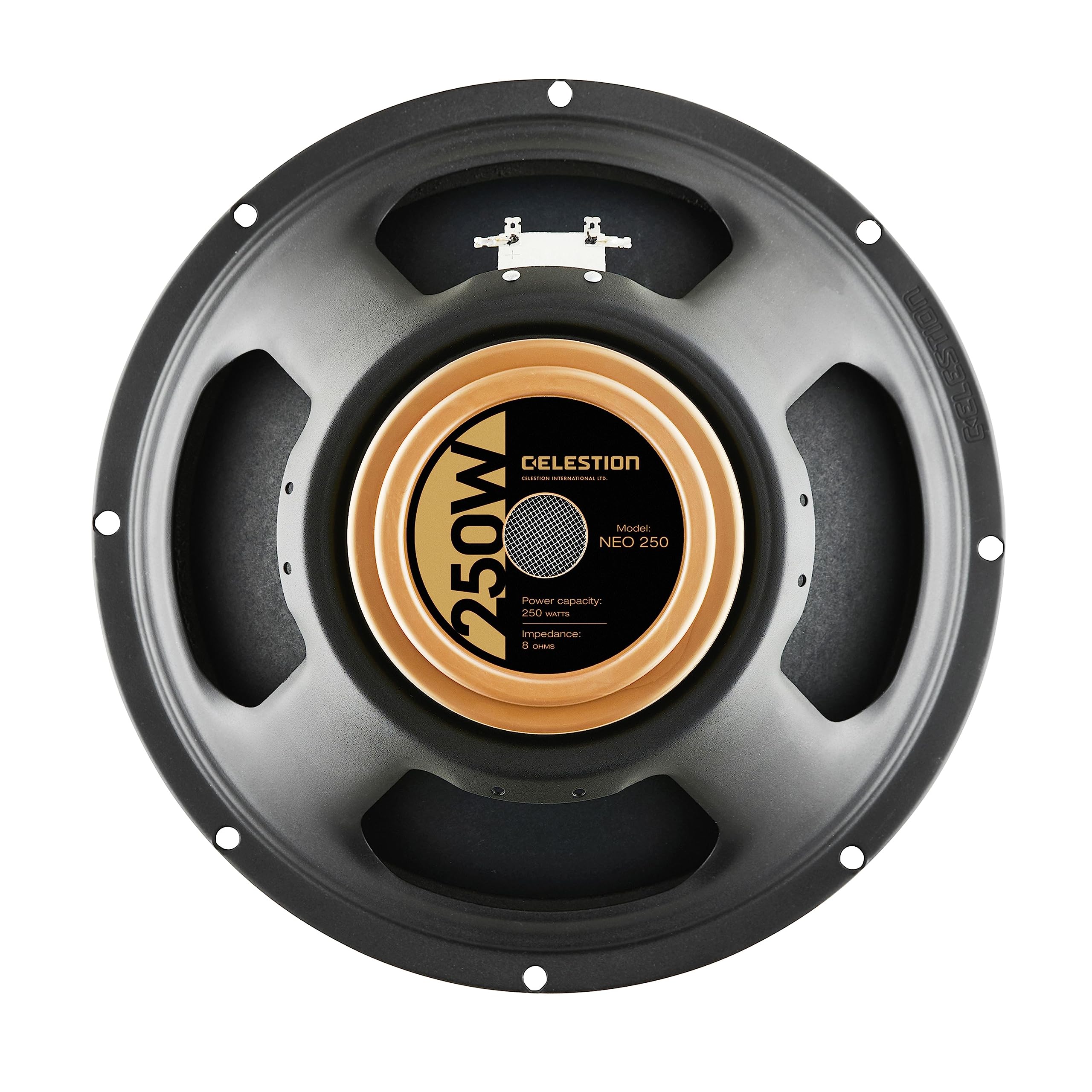
Image: The CELESTION Neo 250 Copperback Guitar Speaker, showcasing its robust construction and gold-colored magnet assembly.
Utilisation du haut-parleur
The Neo 250 Copperback is designed for a wide range of applications and amplifier types. Its unique characteristics allow it to perform exceptionally well across various circuits.
- AmpCompatibilité lifier: This speaker has been tested and performs well with Marshall, Vox, and Fender circuits, offering a versatile sound profile.
- Mid-Range Response: It features a relatively flat mid-range response, providing a balanced foundation for your guitar tone.
- Hauteur sous barrot: The speaker offers significant headroom, allowing for clean tones at higher volumes without premature breakup.
- Drive Pedals: The Neo 250 Copperback excels at handling various drive pedals, translating their characteristics effectively and producing a rich, violin-like tone when overdriven. Experiment with different pedals to discover your preferred sound.
Video: A demonstration of the CELESTION Neo Copperback speaker, showcasing its tonal qualities and response with a guitar amplifier. The video features a musician playing a green electric guitar in a studio setting.
Entretien
To ensure the longevity and optimal performance of your CELESTION Neo 250 Copperback speaker, follow these maintenance guidelines:
- Nettoyage: Gently wipe the speaker cone and frame with a soft, dry cloth to remove dust and debris. Avoid using liquid cleaners or excessive moisture, as this can damage the cone material.
- Stockage: Store the speaker in a dry, temperature-controlled environment, away from direct sunlight and extreme humidity.
- Manutention: Always handle the speaker with care, avoiding direct contact with the cone or voice coil area.
- Inspection: Periodically inspect the speaker for any signs of damage, such as tears in the cone, loose connections, or bent frame components.
Dépannage
If you encounter issues with your CELESTION Neo 250 Copperback speaker, consider the following common troubleshooting steps:
- Pas de son :
- Vérifiez toutes les connexions de câbles entre les amplificateur et orateur.
- Assurez-vous que amplificateur est sous tension et fonctionne correctement.
- Verify the speaker cable is not damaged.
- Son déformé :
- Confirm that the speaker's impedance matches the ampImpédance de sortie de l'amplificateur.
- Réduire le amplifier's volume or gain settings.
- Inspect the speaker cone for any physical damage.
- Weak or Intermittent Sound:
- Vérifiez les connexions électriques au niveau du haut-parleur et du haut-parleur. ampbornes de lifier.
- Test with a different speaker cable to rule out cable issues.
If these steps do not resolve the issue, please contact CELESTION customer support or a qualified technician.
Caractéristiques

Image : détaillée view of the CELESTION Neo 250 Copperback speaker's magnet, showing the "250W" power capacity and "8 Ohms" impedance.
| Fonctionnalité | Détail |
|---|---|
| Nom du modèle | T6370 |
| Type de haut-parleur | Guitare Amphaut-parleur |
| Capacité de puissance | 250 watts |
| Impédance | 8 Ohms |
| Utilisations recommandées | Pour guitare Amplifier |
| Dimensions du produit | 13"P x 13"L x 7.1"H |
| Poids de l'article | 5 livres |
| Taille du haut-parleur | 12 pouces |
| Fabricant | CÉLESTION |
| Code UPC | 739894637008 |
Garantie et assistance
The CELESTION Neo 250 Copperback speaker comes with a manufacturer's warranty. For specific details regarding warranty coverage, duration, and terms, please refer to the documentation included with your purchase or visit the official CELESTION website.
For technical support, service, or any inquiries about your product, please contact CELESTION customer service through their official channels. Ensure you have your product model number (T6370) and purchase information available when contacting support.