
1. Introduction
This manual provides detailed instructions for the installation, operation, and maintenance of your Time2 Oscar 2 Twin Pack Outdoor Security Cameras. The Oscar 2 cameras are designed for outdoor surveillance, offering 1080p Full HD video, night vision, motion and sound detection, and two-way audio communication. Please read this manual thoroughly before using the product to ensure proper setup and functionality.
2. Contenu de la boîte
Lors du déballage, veuillez vérifier que tous les éléments suivants sont inclus :
- 2 x Time2 Oscar WiFi Camera
- 2 x adaptateur secteur
- 2 x Wall Mounting Kit (screws and wall plugs)
- 1 x Guide de démarrage rapide

Image: The Time2 Oscar 2 camera shown with its retail packaging, indicating the contents of the box.
3. caractéristiques du produit
The Time2 Oscar 2 cameras are equipped with advanced features for comprehensive outdoor security:
- Vidéo Full HD 1080p : Capture des images claires et détailléestagjour et nuit.
- Vision nocturne supérieure : Automatic infrared night vision with IR cut for clear images in low light or darkness.
- Champ de 100° View: Provides a wide coverage area for monitoring your property.
- Motion and Audio Detection: Advanced sensors detect unusual movement or sounds, sending instant alerts.
- Audio bidirectionnel: Le microphone et le haut-parleur intégrés permettent une communication en temps réel.
- Stockage local et cloud : Supports local storage via MicroSD card (up to 128GB, not included) and optional cloud storage via CLAN CLOUD subscription.
- Conception résistante aux intempéries : Indice de protection IP65 pour une utilisation en extérieur, résistant à la pluie et à la poussière.
- Alimentation secteur : Ensures continuous operation without battery recharging.
- Zones d'activité : Personnalisez les zones de détection pour réduire les fausses alertes.
- Intégration Alexa : Compatible avec Amazon Alexa pour la commande vocale.
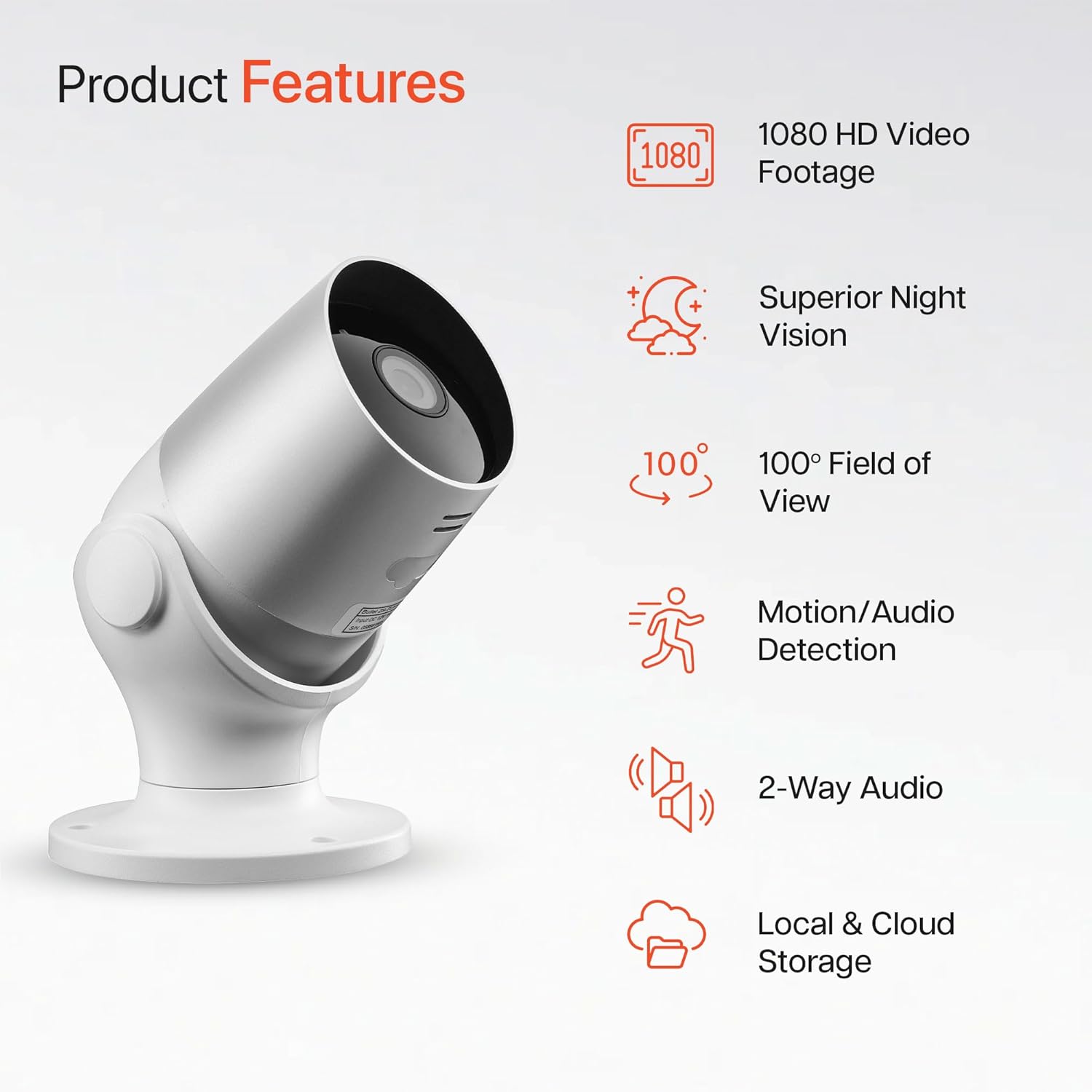
Image: An illustration highlighting the main features of the Oscar 2 camera, including 1080p HD video, night vision, 100° field of view, motion/audio detection, two-way audio, and storage options.
4. Installation
4.1 Téléchargement de l'application et création d'un compte
- Download the "CLAN" app from your smartphone's app store (iOS or Android).
- Ouvrez l'application et suivez les instructions à l'écran pour créer un nouveau compte ou vous connecter si vous en avez déjà un.
4.2 Installation de la carte microSD (facultatif)
For local video storage, you can install a MicroSD card (up to 128GB, not included) into the camera.
- Locate the MicroSD card slot on the camera (refer to the Quick Start Guide for exact location).
- Insérez soigneusement la carte microSD dans son emplacement jusqu'à ce qu'elle s'enclenche.
- Ensure the camera is powered off before inserting or removing the MicroSD card.
4.3 Camera Installation and Power Connection
The Oscar 2 cameras are designed for wall mounting and require a mains power connection.
- Choisissez un emplacement : Choisissez un emplacement extérieur qui offre les conditions souhaitées viewing angle and is within reach of a power outlet. Consider the 100° field of view.
- Montez la caméra : Use the provided wall mounting kit (screws and wall plugs) to securely attach the camera to a wall or suitable surface. The camera housing allows for rotation to adjust the lens angle.
- Connecter l'alimentation : Plug the power adapter into the camera and then into a mains power outlet. The camera will power on automatically.
4.4 Pairing with the CLAN App
- Assurez-vous que votre smartphone est connecté à un réseau Wi-Fi 2.4 GHz (les réseaux 5 GHz ne sont pas pris en charge).
- Open the CLAN app and tap the "+" icon to add a new device.
- Select "Oscar 2" from the list of devices.
- Follow the in-app instructions, which typically involve scanning a QR code displayed on your phone with the camera lens or listening for a sound prompt.
- Once paired, you can name your camera and begin configuring settings.
5. Operating Your Oscar 2 Camera
5.1 En direct View et surveillance
From the CLAN app home screen, tap on your camera's name to access the live video feed. You can view multiple cameras simultaneously if you have more than one Oscar 2 device.

Image: A smartphone displaying the CLAN app interface, showing a live view from the Oscar 2 camera and various control options.
5.2 Détection de mouvement et de son
The Oscar 2 camera can detect movement and sound, sending instant alerts to your smartphone or tablet.
- Activer les alertes : Navigate to the camera settings in the CLAN app and enable motion and sound detection alerts.
- Ajuster la sensibilité : You can adjust the sensitivity level of both motion and sound detection to minimize false alarms.
- Définir des zones d'activité : Définir des zones spécifiques dans le champ de vision de la caméra. view where you want motion detection to be active. This helps focus on critical areas and ignore irrelevant movements.
5.3 Audio bidirectionnel
Utilisez le microphone et le haut-parleur intégrés pour une communication bidirectionnelle.
- En direct viewAppuyez sur l'icône du microphone dans l'application pour parler via le haut-parleur de la caméra.
- Appuyez sur l'icône du haut-parleur pour écouter le son provenant du microphone de la caméra.
- This feature is useful for interacting with visitors or deterring intruders.
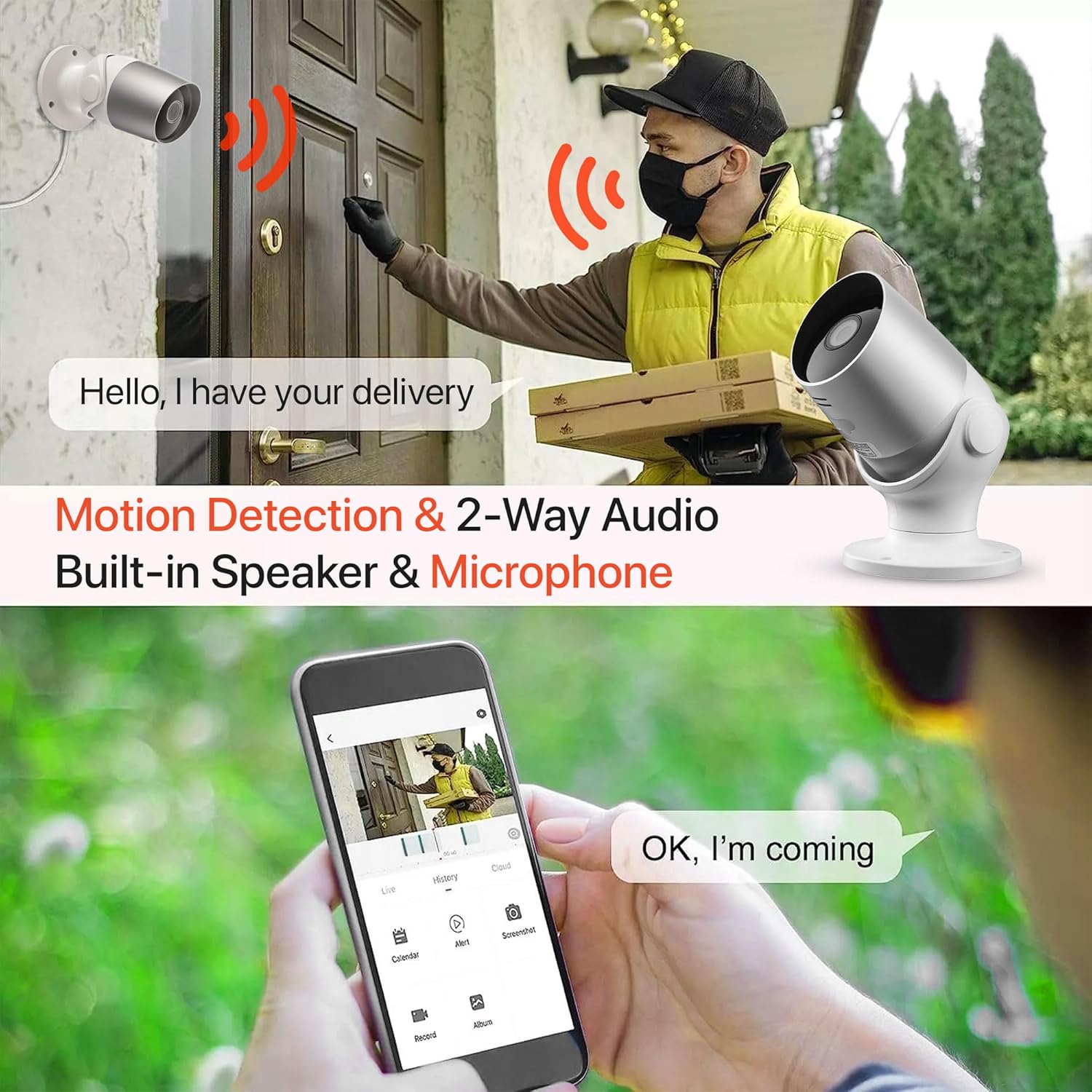
Image: An illustration demonstrating the two-way audio feature, showing a user communicating with a delivery person via the Oscar 2 camera and smartphone app.
5.4 Enregistrement et lecture
The Oscar 2 cameras offer flexible recording options:
- Enregistrement continu: If a MicroSD card is installed, the camera can record continuously for up to 21 days (with a 128GB card).
- Enregistrement déclenché par le mouvement : The camera can be set to record only when motion or sound is detected. Recordings include 5 seconds of pre-event footage.
- Local Storage (MicroSD): Accéder aux photos enregistréestage directly from the MicroSD card via the CLAN app.
- Cloud Storage (CLAN CLOUD): Subscribe to CLAN CLOUD for secure off-site storage of your recordings, accessible from anywhere.
- Lecture: Use the playback feature in the CLAN app to review événements enregistrés.
5.5 Vision nocturne
The camera automatically switches to infrared night vision in low-light conditions, providing clear black and white images. The integrated IR cut filter ensures accurate color representation during the day.

Image: A visual representation of the camera's 24/7 monitoring capability, showing how the view changes from morning (color) to afternoon (color) to night (infrared night vision).
5.6 Intégration d'Alexa
The Oscar 2 cameras are compatible with Amazon Alexa. To enable this feature, link your CLAN account within the Alexa app. You can then use voice commands to view Le flux vidéo de votre caméra sur les appareils compatibles avec Alexa.
6. Entretien
- Nettoyage: Nettoyez régulièrement l'objectif de l'appareil photo avec un chiffon doux et sec.amp cloth to ensure optimal image clarity. Do not use harsh chemicals or abrasive materials.
- Mises à jour du micrologiciel : Ensure your camera's firmware is up to date. The CLAN app will typically notify you of available updates. Follow the in-app instructions to perform updates, which can improve performance and add new features.
- Cycle d'alimentation : Si l'appareil photo rencontre des problèmes, essayez de le redémarrer en le débranchant de la source d'alimentation pendant quelques secondes, puis en le rebranchant.
7. Dépannage
- La caméra ne se connecte pas au Wi-Fi :
- Assurez-vous que votre réseau Wi-Fi fonctionne sur la fréquence 2.4 GHz. La caméra n'est pas compatible avec les réseaux 5 GHz.
- Vérifiez que la caméra se trouve à portée de votre routeur Wi-Fi.
- Vérifiez que votre mot de passe Wi-Fi est correctement saisi dans l'application.
- Redémarrez votre routeur et votre caméra.
- Frequent Motion Detection Alerts:
- Adjust the motion detection sensitivity settings in the CLAN app to a lower level.
- Define specific activity zones to exclude areas with frequent irrelevant movement (e.g., trees swaying, busy roads).
- Environmental factors like heavy rain or snow can sometimes trigger alerts; consider adjusting sensitivity during adverse weather.
- Mauvaise qualité d'image :
- Nettoyez l'objectif de l'appareil photo pour enlever toute saleté ou trace de doigt.
- Assurez-vous qu'aucun obstacle ne se trouve dans le champ de vision de la caméra. view.
- Vérifiez la vitesse de votre connexion internet ; une connexion lente peut affecter la qualité du flux en direct.
- Problèmes audio bidirectionnels :
- Assurez-vous que le volume de votre téléphone est suffisamment élevé et que l'application dispose des autorisations nécessaires pour accéder au microphone.
- Check the camera's speaker and microphone settings in the app.
- Réduisez les bruits de fond pour une communication plus claire.
- Recordings Not Saving:
- If using a MicroSD card, ensure it is correctly inserted and formatted within the app. Check if the card is full.
- If using cloud storage, verify your CLAN CLOUD subscription is active.
8. Spécifications
| Fonctionnalité | Détail |
|---|---|
| Nom du modèle | Oscar 2 |
| Dimensions du produit | 8.9 x 17.8 x 19.1 cm |
| Poids | 720 grammes |
| Fabricant | Heure2 |
| Technologie de connectivité | Sans fil (Wi-Fi) |
| Dossier spécial | Motion and Sound Alerts |
| Utilisation intérieure/extérieure | De plein air |
| Appareils compatibles | Ordinateur, Smartphone, Tablette |
| Source d'énergie | Electric Cable (Mains Powered) |
| Type de contrôleur | Amazon Alexa |
| Type de montage | Support mural |
| Couleur | Blanc |
| Facteur de forme | Balle |
| Niveau de résistance à l'eau | Imperméable à l'eau (IP65) |
| Voltage | 12 volts |
| Quoitage | 5 watts |
| Format de capture vidéo | MP4 |
| Résolution vidéo efficace | 1080 pixels (1080p) |
| ViewAngle d'attaque | 100 degrés |
| Nombre d'articles | 2 (Twin Pack) |
| Code UPC | 045912296356 |
9. Garantie et assistance
9.1 Informations sur la garantie
Your Time2 Oscar 2 cameras come with a manufacturer's warranty. Please refer to the warranty card included in your product packaging or visit the official Time2 webConsultez le site pour connaître les conditions générales de garantie détaillées.
9.2 Assistance clientèle
If you encounter any issues or have questions not covered in this manual, please contact Time2 customer support. Contact details can typically be found on the Time2 website ou dans le guide de démarrage rapide fourni avec votre produit.
For the latest information, FAQs, and support resources, please visit the official Time2 website.