
1. Introduction
The Cangaroo 3-in-1 device is a versatile instrument designed to monitor indoor temperature and humidity, while also functioning as a digital clock with an alarm feature. This manual provides detailed instructions for its setup, operation, and maintenance, ensuring you get the most accurate readings and functionality from your device.
2. caractéristiques du produit
- Mesure de la température et de l'humidité : Accurately measures ambient temperature and relative humidity.
- Digital Clock with Alarm Function: Displays time and includes a programmable alarm.
- Grand écran : Écran numérique clair et facile à lire.
- Large plage de mesure : Temperature from -50°C to 70°C; Humidity from 10% to 99%.
- Haute précision : Temperature accuracy of +/- 1°C; Humidity accuracy of +/- 5%.
- Fonctionne sur batterie : Requires one AA 1.5V battery (not included) for portable use.
- Conception moderne: Compact et esthétiquement plaisantasing for various environments.
3. Contenu du colis
Veuillez vérifier que le colis contient les éléments suivants :
- 1 x Cangaroo 3-in-1 Thermometer, Hygrometer, Digital Clock with Alarm (Model 103548)
Note: AA 1.5V battery is not included and must be purchased separately.
4. Installation
4.1 Installation de la batterie
- Localisez le compartiment à piles à l'arrière de l'appareil.
- Ouvrez le couvercle du compartiment à piles.
- Insert one AA 1.5V battery, ensuring the correct polarity (+ and -).
- Fermez soigneusement le couvercle du compartiment à piles.
Upon successful battery installation, the display will power on and show current temperature, humidity, and time.

Image : Arrière view of the device, highlighting the battery compartment and control buttons (ADJ, MODE, °C/°F).
4.2 Placement initial
Place the device on a flat, stable surface or mount it on a wall using the integrated hanging hole. For accurate readings, avoid placing the device near heat sources, direct sunlight, or areas with extreme drafts.
5. Mode d'emploi
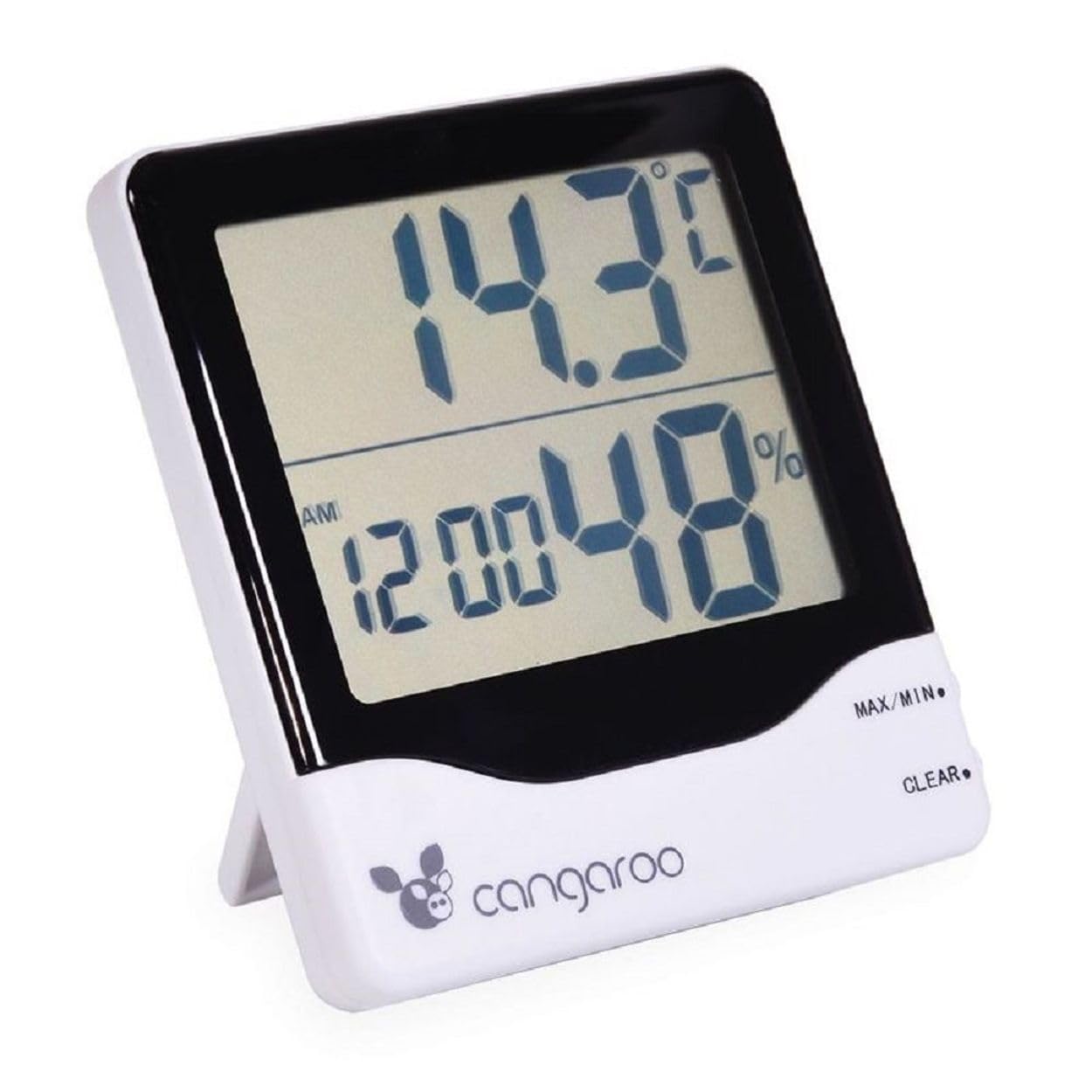
Image : Avant view of the Cangaroo 3-in-1 device, showing the main display with temperature, time, and humidity readings.
5.1 Affichage terminéview
Le grand écran LCD affiche les informations suivantes :
- Affichage supérieur : Température actuelle en °C ou °F.
- Affichage inférieur : Current time (AM/PM indicator) and relative humidity in %.
5.2 Réglage de l'heure et de la date
- Appuyez sur le MODE button on the back of the device to cycle through display modes until the time setting is active (usually indicated by flashing digits).
- While in time setting mode, press the ADJ (Adjust) button to change the flashing digit (hours, minutes).
- Continuez à appuyer MODE to move to the next setting (e.g., minutes, 12/24 hour format, date if available).
- Utilisez le ADJ button to set the desired value for each.
- Une fois tous les réglages effectués, appuyez sur MODE à nouveau pour quitter le mode de réglage.
5.3 Réglage de l'alarme
- Appuyez sur le MODE button until the alarm time is displayed (often indicated by an alarm icon or 'AL').
- Appuyez et maintenez enfoncé le MODE button for a few seconds until the alarm hours start flashing.
- Utilisez le ADJ bouton permettant de régler l'heure de l'alarme souhaitée.
- Presse MODE pour passer aux minutes de l'alarme, utilisez ADJ mettre en place.
- Presse MODE again to confirm and exit alarm setting.
- Pour activer/désactiver l'alarme, appuyez sur le ADJ button while in alarm display mode (not setting mode). An alarm icon will appear/disappear on the display.
5.4 Changement d'unité de température (°C/°F)
Appuyez sur le ° C / ° F button on the back of the device to toggle between Celsius and Fahrenheit temperature display.
5.5 Relevés de température et d'humidité MAX/MIN
L'appareil enregistre les valeurs maximales et minimales de température et d'humidité depuis la dernière réinitialisation.
- Appuyez sur le MAX/MIN button (located on the front right side) once to display the maximum recorded temperature and humidity.
- Presse MAX/MIN again to display the minimum recorded temperature and humidity.
- Presse MAX/MIN a third time to return to current readings.
- To clear the MAX/MIN records, press the CLAIR button (located on the front right side, below MAX/MIN) while MAX or MIN values are displayed.
6. Entretien
6.1 Nettoyage
Wipe the device with a soft, dry cloth. Do not use abrasive cleaners or immerse the device in water. Avoid spraying liquids directly onto the display or buttons.
6.2 Remplacement de la batterie
When the display becomes dim or the device stops functioning, it is time to replace the battery. Follow the steps in Section 4.1 Battery Installation to replace the AA 1.5V battery.
6.3 Stockage
If the device will not be used for an extended period, remove the battery to prevent leakage and damage. Store the device in a cool, dry place away from direct sunlight.
7. Dépannage
- Pas d'affichage : Check if the battery is inserted correctly with the right polarity. Replace the battery if it is depleted.
- Lectures inexactes : Ensure the device is not placed near heat sources, direct sunlight, or in areas with extreme drafts. Allow the device to stabilize for 15-30 minutes after initial setup or relocation.
- L'alarme ne sonne pas : Verify that the alarm function is activated (check for the alarm icon on the display). Ensure the alarm time is set correctly.
8. Spécifications
| Numéro de modèle | 103548 |
| Couleur | Blanc et noir |
| Plage de température | -50°C à 70°C (-58°F à 158°F) |
| Précision de la température | +/- 1°C |
| Taux d'humidité | 10% à 99% HR |
| Précision de l'humidité | +/- 5% HR |
| Source d'énergie | 1 x AA 1.5V Battery (not included) |
| Dimensions (L x l x H) | 11 x 10 x 2.5 cm (environ) |
| Poids | 120 Grams (approximately) |
9. Garantie et assistance
This product is covered by a standard manufacturer's warranty. For specific warranty details, please refer to the documentation provided with your purchase or contact Cangaroo customer support. If you encounter any issues or require assistance, please reach out to the retailer or manufacturer's support channels.
10. Informations sur l'élimination
Please dispose of the device and its batteries responsibly according to local environmental regulations. Do not dispose of electronic devices or batteries with household waste. Contact your local authorities for information on recycling programs.