
Supereyes S003
Supereyes S003 Smartphone Microscope Adapter User Manual
Model: S003 | Brand: Supereyes
1. Produit terminéview
The Supereyes S003 is a compact smartphone microscope adapter designed to provide 75x optical magnification for detailed observation and photography using your mobile device. It features a digital and optical combination for clear imaging without manual focusing, and an integrated LED light for optimal illumination. The adapter is universally compatible with most smartphones and tablets.
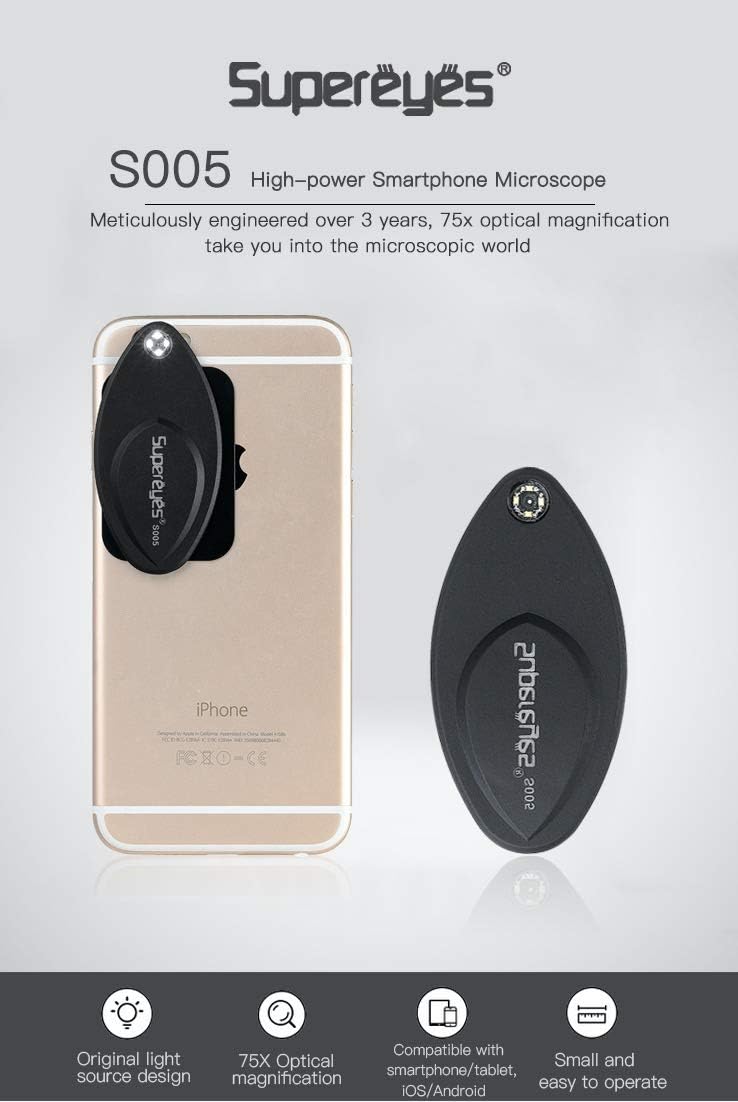
Image 1.1: The Supereyes S003 microscope adapter attached to a smartphone, highlighting its compact form factor and integrated LED light.
Caractéristiques principales :
- 75x Optical Magnification: Explore the microscopic world with enhanced detail.
- Digital and Optical Combination: Achieves clear images without the need for manual focusing.
- Compatibilité universelle: Designed to work with most mainstream smartphones and tablets.
- Fixation magnétique : Securely connects to your device via a metal plate with 3M adhesive.
- Automatic LED Illumination: The integrated light turns on automatically when the microscope is attached.
- Conception portable : Thin and lightweight for easy transport.
2. Contenu du colis
Veuillez vous assurer que tous les articles sont présents dans votre colis :
- Supereyes S003 Microscope Adapter
- Metal Plate with 3M Adhesive
- Pile CR2016 (préinstallée ou fournie séparément)
3. Instructions de configuration
Follow these steps to prepare your Supereyes S003 for use:
3.1 Attaching the Metal Plate to Your Smartphone
- Clean the back surface of your smartphone or tablet where the camera lens is located. Ensure it is free of dust and grease.
- Peel off the protective film from the 3M adhesive on the back of the metal plate.
- Carefully align the metal plate on the back of your phone, ensuring it is positioned near your phone's camera lens. The microscope will attach to this plate. Press firmly for a few seconds to secure it.
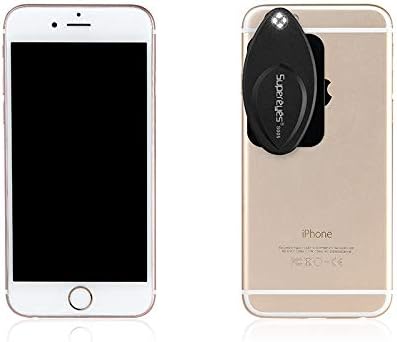
Image 3.1: The Supereyes S003 microscope and its magnetic metal plate.
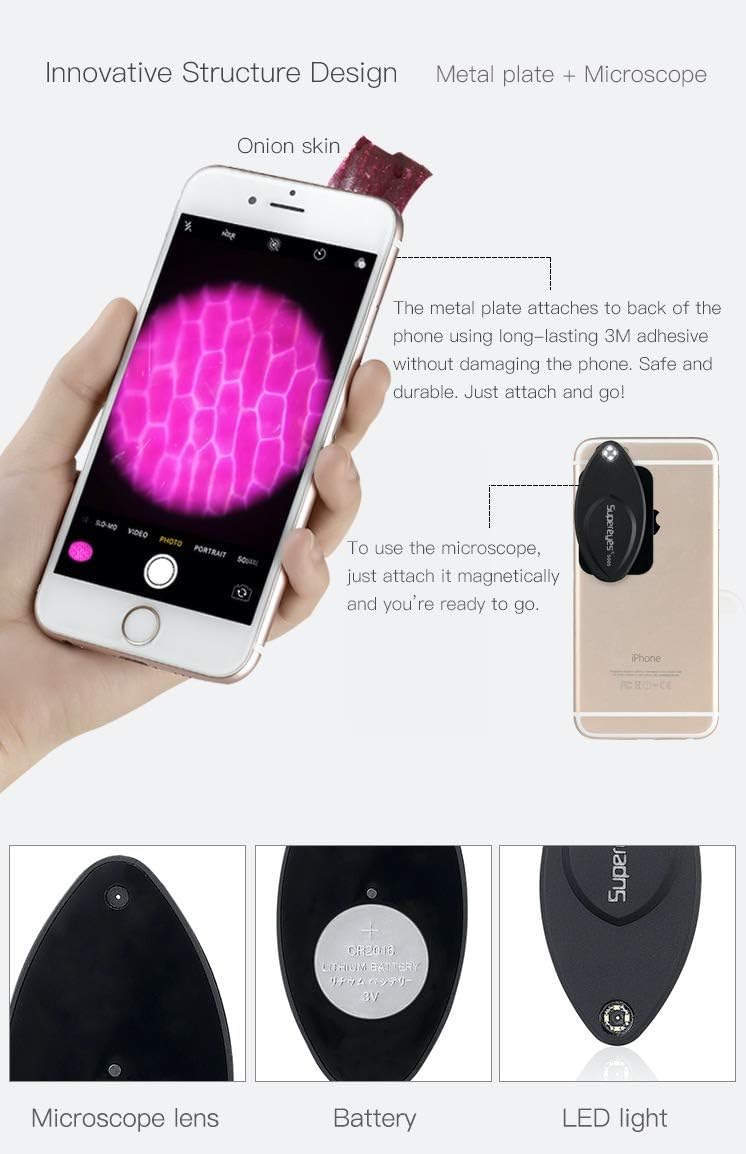
Image 3.2: Step-by-step illustration of attaching the metal plate and then the microscope to a smartphone.
3.2 Attaching the Microscope Adapter
- Once the metal plate is securely attached to your phone, simply place the Supereyes S003 microscope adapter onto the metal plate. It will magnetically snap into place.
- Ensure the microscope's lens is aligned with your phone's camera lens. The integrated LED light will automatically turn on when properly attached.
3.3 Installation/remplacement de la batterie
The Supereyes S003 uses a CR2016 battery. If the LED light does not turn on, the battery may need to be installed or replaced.
- Gently pry open the back cover of the microscope adapter to access the battery compartment.
- Insert or replace the CR2016 battery, ensuring the positive (+) side is facing up.
- Fermez bien le capot arrière.
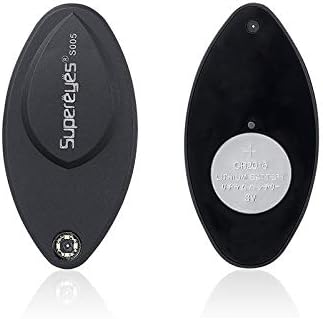
Image 3.3 : Face et dos views of the microscope, illustrating the battery placement.
4. Mode d'emploi
Using your Supereyes S003 microscope adapter is straightforward:
- Ensure the microscope adapter is securely attached to your smartphone with the LED light on.
- Open your smartphone's default camera application.
- Place the object you wish to observe directly onto the microscope's lens. For best results, gently press the object against the lens.
- Observe the magnified image on your phone's screen. The S003 is designed for no-focusing operation, providing clear images automatically.
- Use your phone's camera features to capture photos or videos of the magnified view.
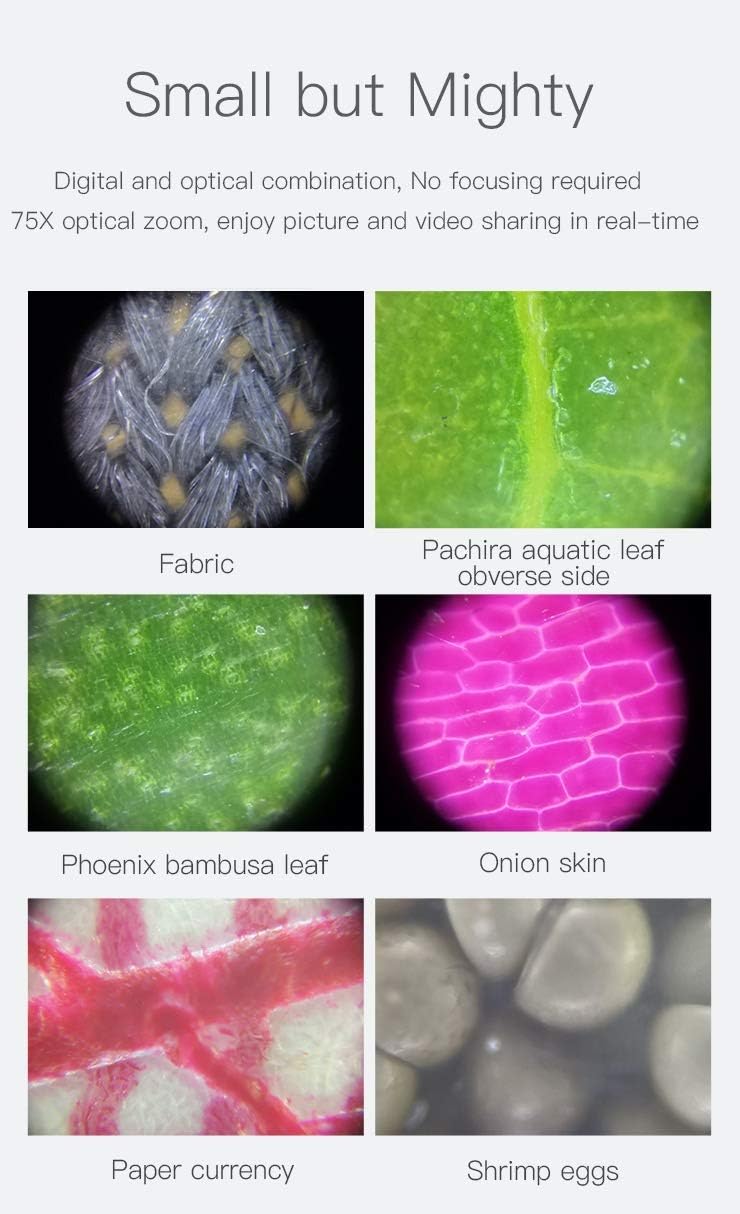
Image 4.1 : Examples of magnified images captured using the Supereyes S003, demonstrating its clarity and magnification capabilities.
5. Entretien
To ensure the longevity and optimal performance of your Supereyes S003 microscope adapter:
- Nettoyage de la lentille : Utilisez un chiffon doux non pelucheux, spécialement conçu pour les lentilles optiques, pour essuyer délicatement la lentille du microscope. Évitez les matériaux abrasifs et les produits chimiques agressifs.
- Stockage: When not in use, detach the microscope from your phone and store it in a clean, dry place, away from direct sunlight and extreme temperatures.
- Entretien de la batterie: If the microscope will not be used for an extended period, remove the CR2016 battery to prevent leakage.
- Évitez les impacts : Handle the device with care to prevent drops or impacts that could damage the lens or internal components.
6. Dépannage
If you encounter issues with your Supereyes S003, refer to the following common solutions:
| Problème | Cause possible | Solution |
|---|---|---|
| La lumière LED ne s'allume pas. | La batterie est déchargée ou mal installée. | Check battery orientation or replace the CR2016 battery. Ensure the microscope is properly attached to the metal plate. |
| L'image est floue ou peu claire. | Object not in direct contact with the lens; lens is dirty. | Ensure the object is gently pressed against the microscope lens. Clean the lens with a soft, lint-free cloth. |
| Microscope does not attach securely. | Metal plate not properly adhered or misaligned. | Ensure the metal plate is clean and firmly attached to your phone. Re-align the microscope with the metal plate. |
7. Spécifications
| Fonctionnalité | Détail |
|---|---|
| Marque | Supereyes |
| Numéro de modèle | S003 |
| Grossissement | 75x Optique |
| Appareils compatibles | Smartphones, tablettes |
| Éclairage | Integrated LED Light (Automatic On/Off) |
| Source d'énergie | Batterie CR2016 |
| Matériel | Métal |
| Poids de l'article | 0.06 kilogrammes |

Image 7.1: Dimensions of the Supereyes S003 microscope and its accompanying metal plate.

Image 7.2: The compact size of the Supereyes S003, comparable to a credit card.
8. Informations sur la garantie
The Supereyes S003 Smartphone Microscope Adapter comes with a Garantie de 2 ans À compter de la date d'achat, cette garantie couvre les défauts de fabrication et les vices de matériaux dans des conditions normales d'utilisation. Veuillez conserver votre preuve d'achat pour toute réclamation au titre de la garantie. La garantie ne couvre pas les dommages causés par une mauvaise utilisation, un accident, des modifications non autorisées ou l'usure normale.
9. Assistance clientèle
For further assistance, technical support, or warranty inquiries, please contact Supereyes customer service through the retailer where you purchased the product or visit the official Supereyes website pour les coordonnées.
Documents connexes - S003
 |
Microscope de télévision Supereyes série 10 : Instructions d’utilisation et spécifications Instructions d'utilisation détaillées, guide d'utilisation et spécifications techniques du microscope de télévision Supereyes série 10, couvrant la sécurité, la manipulation, les applications, la structure et les paramètres optiques/numériques. |
 |
Manuel d'utilisation du microscope numérique AD407 Manuel d'utilisation du microscope numérique Supereyes AD407, fournissant des instructions détaillées sur la sécurité, les paramètres de base, l'assemblage, le fonctionnement, la capture d'image, les paramètres et les informations de garantie. |
 |
Guide d'utilisation du microscope numérique portable Supereyes B011 Guide d'utilisation complet du microscope numérique portable Supereyes B011, détaillant ses spécifications, ses applications dans l'industrie et la recherche, l'installation du matériel, les solutions de dépannage et les précautions essentielles pour une utilisation optimale. |
 |
Manuel d'utilisation du microscope numérique AD205 Manuel d'utilisation complet du microscope numérique Supereyes AD205, détaillant la configuration, le fonctionnement, la capture d'images et de vidéos, la configuration des paramètres et les informations de garantie. |
 |
Guide d'utilisation du microscope numérique USB portable Supereyes B003+ Guide d'utilisation du microscope numérique USB portable Supereyes B003+, couvrant l'installation, l'utilisation, les spécifications techniques, le dépannage et les précautions de sécurité. |
 |
Manuel d'utilisation du microscope numérique Supereyes AD203 : configuration, fonctionnement et dépannage Ce manuel d'utilisation fournit des instructions complètes pour le microscope numérique Supereyes AD203. Il couvre les consignes de sécurité, les paramètres de base, le contenu de l'emballage, les fonctions des boutons, un guide de démarrage rapide, la connectivité PC via USB avec le logiciel Amcap et une FAQ de dépannage. Disponible en plusieurs langues. |
Ask a question about this manual
Ask about setup, troubleshooting, compatibility, parts, safety, or missing instructions. Manuals+ will review the question and use this page’s manual context to help answer it.