
1. Introduction
Thank you for choosing the LECLSTAR Motion Sensor Closet Light. This manual provides essential information for the safe and effective use of your new lighting product. Please read these instructions carefully before installation and operation, and retain them for future reference.
This wireless, battery-operated light features 51 LEDs, motion sensing capabilities, and is designed for various indoor applications such as closets, cabinets, kitchens, and stairs.
2. Consignes de sécurité
- N’exposez pas l’appareil à l’eau ou à une humidité excessive.
- Do not attempt to disassemble, repair, or modify the light. This will void the warranty and may cause damage or injury.
- Utilisez uniquement le câble USB fourni pour le chargement.
- Évitez toute exposition directe des yeux à la lumière LED, car elle peut être très brillante.
- Tenir hors de portée des enfants.
3. Contenu du colis
Veuillez vérifier le colis pour vous assurer que tous les articles sont présents :
- 1 x LECLSTAR Motion Sensor Closet Light
- 1 x Magnetic Plastic Bracket
- 2 pastilles adhésives 3M
- 4 x vis de montage
- 1 x câble de chargement USB
- 1 x Manuel d'utilisation
4. Produit terminéview
Familiarize yourself with the components of your LECLSTAR Motion Sensor Closet Light.

Figure 1 : Product Components. This diagram illustrates the various parts of the light, including the USB charging port, magnetic strip for mounting, LED light board, durable aluminum alloy casing, ON/OFF switch, infrared motion sensor receiver, and protective ABS cover.
- Port USB : Pour recharger la batterie interne.
- Bande magnétique : Allows for easy attachment to magnetic surfaces or the included bracket.
- LED Light Board: Contains 51 bright LEDs for illumination.
- Matériau en alliage d'aluminium : Provides a durable and lightweight housing.
- Bouton marche/arrêt : Controls the power and operating modes.
- Récepteur infrarouge : Detects signals from the remote control (if applicable).
- Couvercle en ABS : Protects the LEDs and diffuses light.
5. Configuration et installation
The LECLSTAR Motion Sensor Closet Light offers flexible installation options.
5.1 Charging Before First Use
Before installation, fully charge the light. Refer to Section 6 for detailed charging instructions.
5.2 options de montage
You can install the light using the magnetic plastic bracket with 3M adhesive or screws.
- Adhésion magnétique : Peel off the protective film from the 3M adhesive pads and attach them to the magnetic plastic bracket. Press the bracket firmly onto a clean, dry surface where you wish to install the light. The light can then be magnetically attached to the bracket.
- Montage à vis : Use the provided screws to secure the magnetic plastic bracket to a desired surface. Once the bracket is securely mounted, attach the light magnetically.

Figure 2 : Versatile Installation. This image illustrates the light's adaptability, showing it mounted under a bed, in a kitchen, on a bookshelf, along stairs, inside a wardrobe, and providing illumination for outdoor tasks, highlighting its ease of placement in diverse environments.
5.3 Considérations relatives au placement
- For optimal motion detection, position the sensor ball to face the direction of expected movement.
- When using multiple motion sensor lights, avoid placing them too close together in motion-sensing mode, as they may interfere with each other's sensitivity.
- Ensure the installation surface is clean and dry for secure adhesion.
6. Instructions de chargement
The LECLSTAR Motion Sensor Closet Light is equipped with a built-in 2400mAh lithium battery.
- Connect the provided USB charging cable to the light's USB port.
- Branchez l'autre extrémité du câble USB à un adaptateur secteur USB standard (non inclus) ou au port USB d'un ordinateur.
- During charging, the indicator light on the device will be bleu.
- Une fois la charge complète, le voyant s'allumera. rouge.
- Une charge complète prend généralement environ 4 heures.
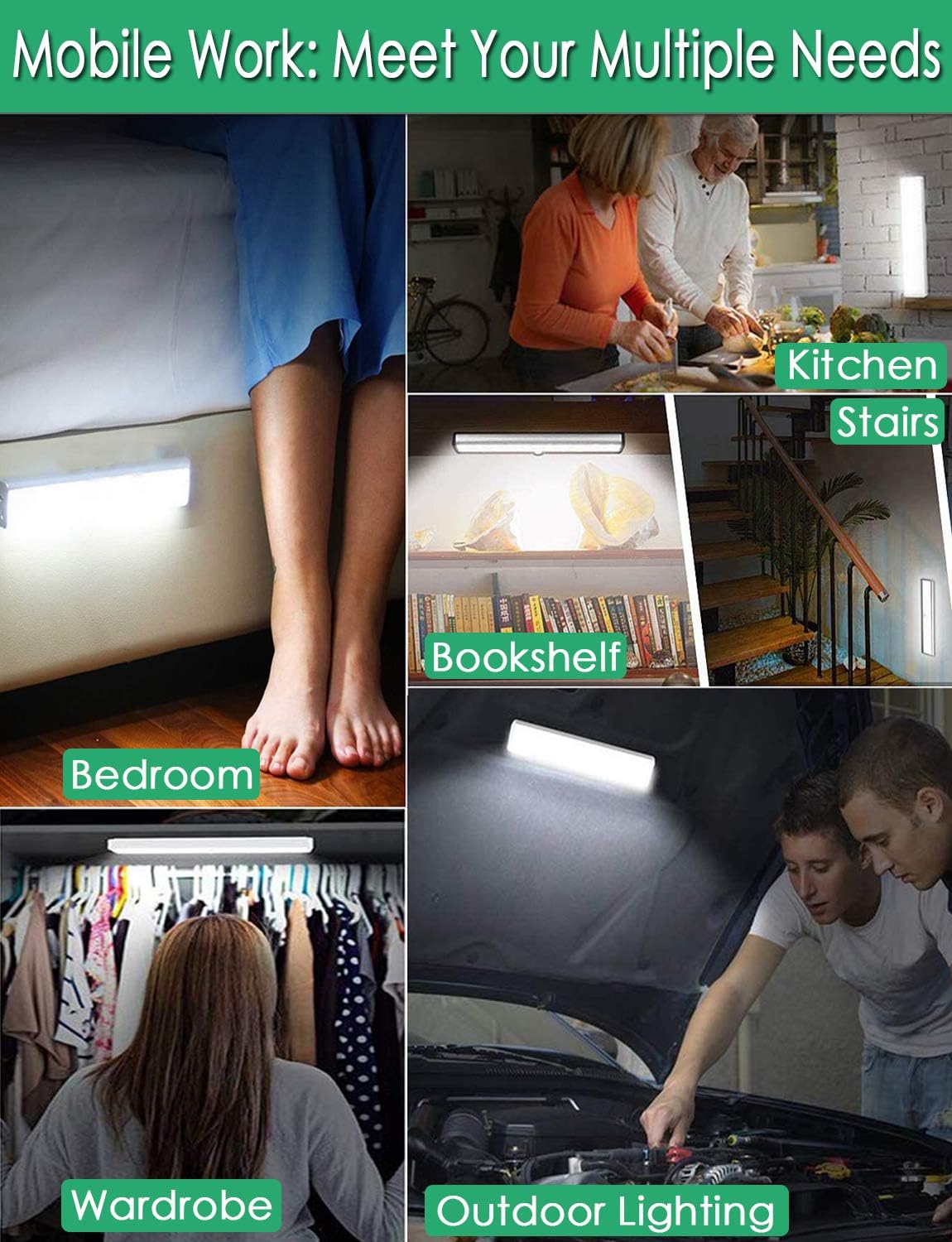
Figure 3 : Charging Status. This image demonstrates the charging process, showing the light connected to a power source. The indicator light is red when charging and turns blue when the battery is fully charged, indicating its status clearly.
7. Mode d'emploi
The light features multiple operating modes and can be controlled via its ON/OFF button or an optional remote control.
7.1 Mode Selection (ON/OFF Button)
Locate the ON/OFF button on the side of the light. Toggle the switch to select the desired mode:
- OFF: La lumière est complètement éteinte.
- SUR: La lumière reste allumée en permanence.
- AUTO (Mode détecteur de mouvement) : La lumière s'allumera automatiquement en cas de détection de mouvement dans l'obscurité. Elle s'éteindra environ 30 secondes après l'arrêt complet du mouvement.

Figure 4 : Motion Sensor Operation. This image demonstrates how the motion sensor works: the light remains off in bright environments, automatically turns on when movement is detected in the dark within a 3-meter, 120-degree range, and then automatically turns off after 30 seconds of inactivity.
7.2 Motion Sensor Details
- Angle de détection : 120 degrés.
- Détection de la distance: Jusqu'à 3 mètres (environ 10 pieds).
- The sensor is designed to activate only in low-light conditions to conserve battery life.
7.3 Remote Control Functions (Optional)
If your model includes a remote control, you can access additional features:

Figure 5 : Remote Control Functions. This image displays the remote control, highlighting its various buttons: ON/OFF for power, 'S' for sensor mode, '1', '2', '3' for different light modes or brightness levels, '+' and '-' for adjusting brightness, and '15', '30', '60', '120' for setting a timer.
- MARCHE/ARRÊT : Allume ou éteint la lumière.
- S (Sensor Mode): Activates the motion sensor mode.
- 1, 2, 3 (Light Modes): Selects different light modes or brightness levels.
- 50%, 100%, +, - (Adjustable Brightness): Règle l'intensité lumineuse.
- 15, 30, 60, 120 (Timer Function): Sets the light to turn off automatically after a specified duration.
8. Entretien
- Nettoyage: Essuyez la lampe avec un chiffon doux et sec. N’utilisez pas de nettoyants abrasifs ni de solvants.
- Entretien de la batterie: To prolong battery life, avoid fully discharging the battery frequently. Charge the light regularly, especially if it will not be used for an extended period.
9. Dépannage
- La lumière ne s'allume pas :
- Assurez-vous que la batterie est chargée.
- Check that the light is switched to the 'ON' or 'AUTO' mode.
- Le détecteur de mouvement ne fonctionne pas :
- Ensure the light is in 'AUTO' mode.
- Vérifiez que la luminosité ambiante est suffisamment faible pour que le capteur s'active.
- Check that the sensor is not obstructed and is facing the area of expected movement.
- If multiple motion sensor lights are nearby, they might interfere with each other. Try repositioning them.
- La lumière vacille ou faiblit de façon inattendue :
- The battery level may be low. Recharge the light.
10. Spécifications
| Modèle | B07JRBSJDR |
| Couleur claire | Blanc pur (6000K) |
| Quantité de LED | 51 LED |
| Rendement lumineux | 240 XNUMX lm |
| Motion Detecting Angle | 120 degrés |
| Motion Detecting Distance | Jusqu'à 3 mètres (10 pieds) |
| Durée de vie des LED | Plus de 80,000 heures |
| Type de batterie | Batterie au lithium 2400 mAh |
| Temps de charge USB | Environ 4 heures |
| Vol d'exploitationtage | 4.2V |
| Quoitage | 3W |
| Dimensions | 15.3 x 0.8 x 0.8 pouces |
| Matériel | Métal, plastique |
| Source d'énergie | Alimenté par batterie |
| Caractéristiques spéciales | Mise en marche instantanée |
11. Garantie et assistance
LECLSTAR provides a lifetime warranty for this product. If you encounter any issues or have questions regarding your Motion Sensor Closet Light, please contact the LECLSTAR service team for assistance. Our dedicated support team is ready to help you.
For warranty claims or technical support, please refer to the contact information provided on the product packaging or the official LECLSTAR website.