
Mi-Heat E51
Manuel d'utilisation du thermostat d'ambiance numérique Mi-Heat E51
Modèle: E51
Marque : Mi-Heat
1. Introduction
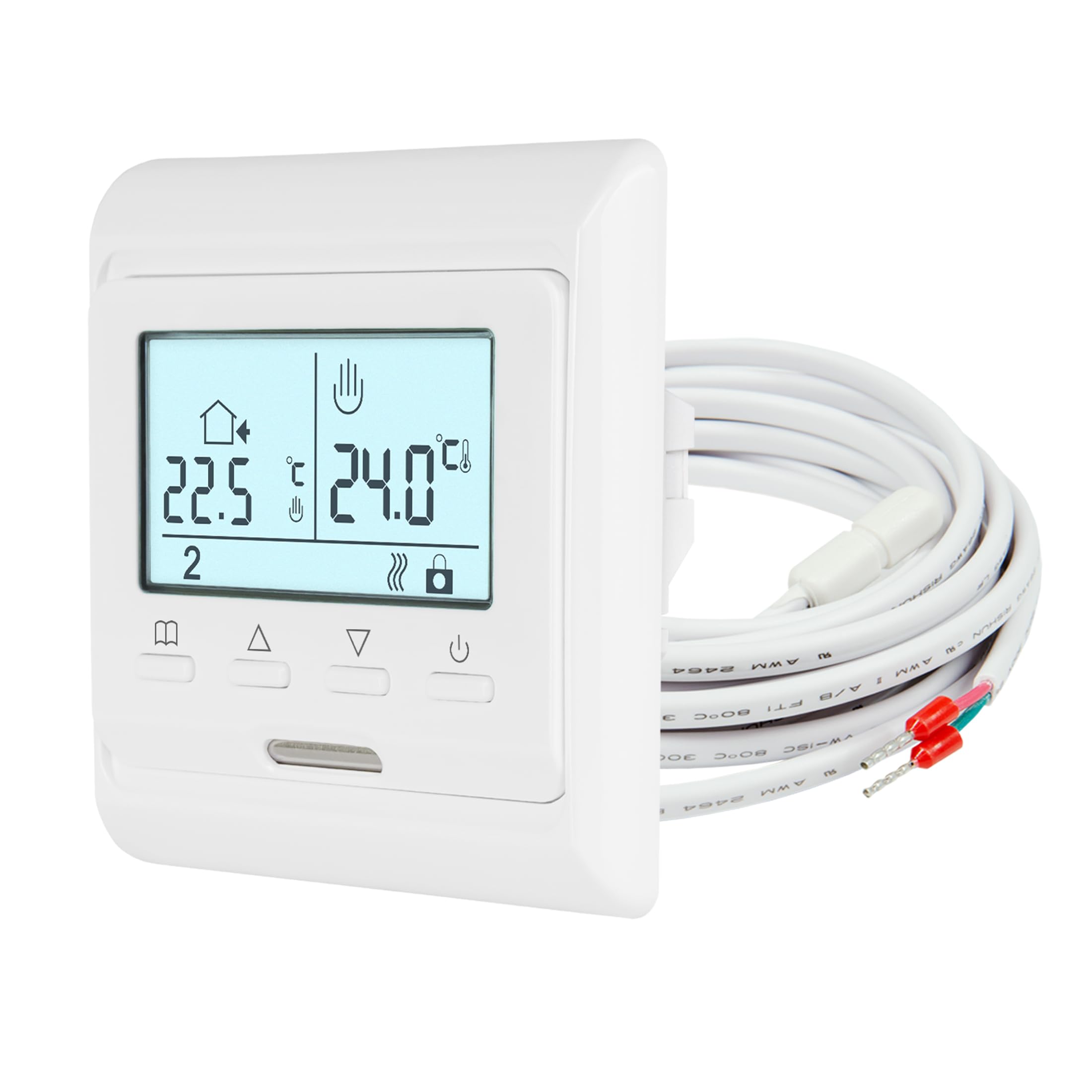
The Mi-Heat E51 digital room thermostat is designed for precise temperature control of electric and water-based underfloor heating systems. It features a backlit display, a 7-day weekly programming function, and frost protection. The thermostat utilizes both an internal room sensor and an external floor sensor to maintain your desired temperature, ensuring comfort and energy efficiency.
Caractéristiques principales :
- Écran LCD rétro-éclairé
- Weekly Programmable (5/2, 6/1, or 7-day modes)
- Integrated Room Sensor and External Floor Sensor
- Display Calibration/Offset Function
- Fonction antigel
- Key Lock / Child Lock
2. Consignes de sécurité
- L'installation doit être effectuée par un électricien qualifié conformément à la réglementation locale en matière de câblage.
- Always disconnect power at the main circuit breaker before installation, maintenance, or removal of the thermostat.
- Do not expose the thermostat to moisture or extreme temperatures.
- Assurez-vous que toutes les connexions sont sécurisées pour éviter les risques électriques.
- Cet appareil est conçu pour une utilisation en intérieur uniquement.
3. Contenu du colis
Vérifiez que tous les éléments sont présents dans le colis :
- Mi-Heat E51 Room Thermostat
- External Floor Sensor (NTC 10 kOhm with 2m lead)
- Vis de montage
- Manuel d'utilisation
4. Spécifications techniques
| Fonctionnalité | Spécification |
|---|---|
| Type de montage | Encastré |
| Version | Câblé |
| Vol d'exploitationtage | 230 V |
| Max. Puissance de commutation | 16A / 3680 W |
| Type de contrôle | Two-point control ON/OFF |
| Température de fonctionnement | 5-50°C |
| Capteur | Internal and external, NTC with 2m lead |
| Plage de contrôle de la température (interne) | 0-55°C (Room sensor) |
| Plage de contrôle de température (externe) | 5-55°C (Floor sensor) |
| Protection contre le gel | Oui |
| Plage limite de plancher | 5-50°C |
| Affichage/Rétroéclairage | Oui/Oui |
| Protection Class IP | IP21 |
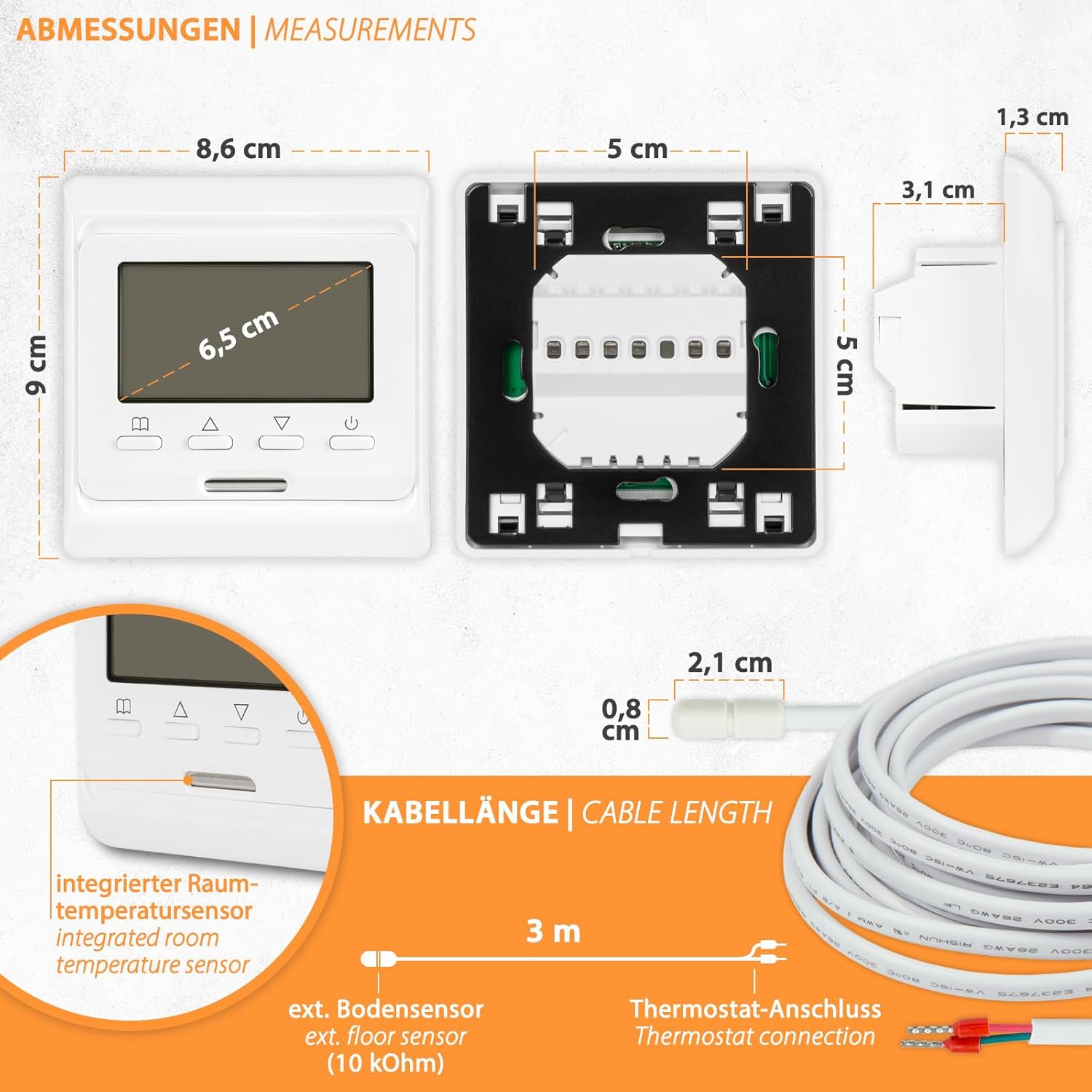
| Dimensions (L x H x P) | 80x90x13 / 43mm |
5. Installation
The Mi-Heat E51 thermostat is designed for flush-mounted installation in standard wall boxes. Ensure power is disconnected before proceeding.
5.1. Dimensions
5.2. Câblage
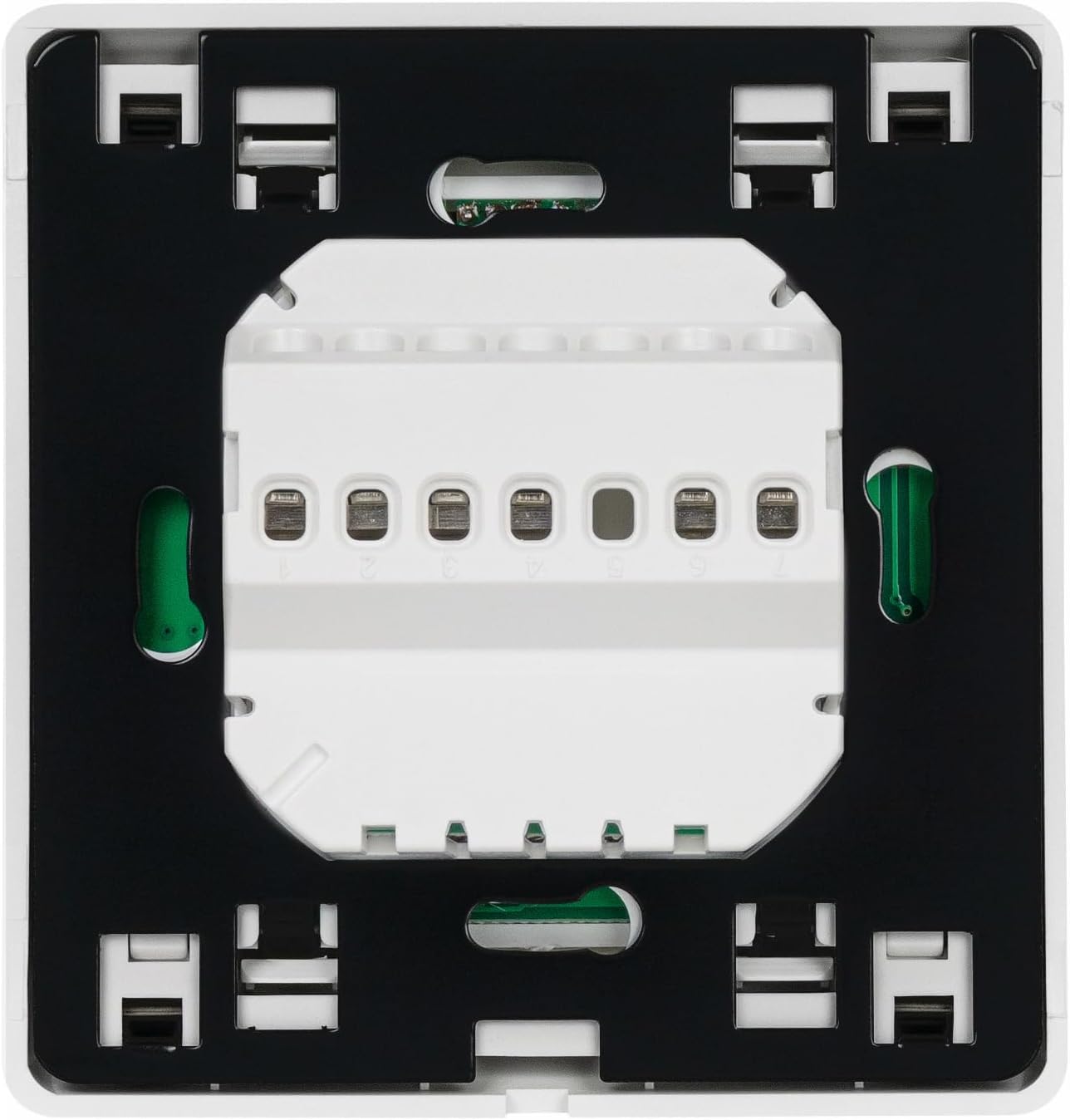
Refer to the wiring diagram below for proper connection. The thermostat supports both electric underfloor heating and water-based underfloor heating (via an actuator).

Étapes de câblage :
- Assurez-vous que le courant est coupé au niveau du disjoncteur principal.
- Connect the Live (L) and Neutral (N) power supply wires to the corresponding terminals on the thermostat.
- Connect the heating element or actuator wires to the designated output terminals.
- Connect the external floor sensor cable to the sensor terminals.
- Carefully place the thermostat into the wall box and secure it with the provided screws.
- Restore power and test the thermostat.
6. Fonctionnement
The Mi-Heat E51 thermostat features an intuitive interface with a backlit LCD display and several control buttons.
6.1. Display and Buttons Overview

Fonctions des boutons :
- Selection Button (Book icon): Used to enter menu, confirm settings, or switch modes.
- Increase Value Button (Up arrow): Used to increase temperature, time, or navigate menu options.
- Decrease Value Button (Down arrow): Used to decrease temperature, time, or navigate menu options.
- On/Off Button (Power icon): Allume ou éteint le thermostat.
6.2. Fonctionnement de base
- Marche/Arrêt : Appuyez sur le bouton Marche/Arrêt pour allumer ou éteindre le thermostat.
- Réglage de la température : When the thermostat is on, use the Up/Down arrow buttons to adjust the desired set temperature.
- Key Lock / Child Lock: To activate or deactivate the key lock, press and hold the Selection button for a few seconds until the key icon appears/disappears on the display.
6.3. Programmation hebdomadaire
The thermostat allows for 7-day weekly programming with options for 5/2 (weekday/weekend), 6/1 (6 days/1 day), or 7-day individual programming. This feature enables you to set different temperatures for various times of the day across the week.
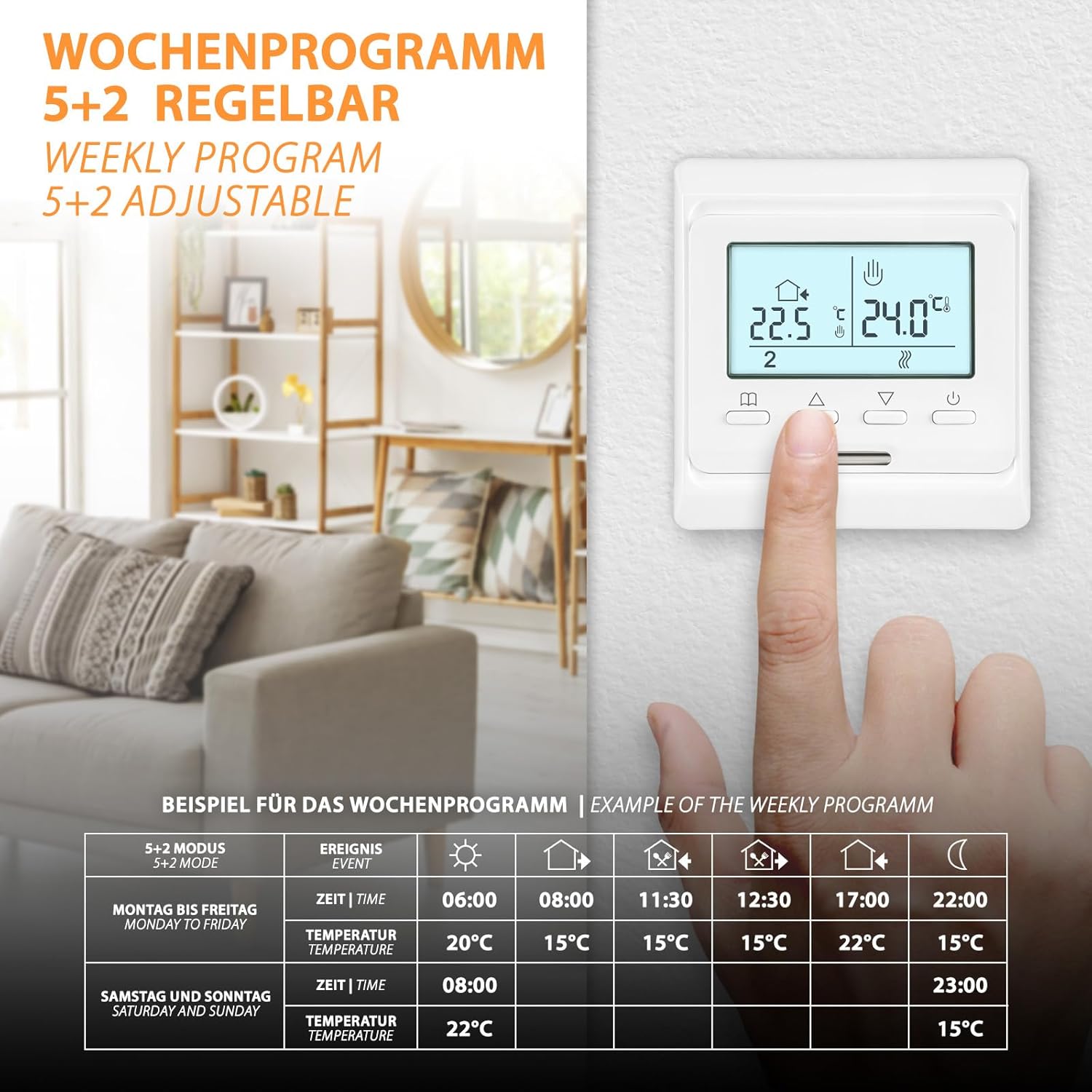
To set up weekly programming:
- Press and hold the Selection button to enter the programming menu.
- Use the Up/Down arrows to navigate through the programming options (e.g., 5/2, 6/1, 7-day mode, time settings, temperature settings for each event).
- Press the Selection button to confirm each setting and move to the next.
- Répétez l'opération pour toutes les périodes et tous les jours souhaités.
- Exit the menu by pressing the Selection button until the main display reappears, or wait for it to time out.
6.4. Frost Protection Function
The frost protection function prevents the temperature from dropping below a set minimum (typically 5°C) to protect pipes and the heating system from freezing. This function is active when the thermostat is in standby or when specifically enabled in the settings.

7. Entretien
Le thermostat Mi-Heat E51 nécessite un entretien minimal.
- Nettoyage: Essuyez l'écran et casinNettoyez avec un chiffon doux et sec. N’utilisez pas de nettoyants abrasifs, de solvants ni de produits chimiques en aérosol, car ils pourraient endommager la surface.
- Inspection: Periodically check the thermostat for any visible damage or loose connections. If any issues are found, disconnect power and consult a qualified technician.
8. Dépannage
| Problème | Cause possible | Solution |
|---|---|---|
| Le thermostat ne s'allume pas. | No power supply; Loose wiring; Blown fuse/tripped breaker | Check main power supply; Verify wiring connections; Check and reset circuit breaker/replace fuse. |
| Le chauffage ne s'allume pas | Set temperature is below room/floor temperature; Thermostat in OFF mode; Wiring issue | Increase set temperature; Ensure thermostat is ON; Check wiring connections to heating system. |
| Lecture de température inexacte | Sensor malfunction; Incorrect sensor type selected; Thermostat placed near heat source/draft | Check sensor connection; Verify sensor type in settings; Relocate thermostat if possible or use calibration function. |
| L'écran ne fonctionne pas ou clignote. | Fluctuation de courant ; Défaut interne | Cycle power to the thermostat; If problem persists, contact support. |
| Cannot change settings (Key Lock active) | Key Lock / Child Lock is enabled | Press and hold the Selection button until the key icon disappears to deactivate the lock. |
9. Garantie et assistance
For support or inquiries regarding your Mi-Heat E51 thermostat, please contact us Monday - Friday from 09:00 to 16:00. We offer support and shipping directly from Germany.
Refer to your purchase documentation or retailer for specific warranty details and terms.