1. Produit terminéview
The MOZA AirCross 2 is a lightweight yet powerful professional camera stabilization system designed for mirrorless and DSLR cameras. Its magnesium-alloy integrated technology results in a robust performance at just 950g (2 lbs) while supporting a substantial payload capacity of up to 3.2kg (7 lbs).
Les principales caractéristiques comprennent :
- Better Compatibility: Features a larger camera mounting space and advanced software for flexible camera mounting from either side, optimizing balance.
- MOZA Spark Power Supply System 2.0: A 3000mAh high-capacity battery provides up to 12 hours of battery life and charges fully in 1.5 hours with an 18W fast charger. It includes a USB charging interface and three Multi-CAN outputs (7.8V) for powering cameras and accessories.
- Mode Inception 3.0 : Offers automatic rotation, speed adjustment, and angle control for dynamic shots without manual joystick control.
- Mode FPV: Triple press the left button for full-range 360° synchronous movement.
- Mode Sport : Designed for capturing action sports and fast-moving subjects.
- Suivi d'objet : Mount a smartphone above the camera, coordinate with the app, and select a target for automatic tracking.
2. Guide de configuration
2.1. Déballage et inspection initiale
Upon receiving your MOZA AirCross 2, carefully unbox the contents. The gimbal comes in a protective hard case. Inside, you will find the gimbal, an L-bracket, a quick release plate, various connection cables, and a sturdy tripod stand.

Figure 1: MOZA AirCross 2 Gimbal with a camera mounted.
2.2. Montage de la caméra
The MOZA AirCross 2 features an L-bracket and a quick release plate for versatile camera mounting. This allows for both horizontal and vertical camera orientations, which is particularly useful for social media content creation.
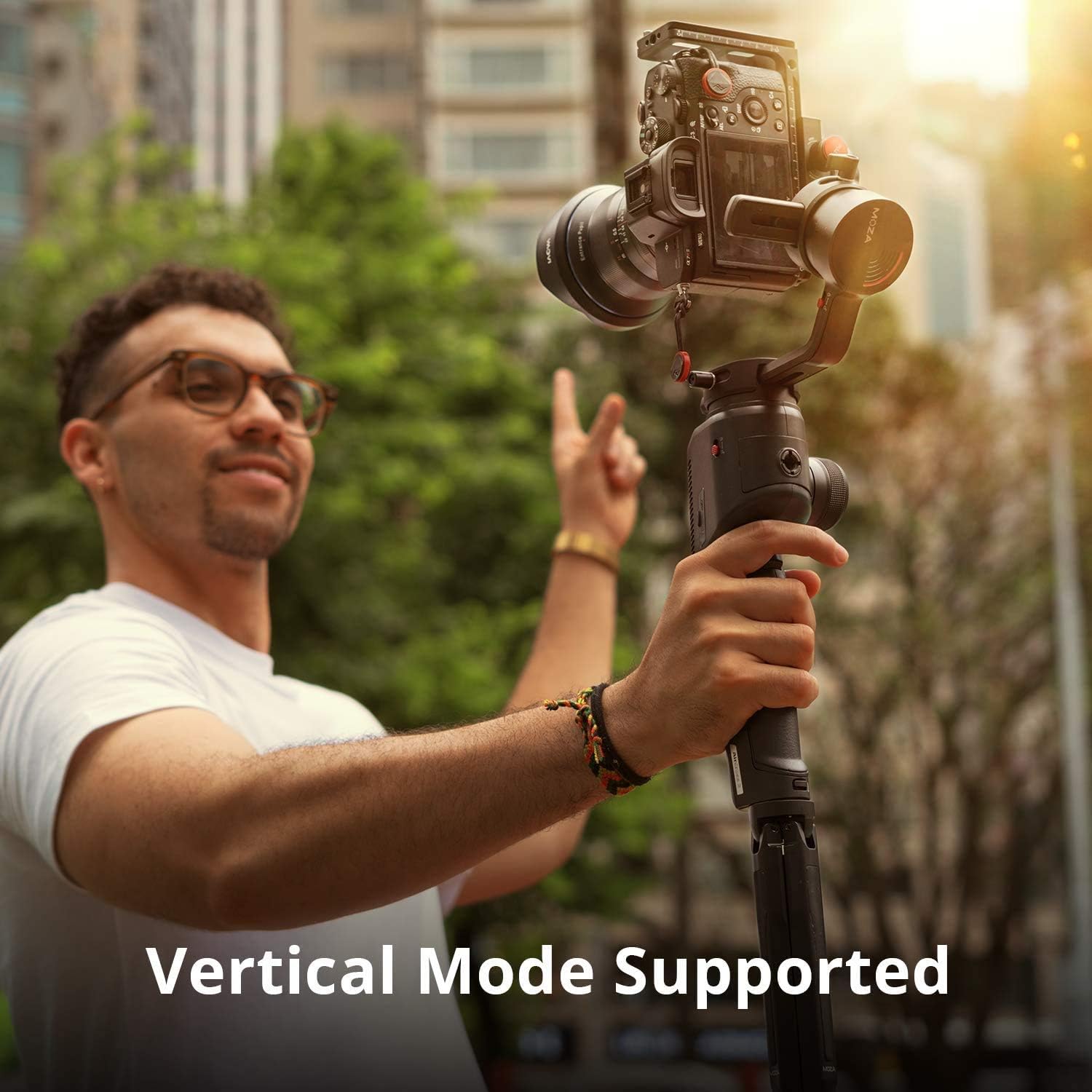
Figure 2: MOZA AirCross 2 configured for vertical camera mounting.
2.3. Équilibrage du cardan
Proper balancing is crucial for optimal gimbal performance. The AirCross 2 offers ample space for balancing various camera and lens combinations. Ensure your camera is securely mounted to the quick release plate and L-bracket. Adjust the axes until the camera remains stable in any position when the motors are off.
For a visual guide on unboxing and initial setup, refer to the official product video below:
Video 1: Official MOZA Aircross 2 product overview and unboxing by Gimbalpro.
3. Mode d'emploi
3.1. Contrôles et interface
The MOZA AirCross 2 features an intuitive control panel:
- Écran LCD : Displays gimbal settings and allows for menu navigation.
- Stick analogique : Used for precise control of gimbal movement.
- Roue de commande : Adjusts various parameters and modes.
- Déclenchement: Standard trigger for quick mode changes and re-centering.
3.2. Axis Locks
Each axis (pan, tilt, roll) can be locked using dedicated red switches. These switches provide a definitive click, ensuring you know when an axis is locked or unlocked, preventing accidental movement during transport or setup.
3.3. Système d'alimentation
The gimbal is powered by a removable 3000mAh Lithium Ion battery, offering up to 12 hours of operation. It can be fully charged in approximately 1.5 hours using an 18W fast charger. The battery features its own USB charging interface, allowing for convenient charging from external power sources. Three Multi-CAN outputs provide 7.8V power to cameras and other accessories.
4. Entretien
To ensure the longevity and optimal performance of your MOZA AirCross 2, follow these maintenance guidelines:
- Veillez à ce que la nacelle reste propre et exempte de poussière et de débris. Utilisez un chiffon doux et sec pour la nettoyer.
- Store the gimbal in its protective hard case when not in use to prevent damage.
- Regularly check for and install firmware updates from the official MOZA website to ensure the latest features and performance enhancements.
- Ensure all screws and mounting points are secure before each use.
5. Dépannage
If you encounter issues with your MOZA AirCross 2, consider the following troubleshooting steps:
- Jittery Footage: This can often be resolved by ensuring the gimbal is perfectly balanced. Perform a software balance check and auto-tune through the gimbal's menu or the MOZA app. Adjust motor settings to 'Ultra High' if using heavier camera setups.
- Difficulty with Tilt Movements: If the gimbal stops mid-tilt, re-check the balance and motor settings. Ensure no cables are obstructing the movement of the axes.
- Étalonnage: If stability issues persist, perform a full calibration. This typically involves:
- Gyro Calibration: Balance the camera on the stand, connect to PC, open Moza Assistant software, turn off motors, and click Gyroscope calibration.
- Accelerometer Calibration: Lay the gimbal flat with the pitch motor on the right side of the camera, ensure motors are off, and click calibrate.
- Hexahedral Calibration: Place the gimbal upright in the stand, balance it, and click hexahedral calibration. The motors will automatically rotate 360 degrees on all axes.
- Problèmes de micrologiciel : Check the official MOZA website for the latest firmware updates. Updates can often resolve performance issues and introduce new features.
6. Spécifications
| Fonctionnalité | Spécification |
|---|---|
| Numéro de modèle | 0MOZA AirCross 2 |
| Capacité de charge utile | 3.2 kg (7 lb) |
| Poids de l'article | 950 g (2.31 livre) |
| Type de batterie | 1 piles lithium-ion requises (incluses) |
| Capacité de la batterie | 3000mAh |
| Autonomie de la batterie | Jusqu'à 12 XNUMX heures |
| Temps de charge | 1.5 hours (with 18W fast charger) |
| Multi-CAN Outputs | 3 (7.8V power supply) |
| Couleur | Noir |
| Appareils compatibles | Caméra |
| Code UPC | 609792363760 |
| Date de première disponibilité | 11 décembre 2017 |
7. Garantie et assistance
For detailed warranty information, please refer to the documentation included with your MOZA AirCross 2 gimbal or visit the official MOZA website. For technical support, contact MOZA customer service through their official channels.