
1. Introduction
Thank you for choosing the iMuto SL200QC 20000mAh Quick Charge Power Bank. This manual provides essential information for the safe and efficient operation of your device. Please read it thoroughly before use and retain it for future reference.
2. Produit terminéview
The iMuto SL200QC is a high-capacity portable charger designed to provide fast and reliable power to your electronic devices. It features Qualcomm Quick Charge 3.0 technology and iM-Power auto-detection for optimized charging.
2.1 Contenu du paquet
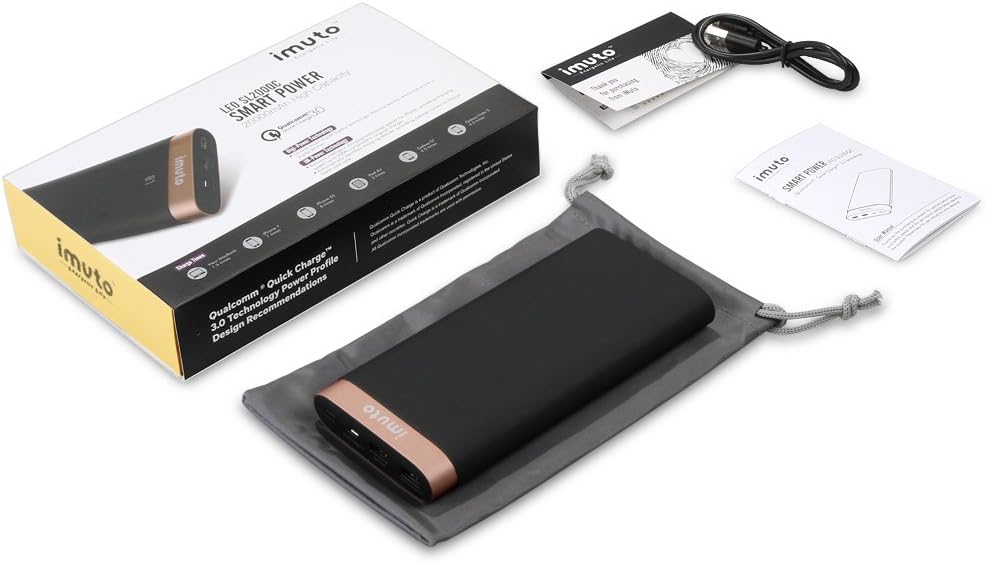
Image: The iMuto SL200QC Power Bank package contents, showing the power bank, a micro USB charging cable, a user manual, and a carrying pouch.
Le forfait comprend généralement :
- iMuto SL200QC Power Bank
- Câble de chargement micro USB
- Manuel d'utilisation
- Pochette de transport
2.2 Caractéristiques de l'appareil

Image: The iMuto SL200QC Power Bank, highlighting its two USB output ports (USB1 with Quick Charge 3.0, USB2 with iM-Power Technology), a Micro USB input port, and the digital power display.
- Digi-Power Technology: A smart digital screen displays the remaining power level in percentage.
- Deux ports de sortie USB :
- USB1: Qualcomm Quick Charge 3.0 (5-6V/3A, 6-9V/2A, 9-12V/1.5A) for compatible devices.
- USB2: iM-Power Technology (5V/1A-2.4A) for intelligent device detection and optimized charging.
- Entrée micro USB: Supports Quick Charge 3.0 (5V-9V/2A, 9V-12V/1.5A) for rapid recharging of the power bank.
- Haute capacité : 20000mAh Li-ion battery cells.
- Protection de sécurité intelligente : Built-in safeguards against overcharge, overvoltage, surintensité et courts-circuits.
3. Installation
Before first use, it is recommended to fully charge your iMuto SL200QC Power Bank.
3.1 Charge initiale de la batterie externe
- Connectez le câble Micro USB fourni au port d'entrée Micro USB de la batterie externe.
- Connect the other end of the Micro USB cable to a USB wall charger (a Quick Charge 3.0/2.0 compatible charger is recommended for fastest recharging).
- L'écran numérique affichera la progression de la charge. La batterie externe est complètement chargée lorsque l'écran affiche « 100 ».

Image: The iMuto SL200QC Power Bank connected to a wall charger via its Micro USB input, illustrating the recharging process. A full charge takes approximately 7 hours with a QC3.0/QC2.0 charger.
A full recharge using a Quick Charge 3.0/2.0 compatible charger typically takes about 7 hours. Using a standard 5V/2A charger will take longer.
4. Mode d'emploi
4.1 Checking Remaining Power
Press the power button once to activate the digital display. The screen will show the remaining battery percentage. The display will turn off automatically after a few seconds to conserve power.
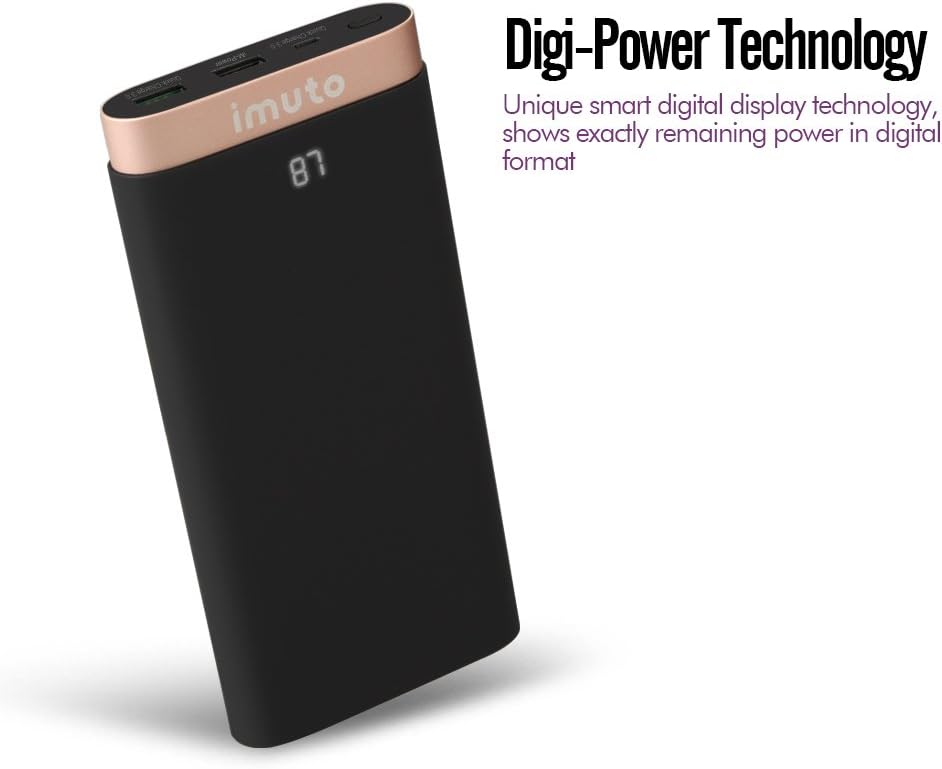
Image: The iMuto SL200QC Power Bank showing "87" on its digital display, indicating 87% remaining battery charge.
4.2 Charger vos appareils
The iMuto SL200QC can charge up to two devices simultaneously.

Image: The iMuto SL200QC Power Bank connected to a smartphone and a tablet, demonstrating its ability to charge two devices concurrently.
- Connectez le câble de chargement de votre appareil à l'un des ports de sortie USB de la batterie externe.
- Connectez l'autre extrémité du câble à votre appareil.
- The power bank will automatically begin charging your device. The digital display will illuminate to show the remaining power.
- Pour arrêter la charge, il suffit de débrancher votre appareil.
Note on Ports:
- USB1 (Quick Charge 3.0): Use this port for devices compatible with Quick Charge technology to achieve the fastest charging speeds.
- USB2 (iM-Power Technology): This port intelligently detects your device's charging requirements and delivers the optimal current up to 2.4A.
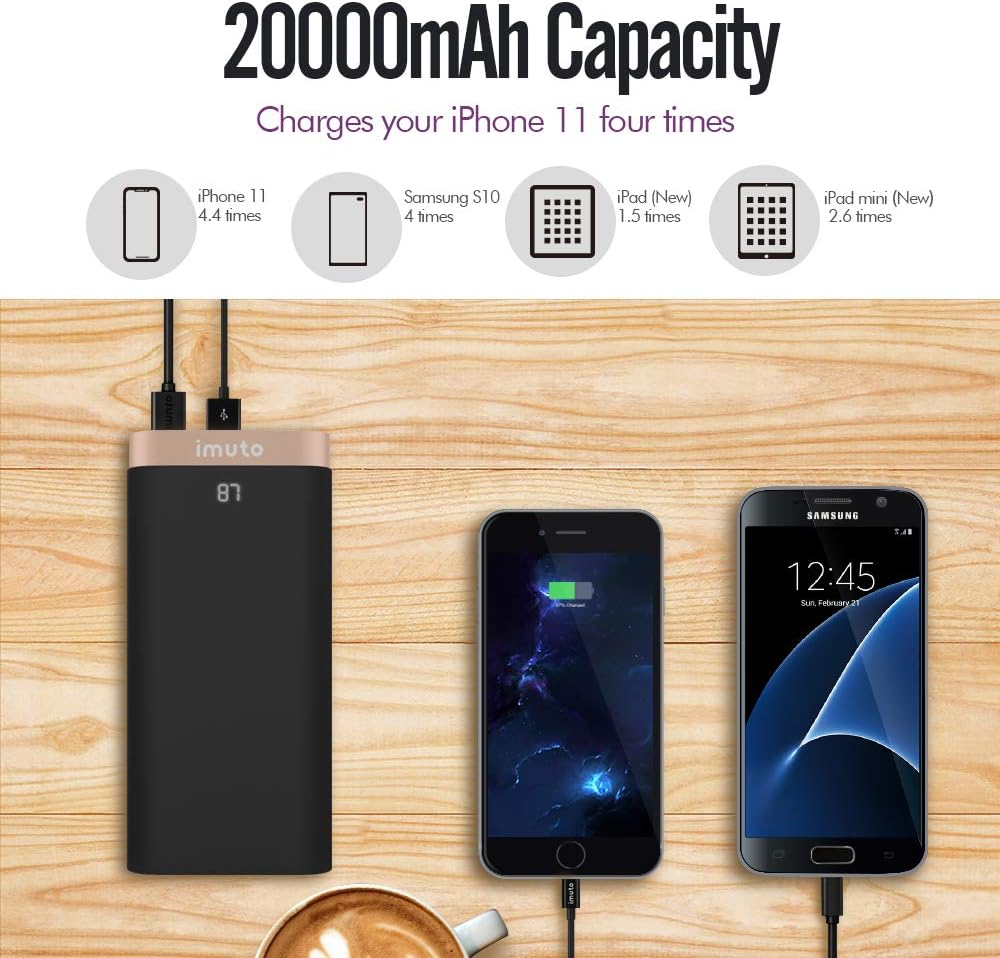
Image: The iMuto SL200QC Power Bank shown next to a smartphone and tablet being charged, with illustrations indicating its 20000mAh capacity can charge an iPhone 11 approximately 4.4 times, a Samsung S10 4 times, an iPad (New) 1.5 times, and an iPad mini (New) 2.6 times.
5. Entretien
- Conservez la batterie externe à l'abri des températures extrêmes, de la lumière directe du soleil et des environnements humides.
- N'exposez pas la banque d'alimentation à l'eau ou à d'autres liquides.
- Nettoyez la batterie externe avec un chiffon doux et sec. N’utilisez pas de produits nettoyants abrasifs ni de solvants.
- Store the power bank in a cool, dry place when not in use. For prolonged storage, it is recommended to charge the power bank to about 50-75% every 3 months to maintain battery health.
- Évitez de laisser tomber ou de soumettre la batterie externe à des impacts violents.
6. Dépannage
| Problème | Cause possible | Solution |
|---|---|---|
| La batterie externe ne charge pas les appareils. |
|
|
| La batterie externe ne se recharge pas. |
|
|
| Vitesse de charge lente. |
|
|
| L'affichage numérique ne fonctionne pas. |
|
|
7. Spécifications
| Fonctionnalité | Détail |
|---|---|
| Modèle | SL200QC |
| Capacité de la batterie | 20000mAh / 74Wh |
| Type de batterie | Li-ion (8 cells) |
| Micro USB Input (QC 3.0) | 5V-9V/2A, 9V-12V/1.5A |
| USB1 Output (QC 3.0) | 5-6V/3A, 6-9V/2A, 9-12V/1.5A |
| USB2 Output (iM-Power) | 5V / 1A-2.4A |
| Puissance de sortie totale | 25 Watts (Max) |
| Dimensions | 17.2 x 8.18 x 2.24 cm |
| Poids | 650 g |
| Appareils compatibles | iPhone, iPad, Samsung Galaxy, Google Nexus/Pixel, Nintendo Switch, Xperia, LG, Lumia, and other USB-powered devices. |

Image : Une explosion view of the iMuto SL200QC Power Bank, illustrating its internal components including A-class Li-ion battery cells, Digi-Power technology circuit board, multiple smart protection system, power button, and aviation aluminum alloy shell.
8. Garantie et assistance
8.1 Informations sur la garantie
The iMuto SL200QC Power Bank comes with an Garantie de 18 mois À compter de la date d'achat, cette garantie couvre les défauts de fabrication et assure un fonctionnement fiable dans des conditions normales d'utilisation. Veuillez conserver votre preuve d'achat pour toute réclamation au titre de la garantie.
La garantie ne couvre pas les dommages causés par une mauvaise utilisation, des accidents, des modifications non autorisées ou des catastrophes naturelles.
8.2 Assistance clientèle
For any questions, technical assistance, or warranty claims, please contact iMuto customer support. Refer to the contact information provided on the official iMuto website ou votre documentation d'achat.