
Introduction
This manual provides detailed instructions for the setup, operation, and maintenance of your AW BM-700 Studio Recording Condenser Microphone Kit. This kit is designed to provide clear, optimized audio for various applications, including voice recording, podcasting, and studio use. Please read this manual thoroughly before using the product to ensure proper functionality and longevity.
Qu'y a-t-il dans la boîte
Your AW BM-700 Studio Recording Condenser Microphone Kit includes the following components:
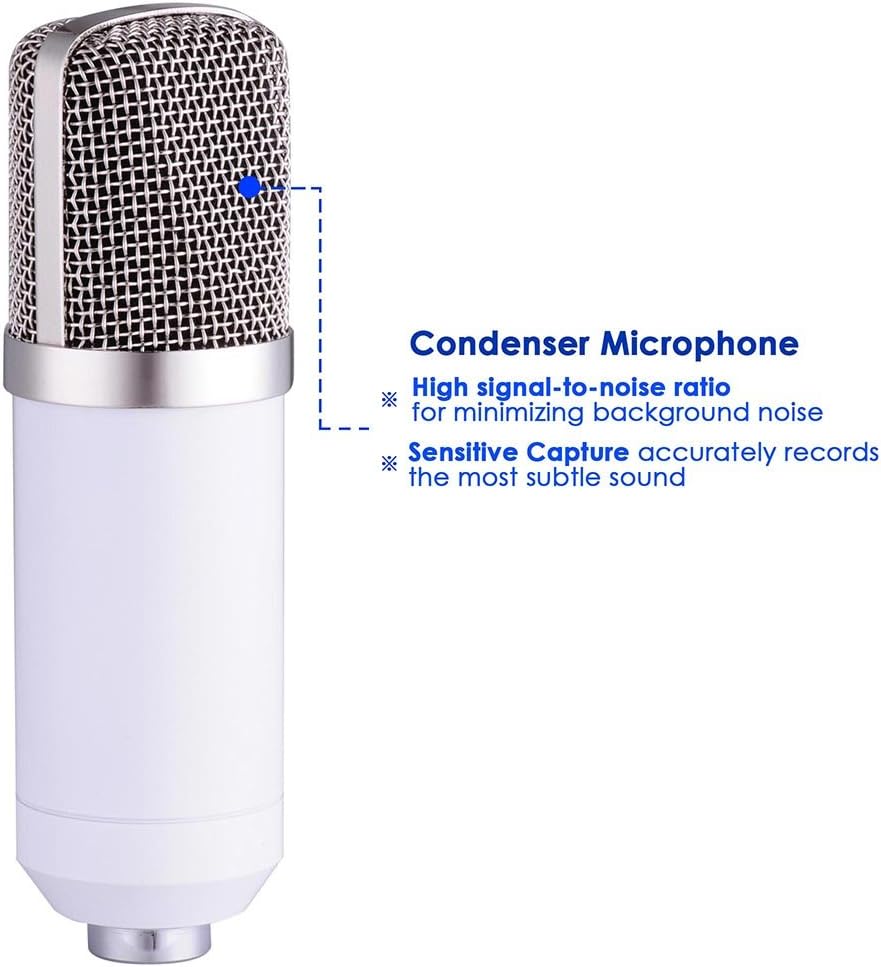
- 1x microphone à condensateur
- 1x Microphone Cap (Foam Windscreen)
- 1 support d'amortisseur
- 1x Boom Suspension Scissor Arm Stand
- 1x Pop Filter Mask Shield
- 1x Power Cord (3.5mm audio cable)
- 1x Manuel d'utilisation (ce document)

Instructions d'installation
Follow these steps to assemble and set up your microphone kit:
- Attach the Arm Stand: Sécuriser le clamp of the boom suspension scissor arm stand to a sturdy table or desk. Ensure the table thickness is less than 1 1/2" (3.7 cm). Adjust the arm to your desired position.
- Monter le support d'amortisseur : Attach the solid metal anti-vibration shock mount to the end of the arm stand. Tighten securely to prevent movement.
- Insérez le microphone : Carefully place the condenser microphone into the shock mount. The shock mount holds the microphone in place and isolates it from vibrations.
- Fixez le filtre anti-pop : Mount the pop filter with its 360-degree adjustable gooseneck to the arm stand or desk. Position it approximately 2-3 inches in front of the microphone to effectively eliminate popping sounds and protect the microphone from saliva.
- Branchez le cordon d'alimentation : Plug the 3.5mm audio interface end of the power cord into the microphone's output interface. Connect the other end to your desktop PC or laptop's 3.5mm microphone input.
- Exigences d'alimentation : The microphone requires 5V to 9V of power, or 48V phantom power supply. It is highly recommended to use this microphone with an external audio card for optimal performance.



Mode d'emploi
Once assembled, your microphone kit is ready for use. Follow these guidelines for optimal performance:
- Placement: Position the microphone directly in front of the sound source (e.g., your mouth for vocals) to utilize its cardioid polar pick-up pattern, which focuses on sound from the front and minimizes side and rear noise.
- Utilisation du filtre anti-pop : Always use the pop filter to prevent plosive sounds (like 'p' and 'b') from causing harsh audio spikes.
- Réglage du gain : If using an external audio interface, adjust the gain settings to achieve a strong signal without clipping or distortion.
- Configuration du logiciel: Ensure your computer's audio settings recognize the microphone as the input device. Most recording software will allow you to select the microphone from a list of available inputs.


Entretien
Proper maintenance ensures the longevity and performance of your microphone kit:
- Nettoyage: Use a soft, dry cloth to wipe down the microphone body and stand. Avoid using liquid cleaners directly on the microphone.
- Filtre anti-pop : Le filtre anti-pop peut être nettoyé délicatement avec de l'eau.amp Essuyez avec un chiffon si nécessaire. Assurez-vous qu'il soit complètement sec avant de le remettre en place.
- Stockage: When not in use, store the microphone in a clean, dry place away from dust and extreme temperatures.
- Entretien des câbles : Avoid sharp bends or kinks in the audio cable to prevent internal damage.
Dépannage
If you encounter issues with your microphone kit, refer to the following common solutions:
- Aucun son/Volume faible :
- Assurez-vous que tous les câbles sont correctement connectés.
- Verify the microphone is selected as the input device in your computer's sound settings and recording software.
- Check the gain levels on your audio interface or computer.
- Confirm that the microphone is receiving adequate power (5V-9V or 48V phantom power).
- Humming/Hissing Noise:
- Assurez-vous que toutes les connexions sont serrées.
- Try using a different USB port or power outlet for your computer/audio interface.
- Réduisez au minimum le nombre d'autres appareils électroniques à proximité du microphone susceptibles de provoquer des interférences.
- Using an external audio card is highly recommended for best performance and noise reduction.
- Microphone Not Fitting Stand:
- Ensure you are using the correct adapter if the microphone's thread size does not match the stand's. Some microphones may require a thread adapter (not included in this kit) for universal compatibility.
- Incompatibility with Mobile Phones: This microphone cannot be used with mobile phones as a power supply. Do not attempt to connect it directly to a phone for power.
- Incompatibility with Apple Computers: This microphone is not directly compatible with Apple computers. An external sound card must be equipped for use with Apple computers.
Caractéristiques
| Fonctionnalité | Spécification |
|---|---|
| Type de microphone | Condenseur |
| Diagramme polaire | Cardioïde (unidirectionnel) |
| Réponse en fréquence | 20 Hz à 20 kHz |
| Sensibilité | -32 dB ± 3 dB (0 dB = 1 V/Pa at 1 kHz) |
| Impédance de sortie | ≤100 Ω |
| Impédance de charge | ≥ 1000 XNUMX Ω |
| Niveau de bruit équivalent | ≤20 dBA (IEC 581-5) |
| Signal-to-Noise Ratio | 78 dB |
| Max. SPL | 130 dB (à 1 kHz ≤ 1 % DHT) |
| Usage Voltage | 5V to 9V (or 48V phantom power supply) |
| Courant électrique | 3 mA |
| Microphone Output Interface | 3.5 mm (1/8") |
| Longueur du câble | 8.2 pieds (2.5 m) |
| Matériaux pour microphones | Métal |
| Scissor Arm Stand Size (LxW) | 13 3/4" x 13 3/4" (35 x 35 cm) |
| Suitable Table Thickness (Stand) | Less than 1 1/2" (3.7 cm) |
| Poids net total | 3.2 livres (1.4 kg) |
| Item Dimensions (Product) | 19.29 x 8.23 x 3.54 pouces |

Garantie et assistance
This product does not come with a specified warranty. For any product-related inquiries or support, please refer to the retailer or manufacturer's customer service channels.