
1. Introduction
This manual provides essential information for the safe and efficient operation of your Motorola RMU2040 Two-Way Radio Walkie Talkie. Please read this manual thoroughly before using the device to ensure optimal performance and to prevent damage.

Figure 1: Motorola RMU2040 Two-Way Radio Walkie Talkie with belt clip.
2. Contenu du colis
Your Motorola RMU2040 package includes:
- Motorola RMU2040 Two-Way Radio (4 units)
- Single-unit charger for each radio
- 15-hour Lithium-Ion battery for each radio
- Swivel belt holster for each radio

Figure 2: Included accessories: single-unit charger, Lithium-Ion battery, and swivel belt holster.
3. Installation
3.1. Installation de la batterie
- Assurez-vous que la radio est éteinte.
- Alignez la batterie avec le compartiment à batterie à l’arrière de la radio.
- Poussez doucement la batterie en place jusqu'à ce qu'elle s'enclenche correctement.
3.2. Chargement de la batterie
- Place the radio with the installed battery into the single-unit charger.
- Connectez le chargeur à une prise de courant.
- The charging indicator light on the charger will illuminate to show charging status. A full charge typically takes several hours.
3.3. Attaching the Belt Holster
- Slide the radio into the swivel belt holster until it locks into place.
- Attach the holster to your belt or clothing for convenient carrying.
4. Mode d'emploi
4.1. Commande de l'alimentation (marche/arrêt) et du volume
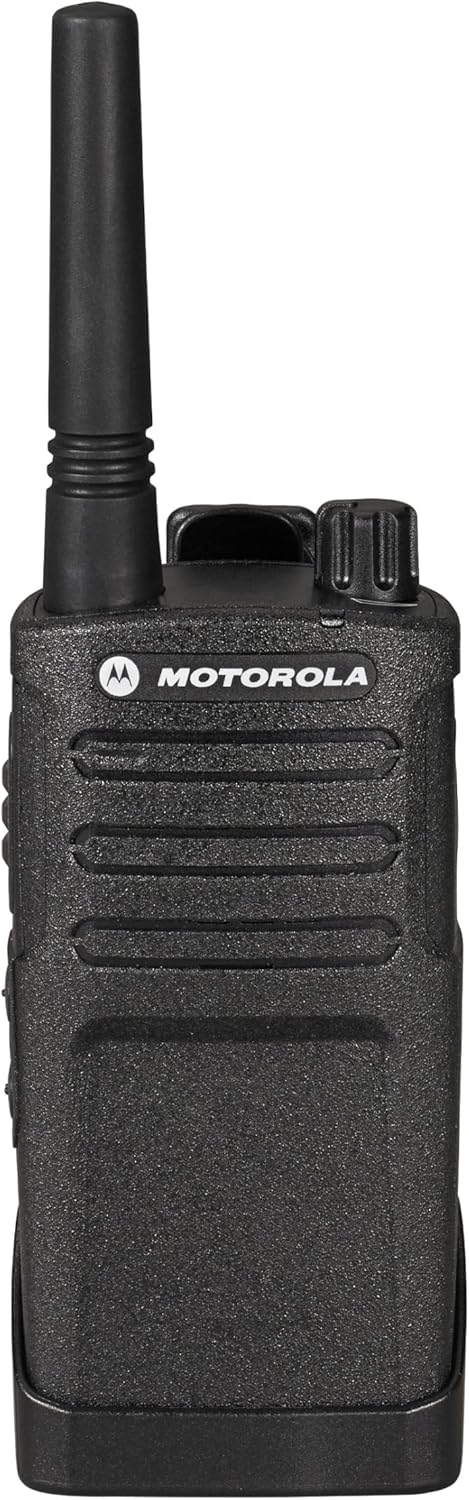
Figure 3 : Haut view of the radio with power/volume and channel knobs.
- To power on the radio, rotate the On/Off/Volume knob (leftmost knob on top) clockwise until you hear a click.
- Continue rotating the knob to adjust the volume to your desired level.
- Pour éteindre l'appareil, tournez le bouton dans le sens inverse des aiguilles d'une montre jusqu'à ce qu'il s'enclenche.
4.2. selection de CHAINE

Figure 4 : Face avant view of the radio, showing the display and control buttons.
- Rotate the Channel Selector knob (rightmost knob on top) to choose one of the available channels.
- The RMU2040 supports 4 channels, with 2 activated out of the box.
4.3. Transmission et réception

Figure 5 : Côté view of the radio, highlighting the Push-to-Talk (PTT) button.
- Pour transmettre, maintenez enfoncé le bouton Push-to-Talk (PTT) situé sur le côté de la radio. Parlez clairement dans le microphone.
- Relâchez le bouton PTT pour arrêter la transmission et attendez une réponse.
- Assurez-vous d'être sur le même canal que la personne avec laquelle vous souhaitez communiquer.
4.4. Connexion de l'écouteur
The radio features a port for connecting an earpiece for private communication. This port is typically located on the side of the radio, covered by a protective flap.
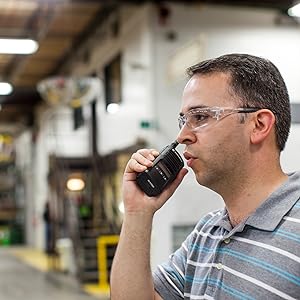
Figure 6: User demonstrating proper radio usage in a work environment.
5. Caractéristiques
- Puissance de sortie : 2-watt, covering up to 20 floors or 250,000 square feet.
- Chaînes : 4 communication groups total, with 2 channels activated by default.
- Fréquence: Set to factory default UHF frequencies, suitable for both indoor and outdoor use.
- Autonomie de la batterie : Equipped with a 15-hour Lithium-Ion battery.
- Durabilité: Designed as a reliable, simple, heavy-duty radio.
- Résistance à l'eau : Résistant à l'eau.
6. Entretien
- Nettoyage: Utilisez un chiffon doux et sec.amp Utilisez un chiffon pour nettoyer l'extérieur de la radio. Évitez les produits chimiques agressifs et les nettoyants abrasifs.
- Entretien de la batterie: Fully charge batteries before first use. Store radios and batteries in a cool, dry place when not in use for extended periods.
- Antenne: Do not bend or force the antenna, as this can affect signal quality.
7. Dépannage
7.1. Pas d'alimentation
- Assurez-vous que la batterie est correctement installée et complètement chargée.
- Check that the On/Off/Volume knob is rotated clockwise past the click.
7.2. Impossible de transmettre ou de recevoir
- Vérifiez que les deux radios sont sur le même canal.
- Assurez-vous que le bouton PTT est complètement enfoncé lors de la transmission.
- Check the radio's range; obstacles and distance can affect communication. The maximum talking range is 36 miles in optimal conditions.
7.3. Mauvaise qualité audio
- Réglez le bouton de volume.
- Veillez à ce que le microphone et le haut-parleur ne soient pas obstrués.
- Move to an area with fewer obstructions or closer to the other radio.
8. Spécifications
| Spécification | Valeur |
|---|---|
| Poids de l'article | 8.6 onces (0.54 livre) |
| Dimensions du produit | 7.38 x 1.5 x 2.25 pouces |
| Numéro de modèle de l'article | SG_B012B7J2FS_US |
| Piles | 4 piles lithium-ion requises (incluses) |
| Marque | Motorola |
| Couleur | Noir |
| Nombre de canaux | 4 |
| Dossier spécial | UHF |
| Gamme de fréquences | 450-512 MHz |
| Portée de conversation maximale | 36 milles |
| Voltage | 3.7 volts |
| Niveau de résistance à l'eau | Résistant à l'eau |
9. Garantie et assistance
Your Motorola RMU2040 Two-Way Radio comes with a 2 Year Manufacturer Replacement Warranty. For warranty claims or technical support, please contact an authorized Motorola dealer or refer to the official Motorola support channels.
Legal Disclaimer: Motorola Recommends Only Purchasing From An Authorized Dealer.


