
1. Produit terminéview
The UDIRC U818A-HD is a 2.4GHz 4-channel, 6-axis headless RC quadcopter equipped with an HD camera. It is designed for both beginners and experienced pilots, offering stable flight and easy control. Key features include headless mode for simplified orientation, 6-axis gyro for stability, and 360-degree eversion capabilities.

Image: The UDIRC U818A-HD quadcopter and its remote control unit.
2. Contenu du colis
Vérifiez que tous les éléments sont présents dans le colis :
- UDI U818A-HD RC Quadcopter
- Télécommande
- LiPO Battery (2 included)
- Carte mémoire microSD de 4 Go
- Chargeur USB
- Hélices de rechange
- Tournevis
- Manuel d'instructions
3. Installation
3.1 Installation de la batterie
- Open the battery compartment on the quadcopter's underside.
- Connect the LiPO battery to the quadcopter's power connector.
- Placez soigneusement la batterie dans le compartiment et refermez le couvercle.
3.2 Installation de l'hélice
Ensure propellers are correctly oriented. Propellers marked 'A' should be installed on motor shafts 'A', and 'B' on 'B'. Secure them with the provided screws.
3.3 Installation de la caméra
Attach the HD camera to the designated slot on the quadcopter's underside. Connect the camera cable to the port. Insert the 4GB Micro SD card into the camera's slot.

Image : Dessous view of the quadcopter, highlighting the camera and LED lights.
3.4 Configuration de la télécommande
Insert 4 AA batteries (not included) into the remote control. Power on the remote control.
3.5 Binding and Calibration
- Placez le quadricoptère sur une surface plane et horizontale.
- Turn on the quadcopter, then turn on the remote control.
- Move the left joystick (throttle) all the way up, then all the way down. The quadcopter's lights will stop flashing, indicating successful binding.
- To calibrate the gyroscope, move both joysticks to the bottom-right corner simultaneously until the lights flash and then become solid.

Image: The UDIRC U818A-HD quadcopter and its remote control, ready for operation.
4. Mode d'emploi
4.1 Commandes de vol de base
- Manette des gaz (joystick gauche haut/bas) : Contrôle l'altitude.
- Lacet (Joystick gauche gauche/droite) : Rotates the quadcopter horizontally.
- Avancer/Reculer (Joystick droit Haut/Bas) : Contrôle les mouvements en avant et en arrière.
- Vol latéral gauche/droite (joystick droit gauche/droite) : Controls sideward movement.
4.2 Headless Mode (IOC)
The Headless/IOC function allows the quadcopter to fly based on the pilot's orientation, regardless of the drone's actual front direction. This simplifies control for beginners. Activate and deactivate using the dedicated button on the remote control.
4.3 360° Eversion
Press the 360° Eversion button on the remote control, then move the right joystick in any direction to perform a continuous roll. Ensure sufficient altitude before attempting this maneuver.
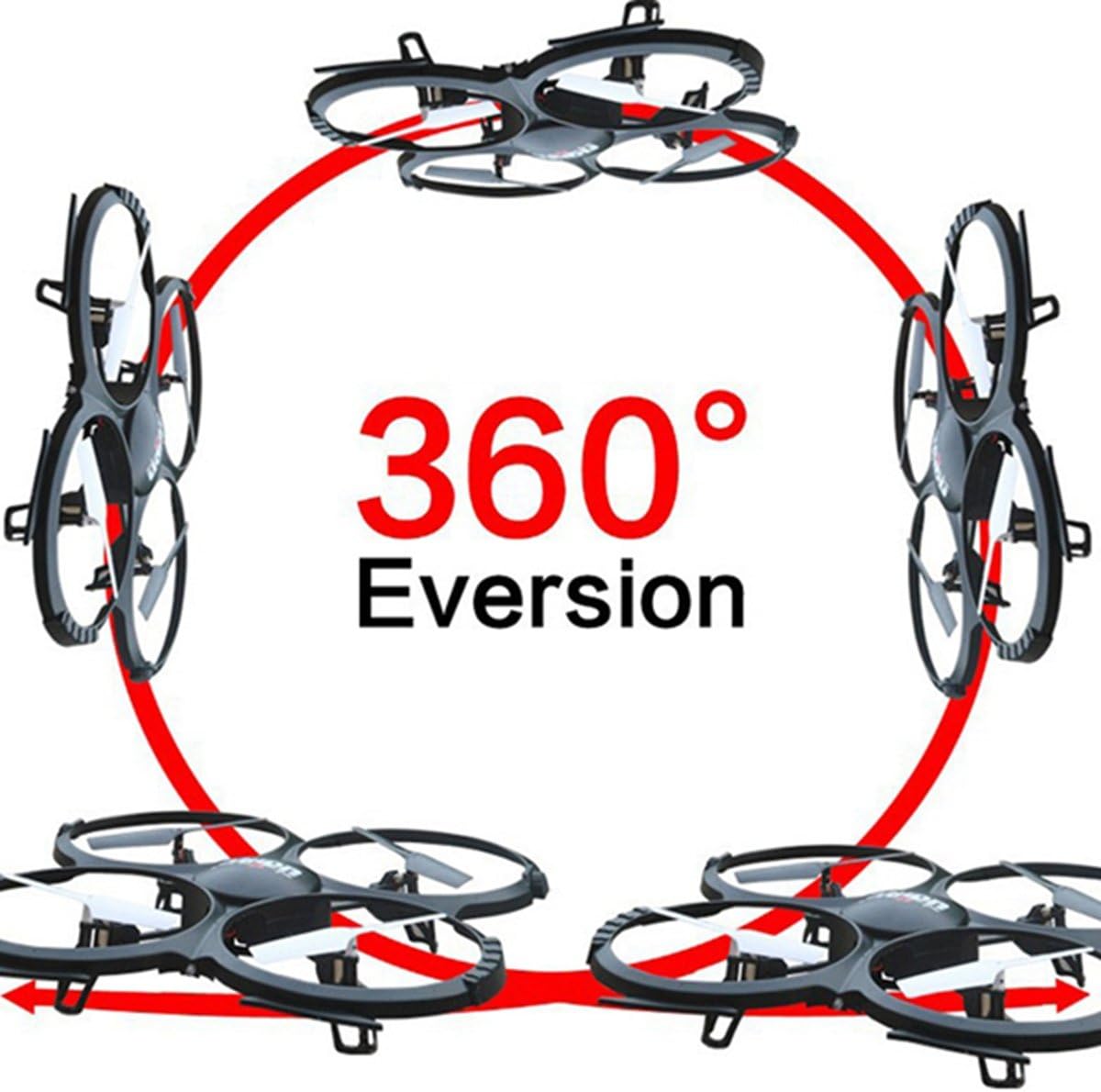
Image: Diagram showing the quadcopter performing a 360-degree eversion.
4.4 Prendre des photos et des vidéos
Use the dedicated buttons on the remote control to capture photos or start/stop video recording. Ensure the Micro SD card is inserted correctly in the camera. Recorded media can be accessed by removing the SD card and inserting it into a computer.
5. Entretien
- Entretien de la batterie: Charge batteries using the provided USB charger. Do not overcharge. Store batteries in a cool, dry place.
- Nettoyage: Use a soft, dry cloth to clean the quadcopter. Avoid water or harsh chemicals.
- Remplacement de l'hélice : If propellers are damaged, replace them with spare parts. Ensure correct 'A' and 'B' propeller placement.
6. Dépannage
- Quadcopter not responding: Ensure the battery is charged, the remote control has fresh batteries, and the quadcopter is properly bound and calibrated.
- Vol instable : Recalibrate the gyroscope on a flat surface. Check for damaged propellers and replace if necessary.
- La caméra n'enregistre pas : Verify the Micro SD card is inserted correctly and has sufficient free space. Ensure the camera cable is securely connected.
7. Spécifications
| Fonctionnalité | Spécification |
|---|---|
| Marque | UDIRC |
| Nom du modèle | U818A |
| Type de contrôle | RC |
| Technologie de connectivité | USB, radiofréquence |
| Résolution de capture vidéo | 720p (1280 x 720 pixels) |
| Résolution fixe efficace | 1 MP |
| Capacité de la batterie | 500 millièmeamp Heures |
| Poids de l'article | 0.41 kilogrammes |
| Portée maximale | 100 mètres |
| Matériel | Plastique |
| Dimensions de l'article L x l x H | 13.4"L x 13"l x 2.2"H |
8. Garantie et assistance
Pour obtenir des informations sur la garantie et une assistance technique, veuillez consulter le site officiel du fabricant. webConsultez leur site web ou contactez leur service client. Conservez votre reçu d'achat comme preuve d'achat.