
Gain Express DT-2350PA
Gain Express Digital Handheld Stroboscope DT-2350PA Instruction Manual
Model: DT-2350PA | Brand: Gain Express
1. Introduction
The Gain Express Digital Handheld Stroboscope, Model DT-2350PA, is a versatile and accurate instrument designed for measuring the rotational speed of objects and inspecting surface defects without physical contact. This device is essential for various industrial applications, allowing for efficient fault detection and maintenance without interrupting operations. Its bright xenon lamp ensures clear visibility even in well-lit environments, and its user-friendly interface provides precise, legible results.

Image: The Gain Express Digital Handheld Stroboscope DT-2350PA, a black and grey device with an LCD screen, held against a background of industrial machinery.
2. Principales caractéristiques
- Mesure polyvalente : Measures rotational speed and inspects surface defects without contact or stopping the object.
- Éclairage intense : Utilizes a xenon lamp for very bright illumination, enabling operation in room light conditions and at long distances. The flash rate is adjustable.
- Multiple Observation Modes: Provides images of single stillness, two stillness, or multiple stillness for vibrating, rapidly rolling, or periodically moving objects. Also observes movement tracks for detailed analysis.
- Non-contact Operation: Allows measurement and inspection without stopping machinery or attaching reflective marks, offering a convenient and efficient solution.
- Haute précision : Features a measurement range of 50~12,000 FPM, a 5-digit, 10mm (0.4") LCD display, high accuracy, and fast sampling time (0.3 seconds).
- Durable Flash Tube: The xenon flash tube has a long life of 100 million flashes, with a flash timer for conservation.
- Interface conviviale : Equipped with external triggering capability and an easy-to-read LCD screen for instant, clear, and legible results, ensuring high resolution and exact readings.
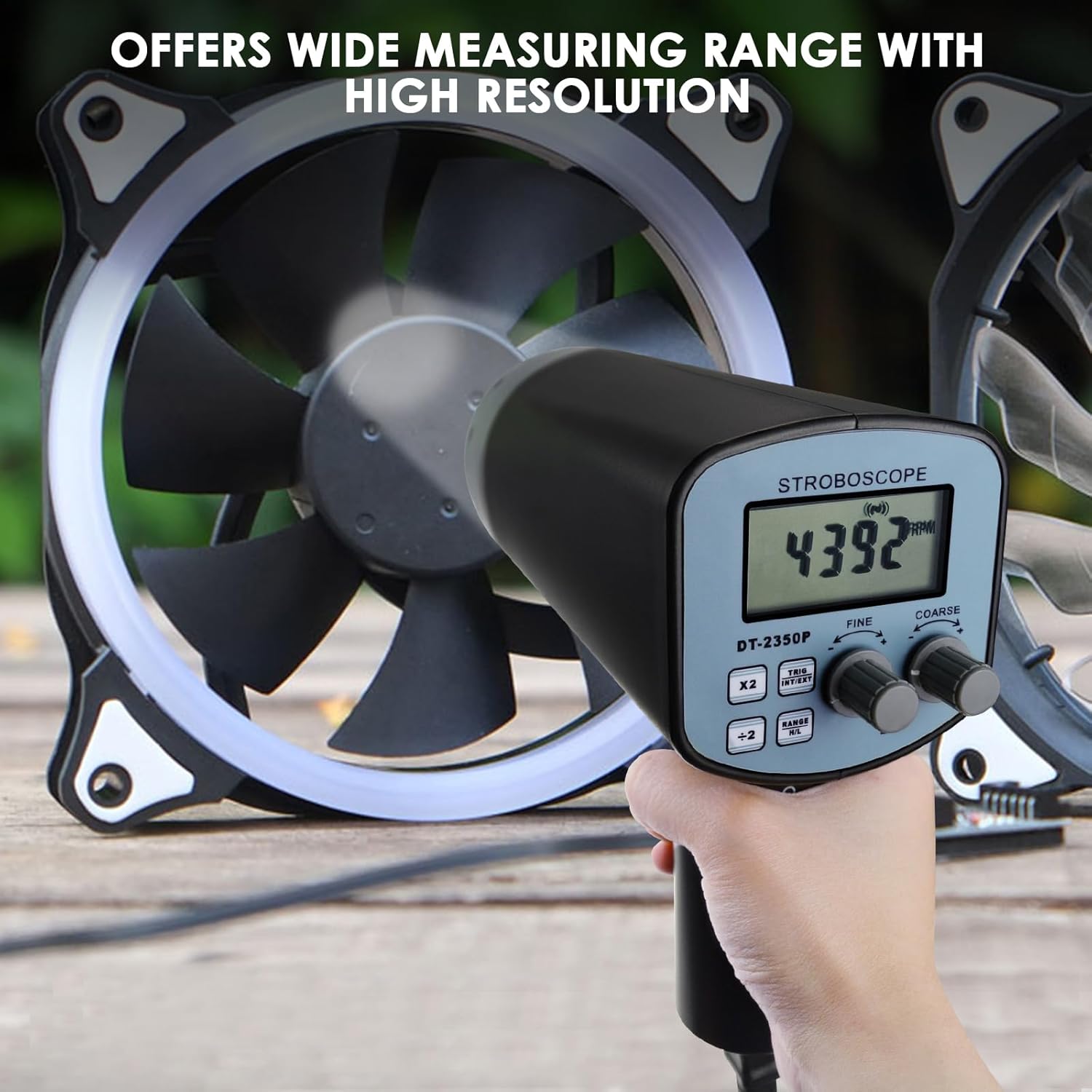
Image: The stroboscope held by a hand, measuring the rotational speed of a fan, with the LCD displaying "4392 RPM".
3. Contenu du colis
À l'ouverture du colis, veuillez vérifier que tous les éléments énumérés ci-dessous sont présents et en bon état :
- 1 x Gain Express Digital Handheld Stroboscope (Model DT-2350PA)
- 1 x Manuel d'utilisation
- 1 x câble d'alimentation
- 1 x Spare Xenon Flash Tube

Image: The package contents laid out, including the stroboscope, operation manual, power cable, and a spare xenon flash tube.
4. Installation
4.1 Mise sous/hors tension
To power on the stroboscope, press and hold the power button (usually marked with a circle and a vertical line) for approximately 3 seconds. The LCD screen will illuminate, indicating the device is ready for use. To power off, press and hold the same button until the display turns off.
4.2 Inspection initiale
Before first use, inspect the device for any visible damage. Ensure the xenon lamp is securely in place. If a spare lamp is needed, refer to the maintenance section for replacement instructions.

Image : Un gros plan view of the stroboscope's xenon lamp, highlighting its bright illumination capability.
5. Mode d'emploi
5.1 Comprendre l'affichage
The stroboscope features a 5-digit, 10mm (0.4") LCD display that shows the measured Flashes Per Minute (FPM) or other selected parameters. The display is designed for clear and instant readings.

Image : Une image détaillée view of the stroboscope's easy-to-read LCD screen, displaying "4383 RPM" and various control buttons.
5.2 Adjusting Flash Rate (FPM)
Use the "COARSE" and "FINE" adjustment knobs to set the desired flash rate. The "COARSE" knob provides large adjustments, while the "FINE" knob allows for precise tuning. The display will show the current FPM.
- Réglage grossier : For significant changes in FPM.
- Réglage fin : For minor, precise adjustments to FPM.
- x2 / ÷2 Buttons: Quickly double or halve the current FPM for rapid range changes.
5.3 Réglage de phase
The phase adjustment feature allows you to shift the timing of the flash relative to the object's movement. This is useful for observing different parts of a rotating object or for achieving a specific "stillness" effect. Consult the detailed operation manual for specific phase adjustment procedures.
5.4 External Triggering
The stroboscope supports external triggering, allowing synchronization with an external signal source. This is beneficial for applications requiring precise timing with other equipment. Connect the external trigger source to the "EXT" port on the device.
5.5 Live Operation Example
When measuring the speed of a rotating object, such as a fan, adjust the FPM until the object appears stationary. The displayed FPM value will then correspond to the object's rotational speed. For defect inspection, adjust the FPM to "freeze" the object's motion at various points to identify anomalies.
Video: An official product video demonstrating the unboxing, button functions, and live testing of the Gain Express Digital Handheld Stroboscope. It shows the device measuring the speed of a rotating fan and highlighting key features.
6. Spécifications
| Fonctionnalité | Détail |
|---|---|
| Plage de mesure | 50~12,000 FPM |
| Afficher | 5 digits, 10mm (0.4") LCD |
| Paramètres mesurés | Flashes per Minute (FPM) |
| Résolution | 0.1 FPM (50~999.9 FPM), 1 FPM (over 1000 FPM) |
| Précision | ±(0.05%n + 1d) |
| Sample temps | 0.3 seconde |
| Flash Adjust | Coarse adjustment, fine adjustment, ×2 and ÷2 for fast check |
| High & Low Range | Manual Conversion (Flashing light is much brighter at low range than at high range) |
| Flash Tube Type | Xénon lamp |
| Durée de vie du tube flash | 100 Million flashes |
| Dimensions du produit | 11 x 8 x 5 pouces |
| Poids de l'article | 2.25 livres |

Image: A table detailing the technical specifications of the stroboscope, including measurement range, display type, resolution, accuracy, and flash tube life.

Image: A diagram showing the physical dimensions (length, height, diameter) and weight of the handheld stroboscope.
7. Entretien
- Nettoyage: Use a soft, dry cloth to clean the exterior of the stroboscope. Do not use abrasive cleaners or solvents. Keep the display and lamp area free from dust and debris.
- Stockage: Store the device in a cool, dry place away from direct sunlight and extreme temperatures. When not in use for extended periods, remove batteries if applicable (this model is corded, but general advice).
- Remplacement du tube flash : The xenon flash tube has a long lifespan (100 million flashes). If the flash intensity diminishes or the tube fails, replace it with the provided spare or an approved replacement. Refer to the detailed manual for specific replacement steps.

Image: The handheld stroboscope shown alongside a spare xenon flashing tube, emphasizing the availability of replacement parts.
8. Dépannage
- L'appareil ne s'allume pas : Ensure the power cable is securely connected to a functional power outlet.
- No Flash Output: Check if the flash tube is correctly installed and not damaged. Verify the FPM setting is within the operational range.
- Lectures inexactes : Ensure the stroboscope is positioned correctly relative to the target object. Avoid excessive ambient light if possible, although the xenon lamp is designed for bright conditions. Calibrate if necessary (refer to full manual for calibration procedures).
- Problèmes d'affichage : If the LCD is dim or unreadable, ensure the device is adequately powered.
9. Garantie et assistance
This Gain Express product is covered by a manufacturer's warranty against defects in materials and workmanship. For specific warranty terms, duration, and to register your product, please refer to the warranty card included in your package or visit the official Gain Express website. For technical support, troubleshooting assistance, or to inquire about replacement parts, please contact Gain Express customer service through their official channels.
Vous pouvez visiter le Gain Express Store on Amazon pour plus d'informations et de produits.
Ask a question about this manual
Ask about setup, troubleshooting, compatibility, parts, safety, or missing instructions. Manuals+ will review the question and use this page’s manual context to help answer it.