
1. Introduction
This manual provides essential instructions for the safe and efficient operation of your ICOM BC-152 charger. Please read this manual thoroughly before using the charger to ensure proper setup, operation, and maintenance. Keep this manual for future reference.
2. Consignes de sécurité
Always observe the following safety precautions to prevent injury, damage to the charger, or damage to the device being charged.
- Use only with compatible ICOM battery packs. Using incompatible batteries may cause fire, explosion, or injury.
- N’exposez pas le chargeur à la pluie, à l’humidité ou à des températures extrêmes.
- Ne pas démonter ni modifier le chargeur. Confier toute réparation à un personnel qualifié.
- Assurez-vous que la prise de courant voltage correspond aux spécifications du chargeur.
- Gardez le chargeur à l'écart des sources de chaleur et de la lumière directe du soleil.
- Débranchez le chargeur de la prise de courant lorsqu'il n'est pas utilisé ou avant de le nettoyer.
3. Installation
3.1 Déballage
Carefully remove the ICOM BC-152 charger from its packaging. Verify that all components are present:
- ICOM BC-152 Charger Unit
- AC Adapter (if included)
- Manuel d'instructions (ce document)
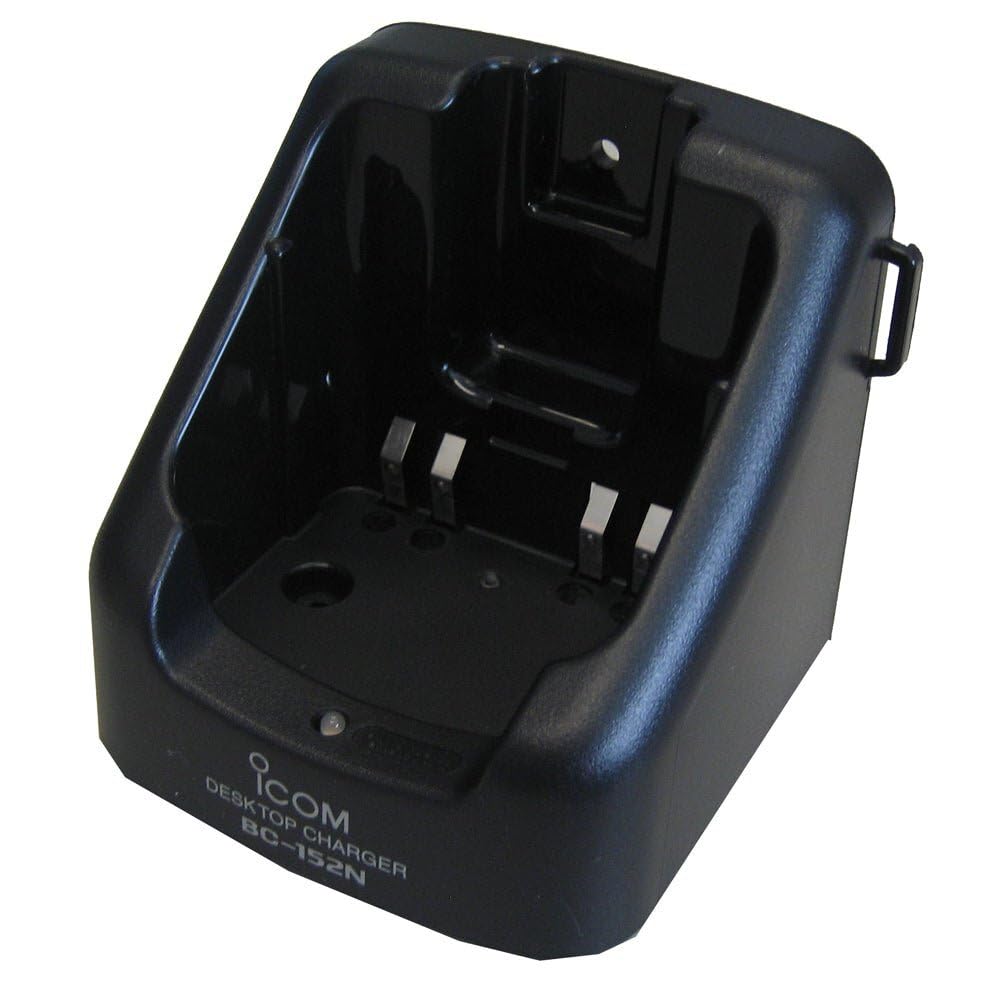
Figure 1: The ICOM BC-152 charger unit. This image shows the compact black charger with a single slot for a battery pack.
3.2 Connexion de l'alimentation
- Connect the AC adapter cable to the DC input jack on the rear of the BC-152 charger unit.
- Branchez l’adaptateur secteur sur une prise murale standard.
- Le chargeur est maintenant prêt à l'emploi.
4. Mode d'emploi
4.1 Charging a Battery Pack
Follow these steps to charge a compatible ICOM battery pack:
- Assurez-vous que le chargeur est connecté à une source d'alimentation comme décrit dans la section 3.2.
- Carefully insert the battery pack into the charging slot of the BC-152 charger. Ensure it is seated firmly.
- Observe the charging indicator light.
4.2 Voyants lumineux
The BC-152 charger features an LED indicator to show the charging status:
- Rouge (solide) : La batterie est en cours de charge.
- Vert (solide) : Charging is complete. The battery pack is fully charged.
- Rouge clignotant : Charging error or battery fault. Remove the battery and re-insert. If the error persists, consult the troubleshooting section.
- Pas de lumière : Charger is not connected to power, or no battery is inserted.
Charging time may vary depending on the battery's capacity and its current charge level. Typically, a fully depleted battery will take approximately 2-4 hours to charge.
5. Entretien
5.1 Nettoyage
Pour maintenir des performances et une apparence optimales :
- Débranchez toujours le chargeur de la prise de courant avant de le nettoyer.
- Utilisez un chiffon doux et sec pour essuyer l'extérieur du chargeur.
- N’utilisez pas de nettoyants abrasifs, de solvants ou de produits chimiques agressifs.
- Ensure no moisture enters the charging slot or power input.
5.2 Stockage
When not in use for extended periods, store the charger in a cool, dry place, away from direct sunlight and extreme temperatures. Disconnect it from the power supply.
6. Dépannage
If you encounter issues with your BC-152 charger, refer to the table below for common problems and solutions.
| Problème | Cause possible | Solution |
|---|---|---|
| Le voyant du chargeur est éteint. | No power supply or battery not inserted. | Check AC adapter connection. Ensure battery is correctly inserted. |
| Le voyant clignote en rouge. | Défaut de batterie ou erreur de charge. | Remove and re-insert the battery. Try a different compatible battery if available. |
| La batterie ne se charge pas. | Faulty battery, charger, or power supply. | Verify power connection. Test with a known good battery. If problem persists, contact support. |
7. Spécifications
| Marque | ICOM |
| Modèle | BC-152 |
| Vol d'entréetage | 12-16V DC (via AC adapter) |
| Volume de sortietage | 8.4 V CC |
| Courant de charge | Environ. 450 mA |
| Dimensions (L × H × P) | Approx. 80 × 50 × 90 mm (3.1 × 2.0 × 3.5 inches) |
| Poids | 0.18 livres (environ 82 g) |
| Couleur | Noir |
Remarque : Les spécifications peuvent être modifiées sans préavis à des fins d'amélioration.
8. Informations sur la garantie
ICOM products are manufactured with high-quality components and are subject to rigorous quality control. This product is covered by a limited warranty against defects in materials and workmanship. The specific terms and duration of the warranty may vary by region. Please refer to the warranty card included with your purchase or visit the official ICOM website pour des informations détaillées sur la garantie.
Cette garantie ne couvre pas les dommages causés par une mauvaise utilisation, un accident, une modification non autorisée ou une installation incorrecte.
9. Assistance clientèle
If you have any questions, require technical assistance, or need to report a problem that cannot be resolved using the troubleshooting guide, please contact ICOM customer support.
ICOM America Inc.
Visit ICOM America's Contact Page
Please have your product model (BC-152) and serial number ready when contacting support.