
Introduction
This manual provides comprehensive instructions for the setup, operation, maintenance, and troubleshooting of your Kanto YU2 Desktop Speakers. Please read this manual thoroughly before using your speakers to ensure optimal performance and longevity.
Qu'y a-t-il dans la boîte
Your Kanto YU2 speakers come with all necessary accessories for immediate setup.
- Kanto YU2 Powered Desktop Speakers (Pair)
- Cordon d'alimentation
- Câble de haut-parleur
- USB DAC Cable
- Câble auxiliaire de 3.5 mm
- Pieds en caoutchouc (8 pièces)
- Manuel d'utilisation
- Kanto USA Warranty Information

Image: All items included in the Kanto YU2 speaker package.
Video: An unboxing video for the Kanto YU2 Powered Desktop Speakers, showing the contents of the box.
Installation
1. Emplacement des haut-parleurs
Place the speakers on a flat, stable surface. For optimal sound, position them at ear level and equidistant from your listening position. The included rubber feet can be applied to the bottom of the speakers to reduce vibrations and improve stability.
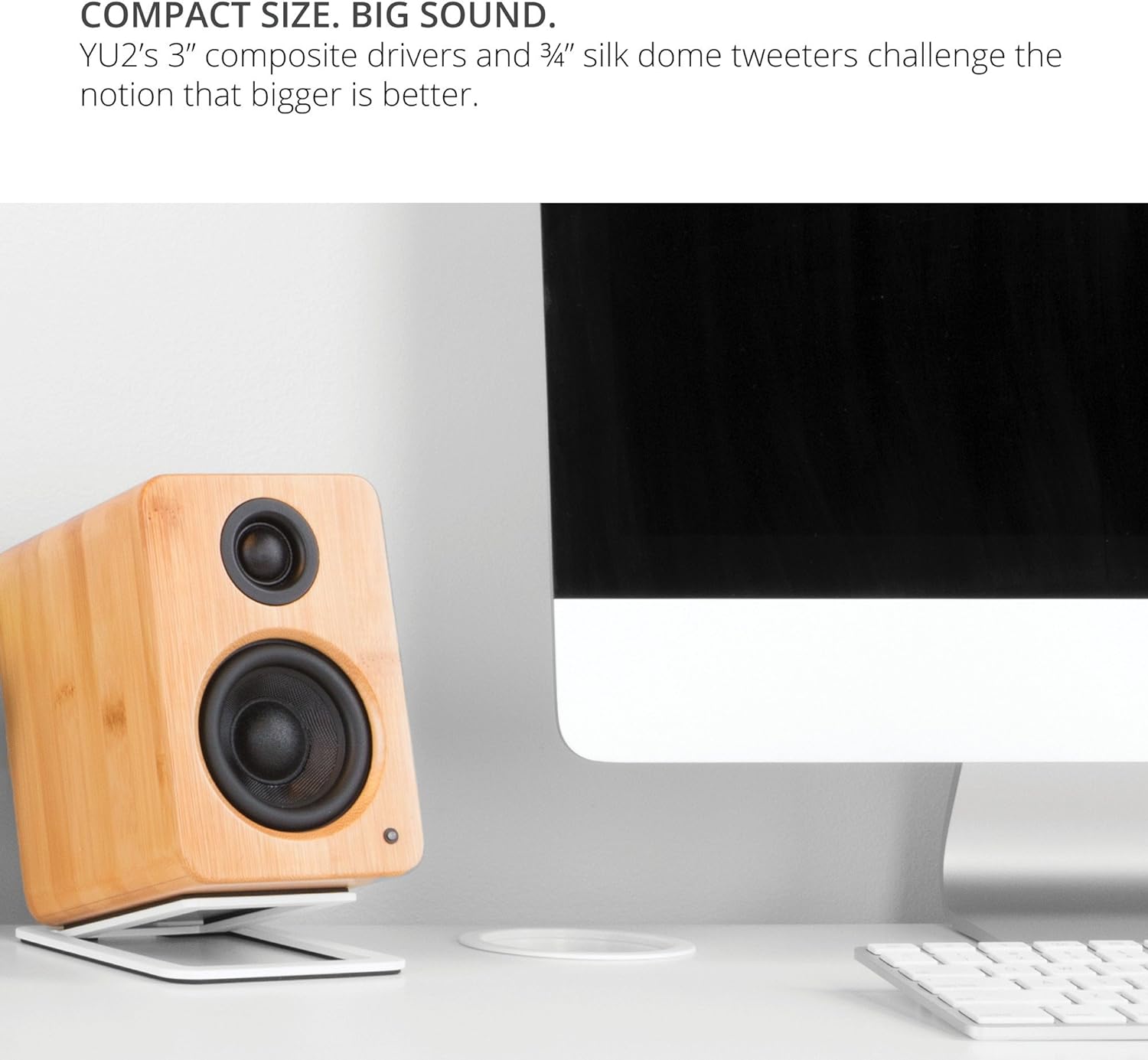
Image: Kanto YU2 speakers positioned on a desktop for optimal listening.
2. Connexion des haut-parleurs
The Kanto YU2 system consists of one active (left) speaker and one passive (right) speaker. Connect the active speaker to the passive speaker using the provided speaker wire. Ensure that the positive (+) terminal on the active speaker connects to the positive (+) terminal on the passive speaker, and similarly for the negative (-) terminals.
Video: Instructions on how to connect speaker wire to Kanto speakers.
3. Connexion électrique
Connect the power cord to the active speaker and then to a wall outlet. The LED indicator on the front of the active speaker will illuminate when power is supplied.
Mode d'emploi
1. Connexions d'entrée audio
The Kanto YU2 speakers offer multiple input options:
- DAC USB : Connect your computer directly to the USB port on the active speaker using the provided USB DAC cable for high-quality digital audio streaming.
- AUX 3.5 mm : Use the 3.5mm auxiliary cable to connect to any device with a headphone jack, such as smartphones, tablets, or other media players.
- Sortie caisson de basses : For enhanced bass, connect an external powered subwoofer to the "Sub Out" port on the active speaker.

Image : Arrière view of the active Kanto YU2 speaker with various input and output ports labeled.
2. Contrôle du volume
Adjust the master volume using the knob located on the rear of the active speaker. Turn clockwise to increase volume and counter-clockwise to decrease it. Ensure the volume is set to a low level before playing audio to prevent sudden loud sounds.
3. Marche/Arrêt
The speakers will power on automatically when connected to power and an audio source is detected. To turn off, simply disconnect the power or turn the volume knob to the "OFF" position.
Vidéo : Un overview of the Kanto YU2 Powered Desktop Speakers, highlighting features and connectivity.
Entretien
To maintain the appearance and performance of your Kanto YU2 speakers, follow these guidelines:
- Nettoyage: Utilisez un chiffon doux et sec pour essuyer les enceintes. Évitez les nettoyants abrasifs, les cires et les solvants, car ils risquent d'endommager la finition.
- Saupoudrage: Regularly dust the speaker grilles and drivers with a soft brush or a microfiber cloth.
- Placement: Évitez de placer les haut-parleurs en plein soleil, près de sources de chaleur ou dans des zones à forte humidité.
- Manutention: Handle speakers with care. Avoid touching the drivers directly.
Dépannage
If you encounter issues with your Kanto YU2 speakers, refer to the following common solutions:
- Pas de son :
- Ensure the power cord is securely connected and the speakers are powered on.
- Check all audio cables (USB, AUX, speaker wire) for secure connections.
- Verify the volume knob on the active speaker is turned up.
- Confirm the audio source (computer, phone) is playing and its volume is not muted or too low.
- If using USB, ensure the Kanto YU2 is selected as the audio output device in your computer's sound settings.
- Son déformé :
- Baissez le volume des haut-parleurs et de la source audio.
- Vérifiez l'état des câbles audio et remplacez-les si nécessaire.
- Ensure speaker wires are correctly connected (positive to positive, negative to negative).
- Bourdonnement ou vrombissement :
- Assurez-vous que toutes les connexions de câble sont sécurisées.
- Essayez de brancher les haut-parleurs sur une autre prise électrique.
- Éloignez les haut-parleurs des autres appareils électroniques susceptibles de provoquer des interférences.
If these steps do not resolve the issue, please contact Kanto support for further assistance.
Caractéristiques
| Fonctionnalité | Détail |
|---|---|
| Marque | Kanto |
| Numéro de modèle | YU2MB |
| Type de haut-parleur | Haut-parleurs d'ordinateur |
| Puissance de sortie du haut-parleur | 100 Watts Peak (50 Watts Total RMS) |
| Réponse en fréquence | 80 Hz - 20 kHz |
| Technologie de connectivité | Wired (USB, 3.5mm AUX) |
| Mode de sortie audio | Stéréo |
| Matériau de l'enceinte | Acoustic grade MDF cabinets |
| Conducteurs | 3-inch Composite Woofers, 0.75-inch Silk Dome Tweeters |
| Ports USB | 1 (Built-in USB DAC) |
| Canaux audio | 2.0, 2.1 (with Sub Out) |
| Impédance | 4 Ohms |
| Signal-to-Noise Ratio | 70 dB |
| Dimensions (L x P x H) | 5.3"P x 3.9"L x 5.9"H |
| Poids | 6 livres |
| Source d'énergie | AC |
| Vol d'entréetage | 240 volts |
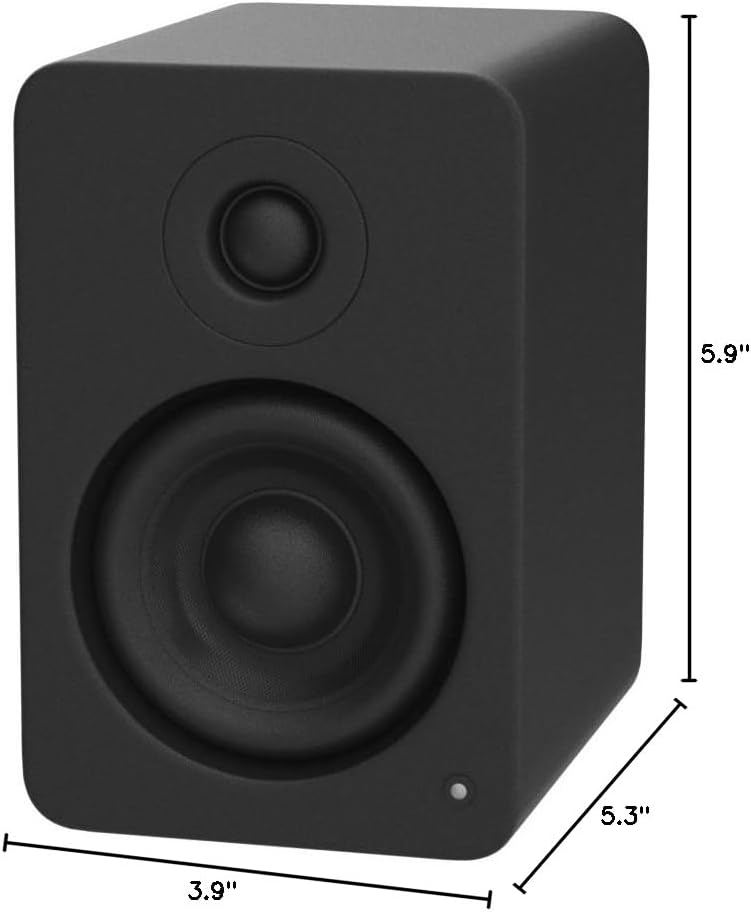
Image: Kanto YU2 speaker dimensions.
Informations sur la garantie
The Kanto YU2 Desktop Speakers come with a Garantie constructeur de 2 ansCette garantie couvre les défauts de matériaux et de fabrication dans des conditions normales d'utilisation. Veuillez conserver votre preuve d'achat pour toute réclamation au titre de la garantie.
For detailed warranty terms and conditions, please refer to the Kanto USA Warranty information included in your product package or visit the official Kanto website.
Soutien
For technical support, product inquiries, or assistance with troubleshooting beyond what is covered in this manual, please contact Kanto customer service.
You can find contact information and additional resources on the official Kanto website: www.kantoaudio.com