
1. Introduction
The Weston 65-0501-W Professional Advantage Vacuum Sealer is designed for efficient food preservation. This appliance removes air from specially designed bags and containers, creating an airtight seal to extend the freshness of various food items. Its robust construction and powerful vacuum pump are suitable for both home and professional use.
Les principales caractéristiques comprennent :
- Powerful, Pro Performance: Heavy-duty construction with 23" Hg vacuum strength for maximum air removal.
- Quick and Easy Operation: Simple one-touch vacuum-to-seal operation in automatic mode.
- Versatile Controls: Vacuum seal food, marinate meats, and remove air from vacuum canisters.
- Designed for Continuous Use: Fan-cooled motor prevents overheating during repetitive tasks.
- Fits a Variety of Bag Sizes: Seals bags and rolls up to 11 inches across, compatible with Foodsaver and Ziploc bags.
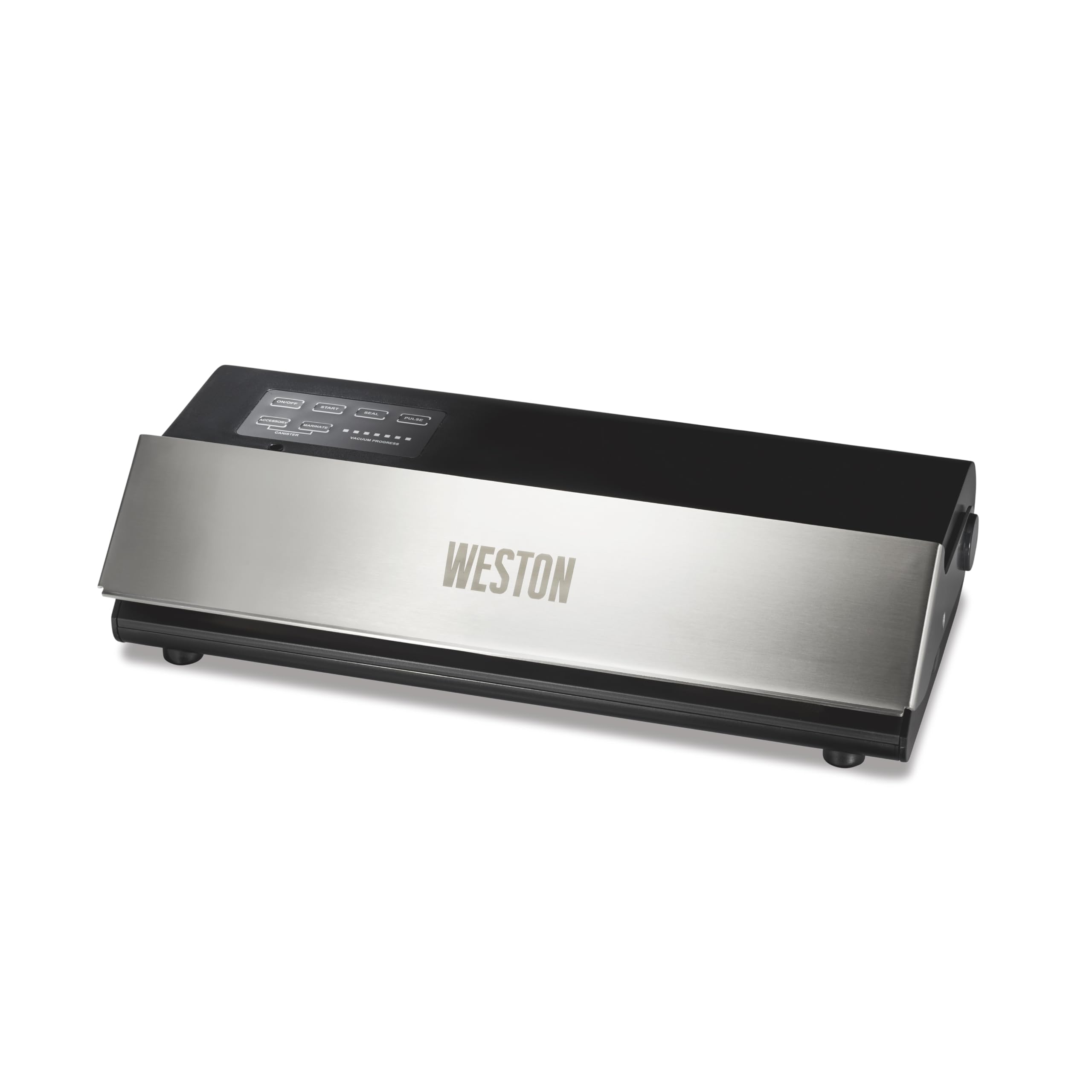
Image: Weston 65-0501-W Professional Advantage Vacuum Sealer in use, preserving various foods.
2. Consignes de sécurité importantes
Pour garantir un fonctionnement en toute sécurité et éviter les blessures ou les dommages, veuillez lire et suivre ces consignes de sécurité :
- Branchez toujours l'appareil sur une prise électrique mise à la terre.
- Ne plongez pas l'appareil, le cordon d'alimentation ou la prise dans l'eau ou tout autre liquide.
- Keep hands clear of the sealing area during operation, as the sealing bar becomes hot.
- Surveillez étroitement les enfants lorsque l’appareil est utilisé.
- N’utilisez pas l’appareil si le cordon ou la fiche est endommagé, ou s’il présente un dysfonctionnement ou a été endommagé de quelque manière que ce soit.
- Use only Weston-approved accessories and bags for optimal performance and safety.
- Ensure the appliance is placed on a stable, flat, heat-resistant surface during use.
3. Contenu du colis
Au déballage, vérifiez que tous les composants sont présents :
- Weston 65-0501-W Professional Advantage Vacuum Sealer Unit
- Cordon d'alimentation
- Starter pack of 15 vacuum bags (five 6" x 10" bags, five 8" x 12" bags, and five 11" x 16" bags)
- Manuel d'utilisation

Image: The vacuum sealer shown with a bag of chicken, highlighting the inclusion of 15 vacuum bags.
4. Configuration initiale
- Déballez la machine sous vide et tous ses accessoires.
- Place the unit on a clean, dry, and flat surface.
- Assurez-vous que l'interrupteur d'alimentation est en position OFF.
- Branchez le cordon d’alimentation sur une prise électrique standard.
- Press the ON/OFF button to power on the unit. The indicator light will illuminate.
5. Mode d'emploi
5.1. Fonctionnement général
The Weston Professional Advantage Vacuum Sealer features an intuitive control panel. The lid can be opened by lifting the front panel. Ensure the lid is securely closed before initiating any vacuum or sealing process.

Image: Control panel of the Weston vacuum sealer, showing various function buttons and vacuum progress lights.
5.2. Creating a Bag from a Roll
If using a roll of vacuum sealer material, you will first need to create a bag by sealing one end:
- Cut the desired length of bag material from the roll.
- Place one end of the cut material into the sealing channel.
- Fermez bien le couvercle.
- Press the 'SEAL' button. The unit will heat and seal the end of the bag.
- Once the sealing process is complete (indicated by the light turning off), open the lid and remove your newly formed bag.

Image: The vacuum sealer sealing a bag, illustrating the process of creating a custom-sized bag from a roll.
5.3. Vacuum Sealing Food (Automatic Mode)
For most food items, the automatic vacuum and seal function is ideal:
- Place the food item into a vacuum sealer bag, leaving at least 3 inches of space from the top edge.
- Ensure the inside of the bag's open end is clean and dry.
- Insert the open end of the bag into the vacuum channel.
- Close the lid firmly until it latches.
- Press the 'START' button. The unit will automatically remove air and then seal the bag.
- Once the process is complete, the vacuum progress lights will turn off. Open the lid and remove the sealed bag.
Video: Official demonstration of the Weston 65-0501-W Professional Advantage Vacuum Sealer in action, showing the vacuum and sealing process.

Image: A display of different foods successfully vacuum-sealed, showcasing the versatility of the Weston sealer.
5.4. Manual Seal Mode (Pulse)
For delicate items like crackers or baked goods, use the 'PULSE' button to control the vacuum process manually:
- Place the delicate food item into a vacuum sealer bag.
- Insert the open end of the bag into the vacuum channel and close the lid.
- Press and hold the 'PULSE' button to start the vacuum. Release the button when the desired vacuum level is reached (before crushing delicate items).
- Immediately press the 'SEAL' button to seal the bag.
- Une fois le sachet scellé, ouvrez le couvercle et retirez-le.
5.5. Using Accessories (Canister/Marinate)
The vacuum sealer is compatible with external accessories like vacuum canisters for marinating or storing liquids:
- Connect the accessory hose (sold separately) to the 'ACCESSORY' port on the unit and to your vacuum-sealable canister.
- Ensure the canister lid is properly secured.
- Press the 'CANISTER' button for general vacuuming or 'MARINATE' for a pulsed vacuum cycle designed for marinating.
- The unit will automatically stop when the appropriate vacuum level is achieved for canisters.
6. Entretien
6.1. Nettoyage
- Débranchez toujours l’appareil avant de le nettoyer.
- Essuyez l'extérieur de l'unité avec de la publicitéamp chiffon. N'utilisez pas de nettoyants abrasifs.
- Nettoyez régulièrement le canal d'aspiration et la zone de la barre d'étanchéité pour éviter que les particules alimentaires n'affectent les performances.
6.2. Replacing Seals and Heater Strip Tape
Over time, the foam gaskets (upper and lower) and heater strip tape may wear out, leading to reduced vacuum performance. Replacement kits are available from Weston. The replacement process typically involves:
- Carefully remove the old foam gaskets and heater strip tape.
- Clean the areas where the new components will be placed.
- Install the new foam gaskets, ensuring they are seated correctly and smoothly.
- Apply the new heater strip tape, ensuring it is flat and covers the heating element.
Proper replacement of these parts is crucial for maintaining the unit's sealing effectiveness.
7. Dépannage
Si vous rencontrez des problèmes avec votre machine sous vide, voici quelques solutions courantes à considérer :
- Poor Vacuum or Weak Seal: Check the foam gaskets for wear or damage. Ensure they are clean and properly seated. Verify that the bag material is suitable for vacuum sealing (textured or embossed bags are required for out-of-chamber sealers). Make sure the bag opening is clean and dry, free from food particles or moisture.
- Le sac ne se ferme pas correctement : Ensure the lid is closed firmly and latched. Check the heater strip tape for damage or misalignment. If creating a bag from a roll, ensure the initial seal is free of ripples.
- L'unité ne répond pas : Check if the unit is properly plugged into a working electrical outlet and the ON/OFF button is pressed.
- Incorrect Button Usage: Differentiate between the 'START' button (automatic vacuum and seal) and the 'SEAL' button (seals without full vacuum, or after manual pulse). The 'PULSE' button allows for manual control of vacuum pressure.
- Liquids Entering Vacuum Chamber: For moist foods, pre-freeze them for 30-45 minutes to solidify juices before vacuum sealing. This prevents liquids from being drawn into the vacuum chamber, which can compromise the seal.
- Sharp Edges Puncturing Bag: When sealing items with sharp edges (e.g., bones, hard pasta), use the 'PULSE' mode to control the vacuum and prevent the bag from clinging too tightly, or wrap sharp edges in a paper towel before sealing.
8. Spécifications
| Fonctionnalité | Détail |
|---|---|
| Marque | Weston |
| Numéro de modèle | 65-0501-W |
| Matériel | Acier inoxydable, acier |
| Couleur | Acier inoxydable et noir |
| Dimensions du produit (L x l x H) | 18" x 10" x 6" |
| Poids de l'article | 7.45 livres |
| Source d'énergie | AC |
| Mode de fonctionnement | Manuel |
| Quoitage | 210 watts |
| Force du vide | 23" Hg |
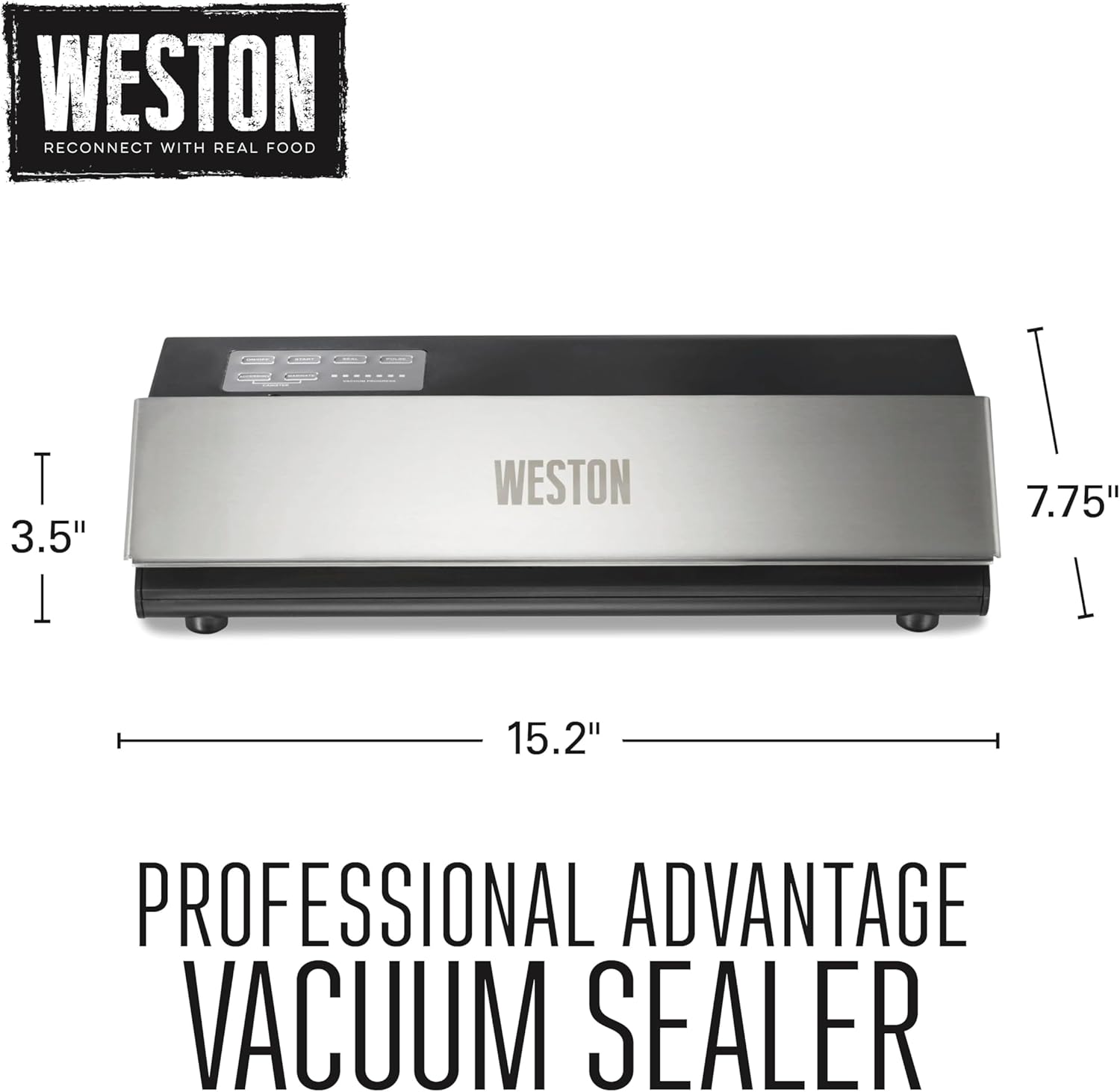
Image : Dimensionnelle au-dessusview of the Weston Professional Advantage Machine sous vide.
9. Garantie et assistance
9.1. Informations sur la garantie
The Weston 65-0501-W Professional Advantage Vacuum Sealer comes with a One (1) Year Warranty. Please retain your proof of purchase for warranty claims.
9.2. Assistance clientèle
For technical assistance, troubleshooting, or to inquire about replacement parts, please contact Weston customer support. Refer to the official Weston webPour obtenir les coordonnées les plus récentes, veuillez consulter le site web ou l'emballage de votre produit.
Des ressources en ligne et une FAQ peuvent également être disponibles sur le site. Weston Products website.