
Introduction
This manual provides essential information for the safe and efficient use of your Sony MXD-D2 MD Recorder/CD Player integrated deck. Please read these instructions thoroughly before operating the unit and retain them for future reference.
Consignes de sécurité
Respectez les consignes de sécurité suivantes afin d'éviter tout risque d'électrocution, d'incendie ou d'endommagement de l'appareil :
- Source d'alimentation : Branchez l'appareil uniquement à une alimentation électrique de 100 V CA, 50/60 Hz.
- Ventilation: Ensure adequate ventilation by not blocking the ventilation openings. Do not place the unit on soft surfaces that may block these openings.
- Humidité: N’exposez pas l’appareil à la pluie ou à l’humidité. Évitez de placer des objets remplis de liquide, tels que des vases, sur l’appareil.
- Objets étrangers : Do not insert any metallic objects or liquids into the unit.
- Entretien: N’essayez pas de réparer l’appareil vous-même. Confiez toute réparation à un personnel qualifié.
Installation
Déballage et placement
Carefully remove the unit from its packaging. Place the unit on a stable, level surface, ensuring sufficient space around it for proper ventilation.
Connexions du panneau arrière
The rear panel of the MXD-D2 provides various input and output terminals for connecting to other audio components. Refer to the image below for a visual guide to the connections.
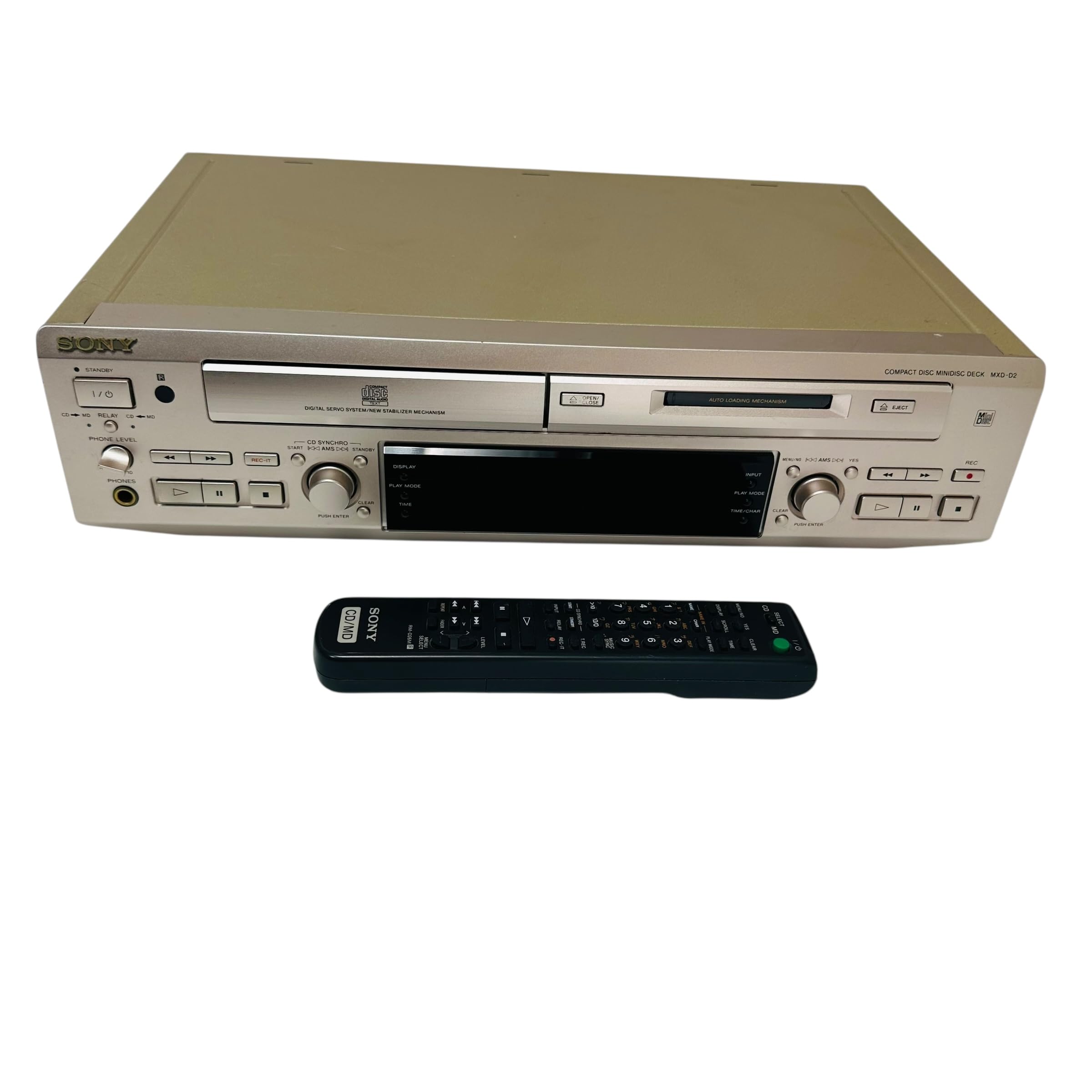
Image: Rear panel of the Sony MXD-D2 unit. This view displays the analog RCA input/output, digital coaxial input, optical input/output, and Control 1 port, along with the power cord connection and product information label.
- Connexions audio analogiques : Use RCA cables to connect the ENTRÉE ANALOGIQUE (入力) to the audio output of an external device (e.g., a tape deck or tuner). Connect the SORTIE ANALOGIQUE (出力) to the audio input of your amplifier or receiver. Ensure left (左) and right (右) channels are matched.
- Connexions audio numériques :
- Coaxial Digital Input (コアキシャル 入力): Connect a coaxial digital cable from the digital output of an external device.
- Optical Digital Input (オプチカル 入力): Connect an optical digital cable from the digital output of an external device.
- Optical Digital Output (オプチカル 出力): Connect an optical digital cable to the digital input of an external recording device or amplifier.
- Control 1 (コントロール 1): This port is for connecting to other compatible Sony components for synchronized operation. Refer to the manuals of connected components for specific instructions.
- Connexion électrique : After all audio connections are made, plug the power cord into an AC 100V wall outlet.
Mode d'emploi
Marche/Arrêt
Appuyez sur le POUVOIR bouton situé sur le panneau avant pour allumer ou éteindre l'appareil.
Lecture de CD
- Appuyez sur le CD OUVERT/FERMÉ bouton pour ouvrir le plateau du CD.
- Place a CD with the label side up in the tray.
- Appuyez sur le CD OUVERT/FERMÉ à nouveau pour fermer le tiroir.
- Appuyez sur le LECTURE DE CD bouton pour démarrer la lecture.
- Utilisez le PAUSE, ARRÊT, SAUTER (►►| / |◄◄), and RECHERCHE boutons pour le contrôle de la lecture.
MD Playback
- Insert a MiniDisc into the MD slot with the arrow pointing inwards.
- Appuyez sur le LECTURE MD bouton pour démarrer la lecture.
- Utilisez le PAUSE, ARRÊT, SAUTER (►►| / |◄◄), and RECHERCHE boutons pour le contrôle de la lecture.
MD Recording
The MXD-D2 allows recording from CD, analog, or digital sources to a MiniDisc.
- Insert a blank or erasable MiniDisc into the MD slot.
- Select the desired input source (CD, ANALOG, DIGITAL COAXIAL, or DIGITAL OPTICAL) using the SÉLECTEUR D'ENTRÉE bouton.
- For CD-to-MD recording, load the CD and select CD as the input source.
- Appuyez sur le MD ENR bouton pour entrer en mode veille d'enregistrement.
- Start playback on the source device (if external) or press LECTURE DE CD (for CD-to-MD recording).
- Presse MD ENR à nouveau pour démarrer l'enregistrement.
- Presse MD STOP pour terminer l'enregistrement.
- Track Marking: The unit can automatically mark tracks during digital recording. For manual marking, press the MARQUE button during recording.
Entretien
Nettoyage de l'appareil
Essuyez l'extérieur de l'appareil avec un chiffon doux et sec. Pour les taches tenaces, utilisez un chiffon légèrement humidifié.ampNettoyez avec une solution détergente douce, puis essuyez. N’utilisez pas de tampons abrasifs, de poudre à récurer ni de solvants comme l’alcool ou le benzène.
Entretien des disques
- Handle discs by their edges to avoid fingerprints on the recording surface.
- Keep discs in their cases when not in use to protect them from dust and scratches.
- N'exposez pas les disques à la lumière directe du soleil ou à des sources de chaleur.
Dépannage
If you experience problems with your unit, consult the following table before seeking professional service.
| Problème | Cause possible | Solution |
|---|---|---|
| Pas de courant | Le cordon d'alimentation n'est pas correctement branché. | Check that the power cord is firmly plugged into the unit and the wall outlet. |
| Pas de son | Incorrect input selected; audio cables not connected properly; ampVolume de l'amplificateur trop faible. | Select the correct input source. Check all audio cable connections. Increase the volume on your amplifier. |
| CD/MD does not play or record | Disc inserted incorrectly; disc is dirty or scratched; disc is unrecordable (for MD). | Ensure the disc is inserted correctly. Clean the disc with a soft cloth. Use a recordable MD. |
| Recording level is too low/high | Source device output level is incorrect. | Adjust the output level on the source device or the recording level on the MXD-D2 if available. |
Caractéristiques
| Fonctionnalité | Détail |
|---|---|
| Numéro de modèle | MXD-D2 |
| Marque | Sony |
| Exigences en matière d'alimentation | AC 100V, 16W, 50/60Hz |
| Médias formats | Compact Disc (CD), MiniDisc (MD) |
| Entrées analogiques | RCA (Left/Right) |
| Sorties analogiques | RCA (Left/Right) |
| Entrées numériques | Coaxial (1), Optical (1) |
| Sorties numériques | Optique (1) |
| Port de contrôle | Contrôle 1 |
| Appareils compatibles | Speakers, Headphones |
| Numéro de série | 213013 (Example) |
| Pays d'origine | Fabriqué au Japon |
Garantie et assistance
For warranty information and technical support, please refer to the warranty card included with your product or visit the official Sony webConsultez le site web de votre région. Conservez votre reçu d'achat comme preuve d'achat.