
1. Introduction
This manual provides essential information for the safe and efficient operation of your Sharp KC-A50EU-W Air Purifier. This device is designed to improve indoor air quality by filtering dust, pollen, mold spores, and odors, while also offering humidification using Plasmacluster ion technology. Please read these instructions thoroughly before use and retain them for future reference.
Informations importantes sur la sécurité
- Veillez toujours à placer l'appareil sur une surface stable et plane.
- Ne pas obstruer les entrées d'air ou les conduits d'évacuation.
- Gardez l'appareil à l'écart de l'eau et de l'humidité.
- Débranchez l’appareil avant de le nettoyer ou d’effectuer tout entretien.
- N’essayez pas de réparer l’appareil vous-même. Contactez un technicien qualifié.
2. Produit terminéview
The Sharp KC-A50EU-W is an advanced air purifier and humidifier designed for rooms up to 38 m². It features Plasmacluster ion technology to neutralize airborne pollutants and a multi-stage système de filtration.

Figure 2.1 : Devant view of the Sharp KC-A50EU-W Air Purifier, showing the main body and air outlet.
Caractéristiques principales :
- Plasmacluster Ion Technology: Releases positive and negative ions to clean the air.
- Fonction d'humidification : Adds moisture to the air for improved comfort.
- High Air Circulation: Efficiently processes air in rooms up to 38 m².
- Multi-stage Filtration : Includes a HEPA filter for fine particles and an odor filter.
- Fonctionnement silencieux : Conçu pour un niveau sonore minimal.
3. Installation
3.1 Déballage
- Retirez délicatement le purificateur d'air de son emballage.
- Retirez tous les matériaux de protection et les sacs en plastique.
- Check for any damage during transit. If damaged, do not operate and contact your retailer.
3.2 Placement
For optimal performance, place the air purifier in a location where air can circulate freely. Avoid placing it directly against walls or furniture. Ensure it is on a flat, stable surface. The unit is suitable for floor areas up to 24 square meters (as per specifications, though product description states 38m², use the more conservative spec for placement advice).

Figure 3.1 : Côté view of the air purifier, showing the air intake grille. Ensure this area is unobstructed.
3.3 Installation du filtre
Before first use, ensure all filters are correctly installed and any protective plastic packaging has been removed from them. Refer to the maintenance section for detailed filter handling.
4. Mode d'emploi
The control panel allows you to manage the various functions of your air purifier.

Figure 4.1 : Close-up of the control panel, showing buttons for power, fan speed, Plasmacluster, and humidification.
4.1 Mise sous/hors tension
- Branchez le cordon d'alimentation dans une prise électrique appropriée (220 V).
- Appuyez sur le MARCHE/ARRÊT button to turn the unit on. The unit will start in a default mode.
- Appuyez sur le MARCHE/ARRÊT à nouveau pour éteindre l'appareil.
4.2 Réglage de la vitesse du ventilateur
Utilisez le VITESSE DU VENTILATEUR button to cycle through different fan settings (e.g., Low, Medium, High, Auto). The current setting will be indicated on the display or by indicator lights.
4.3 Plasmacluster Ion Operation
Appuyez sur le CLEAN ION SHOWER ON button to activate the Plasmacluster ion generator. This function helps to remove airborne viruses, bacteria, and odors. An indicator light will confirm activation.
4.4 Fonction d'humidification
- Assurez-vous que le réservoir d'eau est rempli d'eau propre.
- Appuyez sur le CLEAN AIR & HUMIDIFY ON button to activate the humidification function.
- The unit will automatically maintain a comfortable humidity level.
- The humidity level may be displayed on the control panel.
4.5 Sécurité enfants
Pour éviter toute activation accidentelle, appuyez et maintenez enfoncé le VERROUILLAGE ENFANTIN button for 3 seconds to activate or deactivate the child lock function.
5. Entretien
Regular maintenance ensures optimal performance and extends the life of your air purifier. Always unplug the unit before cleaning or performing maintenance.
5.1 Nettoyage et remplacement du filtre
The Sharp KC-A50EU-W uses multiple filters that require periodic cleaning or replacement.
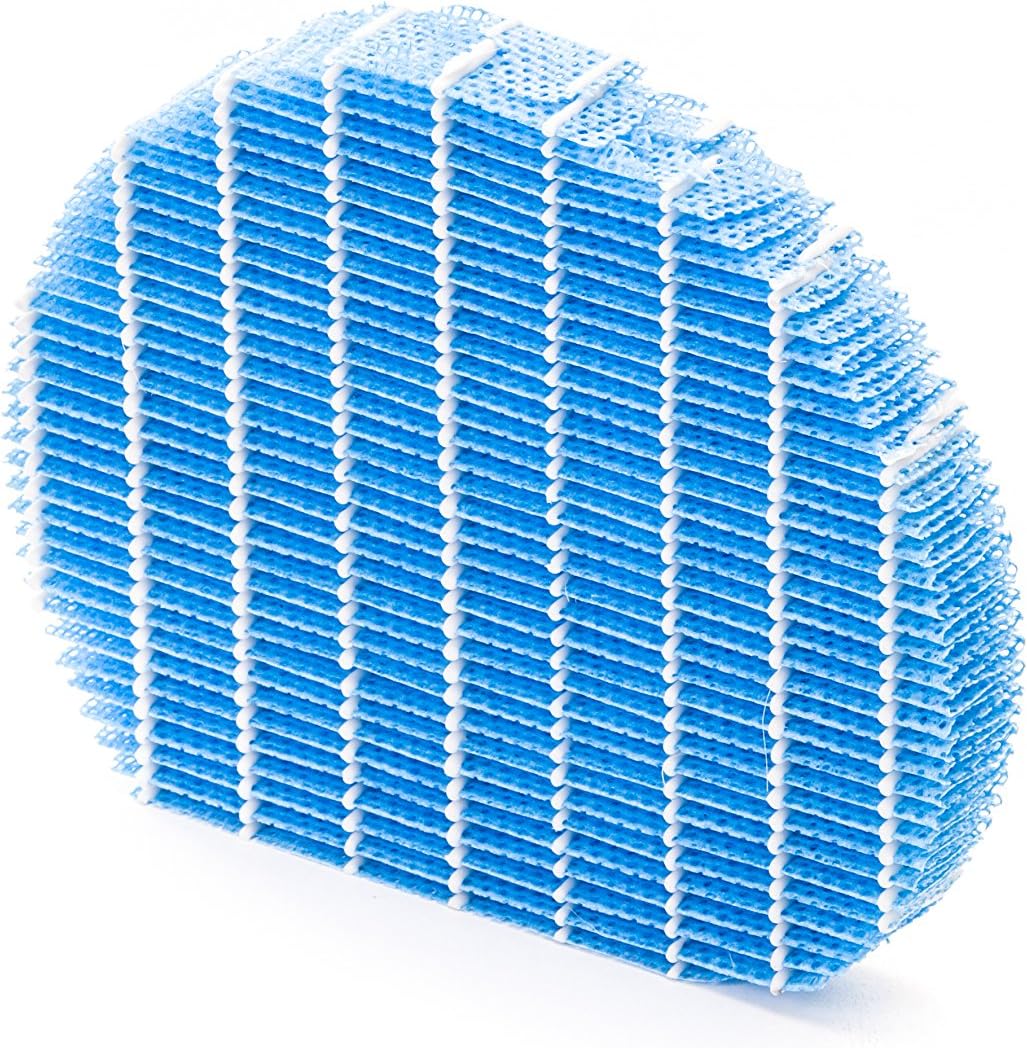
Figure 5.1 : Example of a humidifying filter component, which requires regular cleaning.
- Préfiltre: Clean regularly (e.g., monthly) by vacuuming or washing with water. Allow to dry completely before reinstallation.
- Filtre HEPA: This filter captures fine dust and allergens. It cannot be washed and must be replaced. The replacement interval can vary, but typically ranges from 2 to 5 years depending on usage and air quality. Monitor the filter's condition; if it appears significantly discolored (e.g., black instead of white), replace it immediately.
- Deodorizing Filter (Activated Carbon): This filter removes odors. It can often be washed periodically (e.g., every few months) to refresh its effectiveness. Allow to dry completely. Replace when odors persist after cleaning.
- Filtre humidificateur : If using the humidification function, clean the humidifying filter and its tray at least every 4 weeks to prevent mold and bacteria growth. Use a mild detergent and rinse thoroughly.
5.2 Nettoyage du réservoir d'eau
For units with humidification, clean the water tank regularly (e.g., weekly) to prevent mineral buildup and bacterial growth. Use a soft brush and mild detergent, then rinse thoroughly with clean water.
5.3 Nettoyage extérieur
Essuyez l'extérieur de l'appareil avec un chiffon doux.amp chiffon. N'utilisez pas de nettoyants abrasifs ou de solvants.
6. Dépannage
If you encounter issues with your Sharp KC-A50EU-W, refer to the following common problems and solutions.
| Problème | Cause possible | Solution |
|---|---|---|
| L'unité ne s'allume pas. | Cordon d'alimentation mal branché ; pas de courant à la prise. | Vérifiez que le cordon d'alimentation est bien branché. Testez la prise de courant avec un autre appareil. |
| Performances de purification de l'air médiocres. | Filters are dirty or clogged; filters incorrectly installed. | Clean or replace filters as per maintenance instructions. Ensure filters are installed correctly. |
| Humidification not working or low output. | Water tank is empty; humidifying filter is dirty or clogged. | Refill the water tank. Clean the humidifying filter and tray. |
| Bruit inhabituel provenant de l'appareil. | Obstruction in fan; unit not on a level surface. | Check for any foreign objects near the fan. Place the unit on a stable, level surface. |
| Persistent odors. | Deodorizing filter is saturated or needs cleaning/replacement. | Clean or replace the deodorizing filter. |
Si le problème persiste après avoir essayé ces solutions, veuillez contacter le support client.
7. Spécifications
- Numéro de modèle : KC-A50EU-W
- Fabricant: Pointu
- Couleur: Blanc
- Dimensions du produit (L x l x H) : 24 x 69 x 2.5 cm
- Poids de l'article : 9.2 kg (9200 grammes)
- Source d'alimentation : 220V
- Type de filtre : HEPA
- Surface au sol recommandée : 24 mètres carrés
- Niveau de bruit : 49 décibels
- Matériel: Plastique
- Pays d'origine : Japon
8. Garantie et assistance
Pour obtenir des informations sur la garantie et l'assistance clientèle, veuillez consulter la carte de garantie fournie avec votre produit ou visiter le site officiel de Sharp. webConsultez le site web de votre région. Conservez votre reçu d'achat comme preuve d'achat.