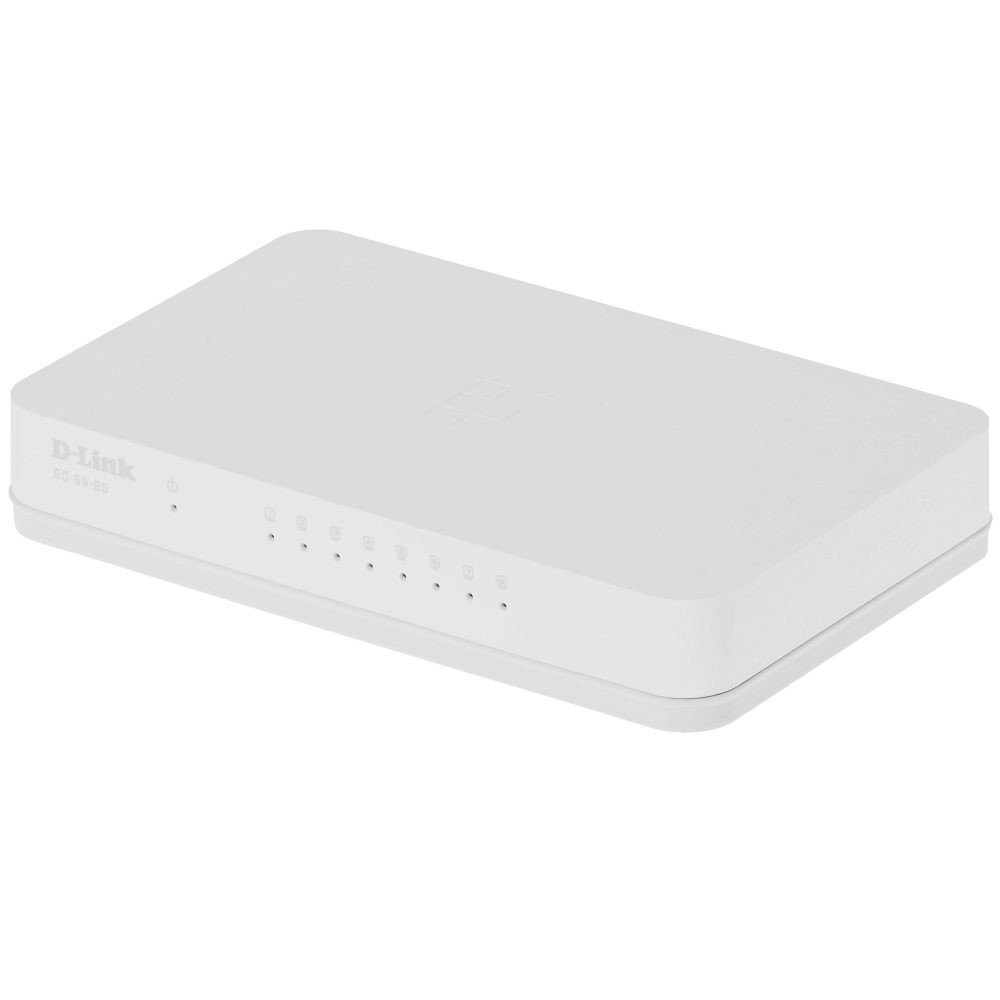
The D-Link GO-SW-8G is an 8-port unmanaged Gigabit desktop switch designed for small office and home office (SOHO) environments. This device facilitates network expansion by providing eight 10/100/1000 Mbps Ethernet ports, enabling high-speed data transfer for connected devices. It incorporates D-Link's Green Technology for energy efficiency, reduced heat generation, and extended product lifespan.
Installation
Contenu du colis
Vérifiez que votre colis contient les éléments suivants :
GO-SW-8G device
Adaptateur secteur
Connexion du commutateur
The GO-SW-8G is a plug-and-play device, requiring no software configuration for basic operation. Follow these steps to set up your switch:
Connexion électrique : Connect the provided power adapter to the power input port on the rear panel of the GO-SW-8G switch and then plug the adapter into a standard electrical outlet.
Connexion du périphérique réseau : Connect Ethernet cables from your network devices (e.g., computers, network-attached storage, routers) to any of the eight available RJ45 ports on the GO-SW-8G switch. The switch supports auto MDI/MDIX, so you can use either straight-through or crossover Ethernet cables.
Vérification: Once connected, the corresponding LED indicator for each active port will illuminate, indicating a successful link.
Image: D-Link GO-SW-8G 8-Port Unmanaged Gigabit Desktop Switch. This image displays the compact white design of the switch with its multiple Ethernet ports and power input.
Opérationnel
The D-Link GO-SW-8G operates as an unmanaged switch, meaning it requires no user configuration for its core functions. It automatically detects network speed and duplex mode for each connected device, providing optimal performance. The Gigabit Ethernet ports support data transfer rates of up to 1000 Mbps, facilitating fast communication within your local network.
Indicateurs LED
The switch features LED indicators for each port and for power. These indicators provide visual feedback on the status of the switch and its connections:
Voyant d'alimentation : S'illumine lorsque l'interrupteur est allumé.
Voyants LED de liaison/activité (par port) :
Vert uni : Indicates a successful network link at Gigabit speed (1000 Mbps).
Ambre massif : Indicates a successful network link at Fast Ethernet speed (10/100 Mbps).
Clignotant : Indicates network activity (data transmission or reception) on that port.
Désactivé: No link detected or device is not powered on/connected.
Entretien
To ensure optimal performance and longevity of your D-Link GO-SW-8G switch, follow these general maintenance guidelines:
Placement: Place the switch in a well-ventilated area to prevent overheating. Avoid direct sunlight and heat sources.
Nettoyage: Utilisez un chiffon doux et sec pour nettoyer l'extérieur de l'interrupteur. N'utilisez pas de nettoyants liquides ni en aérosol.
Gestion des câbles: Veillez à ce que les câbles réseau soient bien rangés et ne soient pas excessivement pliés ou tendus.
Alimentation: Utilisez uniquement l'adaptateur secteur fourni avec l'appareil.
Dépannage
If you encounter issues with your D-Link GO-SW-8G switch, refer to the following common troubleshooting steps:
Pas d'alimentation :
Assurez-vous que l'adaptateur secteur est correctement branché à l'interrupteur et à une prise électrique fonctionnelle.
Vérifiez si la prise de courant fonctionne en y branchant un autre appareil.
Pas de voyant de liaison :
Verify that the Ethernet cable is securely plugged into both the switch port and the network device.
Vérifiez que le périphérique réseau connecté est allumé et fonctionne correctement.
Essayez un autre câble Ethernet pour exclure une défaillance du câble.
Testez avec un autre port du commutateur.
Vitesse du réseau lente :
Confirm that all connected devices and cables support Gigabit Ethernet (1000 Mbps) for optimal performance.
Vérifiez la présence d'un trafic réseau excessif ou d'applications gourmandes en bande passante exécutées sur les appareils connectés.
Ensure the switch is placed in an area with adequate ventilation to prevent performance degradation due to overheating.
Caractéristiques
Marque
Lien D
Numéro de modèle
GO-SW-8G/B
Nombre de ports
8
Taux de transfert de données
1000 Megabytes Per Second (Gigabit)
Type de commutateur
Non géré
Interface
RJ45
Appareils compatibles
PC, Mac
Voltage
5 volts
Type de matériau du boîtier
Plastique
Poids de l'article
0.3 livres
Informations sur la garantie
The D-Link GO-SW-8G switch comes with a Garantie limitée de 3 ans. For detailed terms and conditions, please refer to the warranty card included with your product or visit the official D-Link website.
Soutien
For technical support, product registration, or to download the latest firmware and documentation, please visit the official D-Link support website. You can typically find support resources by searching for your product model (GO-SW-8G) on their site.
Ask about setup, troubleshooting, compatibility, parts, safety, or missing instructions. Manuals+ will review the question and use this page’s manual context to help answer it.