
1. Introduction
Thank you for choosing the Casio G-Shock PRG-100 watch. This manual provides essential information regarding the setup, operation, and maintenance of your new timepiece. The PRG-100 is a robust digital watch featuring a quartz movement, alarm functionality, and a durable resin band, designed for reliability and performance.
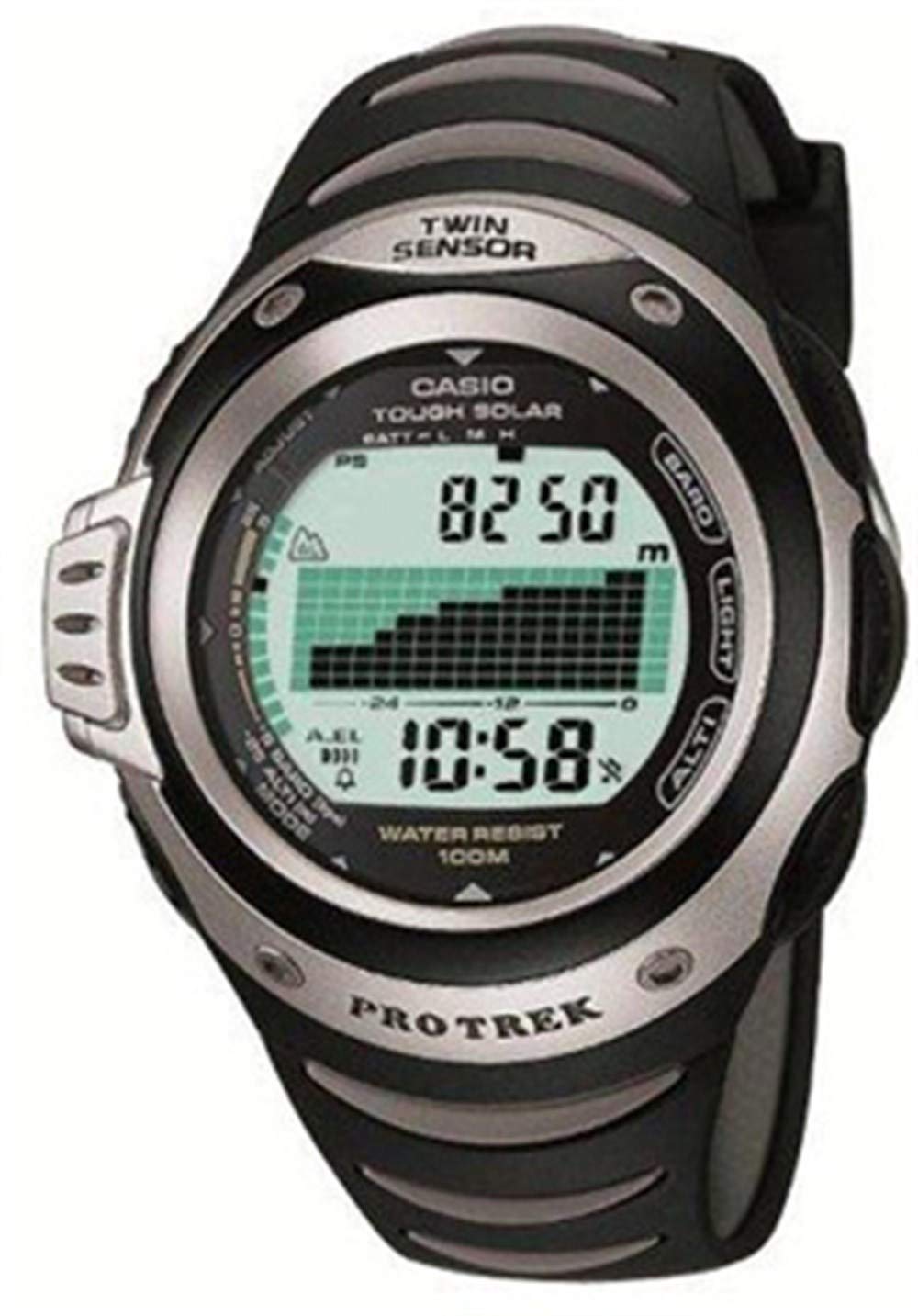
Figure 1 : Devant view of the Casio G-Shock PRG-100 watch. This image shows the digital display and the overall design of the watch face.
2. Installation
2.1 Réglage initial de la date et de l'heure
- Appuyez et maintenez enfoncé le AJUSTER button (usually top-left) until the city code starts to flash.
- Utilisez le MODE button (bottom-left) to cycle through the settings: City Code → DST (Daylight Saving Time) → 12/24-hour format → Seconds → Hour → Minute → Year → Month → Day.
- Utilisez le AVANT (en haut à droite) et INVERSE (bottom-right) buttons to change the flashing value.
- Une fois tous les réglages corrects, appuyez sur AJUSTER à nouveau pour quitter le mode de réglage.
2.2 Réglage de l'alarme
- En mode Horloge, appuyez sur MODE button until you reach the Alarm Mode (indicated by "AL" or an alarm icon).
- Appuyez et maintenez enfoncé le AJUSTER button until the alarm time starts to flash.
- Utilisez le MODE bouton permettant de sélectionner le réglage entre l'heure et les minutes.
- Utilisez le AVANT et INVERSE boutons pour régler l'heure de l'alarme souhaitée.
- Appuyez sur le AJUSTER bouton pour confirmer et quitter.
- Pour activer/désactiver l'alarme, appuyez sur le bouton. AVANT button while in Alarm Mode (without holding ADJUST).
3. Fonctionnement
3.1 Navigation en mode
Your PRG-100 watch features several modes. Press the MODE button (bottom-left) to cycle through them in the following order:
- Timekeeping Mode (current time and date)
- Alarm Mode (set and activate alarms)
- Stopwatch Mode (measure elapsed time)
- Timer Mode (countdown timer)
- World Time Mode (view time in different cities)
- Note: Specific modes may vary slightly based on the exact module. Refer to the full module manual for advanced features.
3.2 Utilisation du chronomètre
- Navigate to the Stopwatch Mode using the MODE bouton.
- Appuyez sur le AVANT button (top-right) to start the stopwatch.
- Appuyez sur le AVANT Appuyez à nouveau sur le bouton pour arrêter le chronomètre.
- Appuyez sur le INVERSE button (bottom-right) to reset the stopwatch to zero.
3.3 Fonction de rétroéclairage
Pour illuminer l'écran en conditions de faible luminosité, appuyez sur LUMIÈRE button (usually top-right or front-center). The backlight duration may be adjustable in settings.
4. Entretien
4.1 Nettoyage de votre montre
Essuyez régulièrement la montre avec un chiffon doux et sec pour enlever la poussière et l'humidité. Pour les saletés tenaces, frottez légèrement avec un chiffon doux.amp cloth with mild soap can be used, followed by thorough drying. Avoid using harsh chemicals or abrasive cleaners.
4.2 Entretien de la batterie
The PRG-100 is powered by a battery. When the display becomes dim or functions become unreliable, it may be time for a battery replacement. It is recommended to have the battery replaced by an authorized Casio service center to ensure proper sealing and water resistance.
4.3 Résistance à l'eau
Your G-Shock watch is designed with a high level of water resistance. However, avoid operating buttons while the watch is submerged in water. After exposure to saltwater, rinse the watch with fresh water and wipe it dry. Do not expose the watch to extreme temperature changes.
5. Dépannage
- L'écran est vide ou sombre : La batterie est peut-être faible ou déchargée. Envisagez de la remplacer.
- L'heure est incorrecte : Re-adjust the time and date settings as described in Section 2.1. Ensure the correct city code and DST setting are selected.
- Les boutons ne répondent pas : Ensure the watch is not in a locked mode (if applicable). If submerged, dry the watch thoroughly. If the issue persists, a service check may be required.
- L'alarme ne sonne pas : Check if the alarm is enabled in Alarm Mode (Section 2.2). Ensure the volume is not set to mute (if applicable).
If you encounter issues not covered here, please contact Casio customer support or an authorized service center.
6. Spécifications
| Fonctionnalité | Détail |
|---|---|
| Marque | Casio |
| Nom du modèle | PRG-100 |
| Numéro de modèle | PRG-100 |
| Format d'affichage | Numérique |
| Type de mouvement | Quartz |
| Caractéristiques spéciales | Alarme |
| Source d'énergie | Batterie |
| Style | Sangle |
| Forme | Rond |
| Couleur de la bande | Noir |
| Matériau de la bande | Résine |
| Diamètre du boîtier | 41 millimètres |
| ASIN | B000JS57EC |
| Numéro de pièce du fabricant | PRG-100-1AVDR_WW |
7. Garantie et assistance
Your Casio G-Shock PRG-100 watch is covered by a manufacturer's warranty. For specific warranty terms and conditions, please refer to the warranty card included with your purchase or visit the official Casio website.
For further assistance, technical support, or service inquiries, please contact Casio customer service through their official website or an authorized service center in your region.